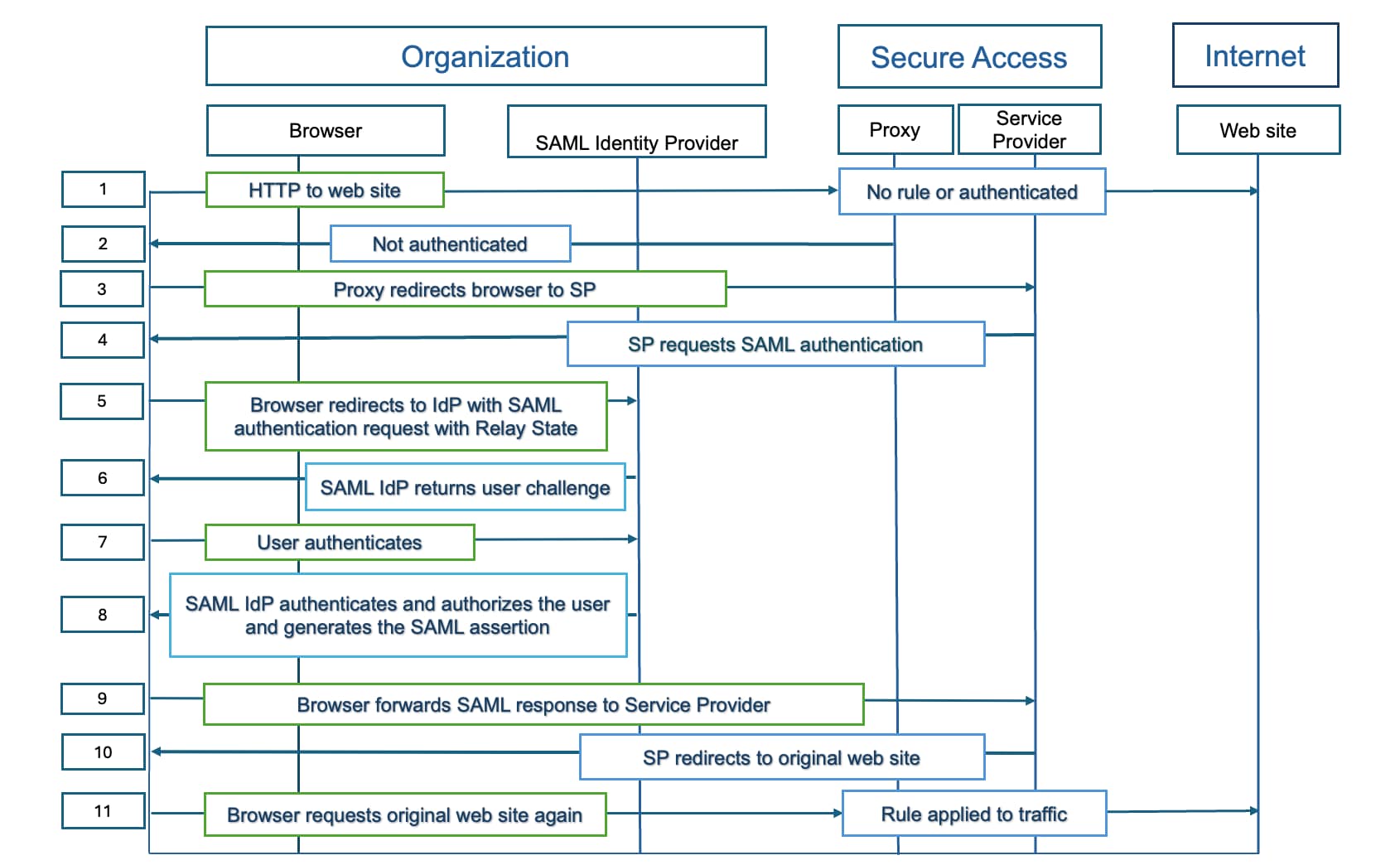
Describes Configure Integrations with SAML Identity Providers in Cisco Secure Access. Cisco Secure Access enables you to connect securely to the internet, web resources in private and public clouds, your organization's on-premises private resources, and Software as a Service (SaaS) applications.
Cisco Secure Access enables you to connect securely to the internet, web resources in private and public clouds, your organization's on-premises private resources, and Software as a Service (SaaS) applications. To create more granular access rules and to authenticate users connecting from networks or network tunnels or with Zero Trust Access (ZTA), you can integrate a Security Assertion Markup Language (SAML) identity provider (IdP) in Secure Access. The SAML IdP provides single sign-on (SSO) authentication for users and Secure Access establishes a trust relationship with the IdP.
Secure Access integrates with various SAML 2.0 IdPs: Azure Active Directory (Azure AD), Duo, Okta, Ping Identity, Active Directory Federation Services (AD FS), and OpenAM.
Once users in your organization are configured to use SSO, the SAML IdP manages all authentication requests. A user authenticates to the SSO IdP, automatically signs in to Secure Access, and is authorized to connect to certain resources.
For more information, see Use Cases – SSO Authentication.
Configure Identity Providers for SAML Authentication
Test the Identity Provider Integration
To complete the integration of an SAML IdP with Secure Access, evaluate the single sign-on authentication through the IdP. For more information, see Test SAML Identity Provider Integration.
View the SAML Certificates in Secure Access
Once you have completed the integration of an SAML IdP in Secure Access, you can manage the root certificates used in SAML authentication for Secure Access and the SAML IdP. For more information, see Manage Certificates.