Cisco Secure Access Help

PDF

Cisco Secure Access Help

Enable SaaS API Data Loss Prevention for Webex Teams

Want to summarize with AI?

Log in

Describes Enable SaaS API Data Loss Prevention for Webex Teams in Cisco Secure Access and explains Prerequisites. It summarizes the behavior, configuration context, and operational considerations presented throughout the topic.


Prerequisites

  • Chrome or Firefox (recommended) with pop-up blockers and ad blockers disabled (only for the duration of authorization)

  • Full Administrator Privileges in Webex Teams and the Compliance Officer role

  • The EventsAPI in your Webex Teams instance must be enabled. Contact your Webex Teams support team to ensure that the EventsAPI is turned on.


Authorize a Tenant

Procedure

  1. Navigate to Admin > Authentication.

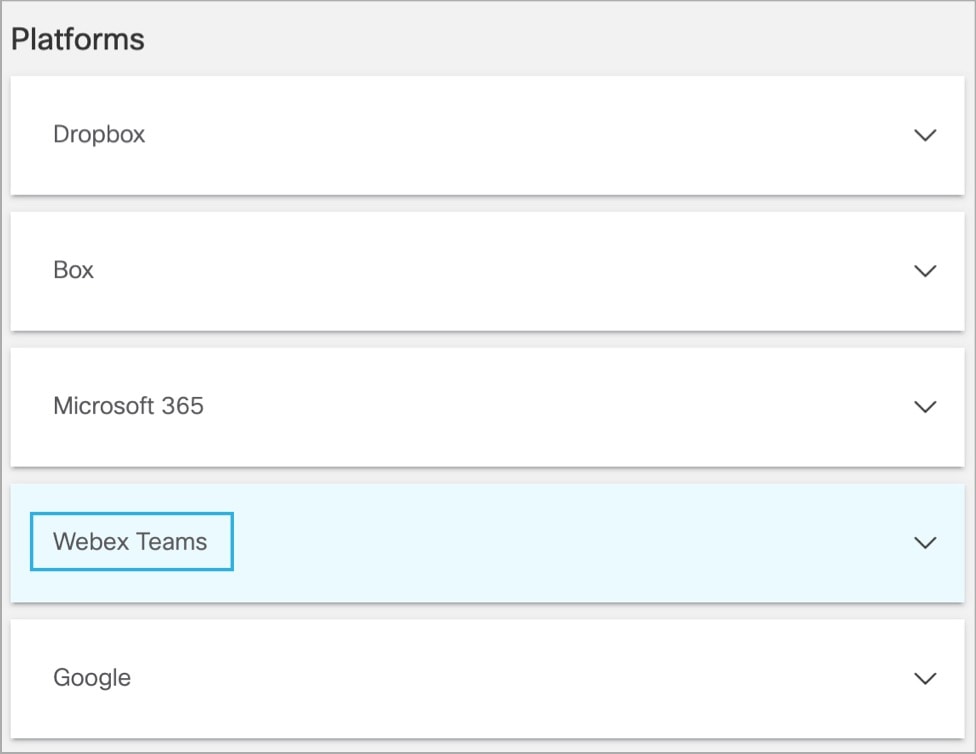
  2. Under Platforms, click Webex Teams.


    Platforms page displaying options for Webex Teams
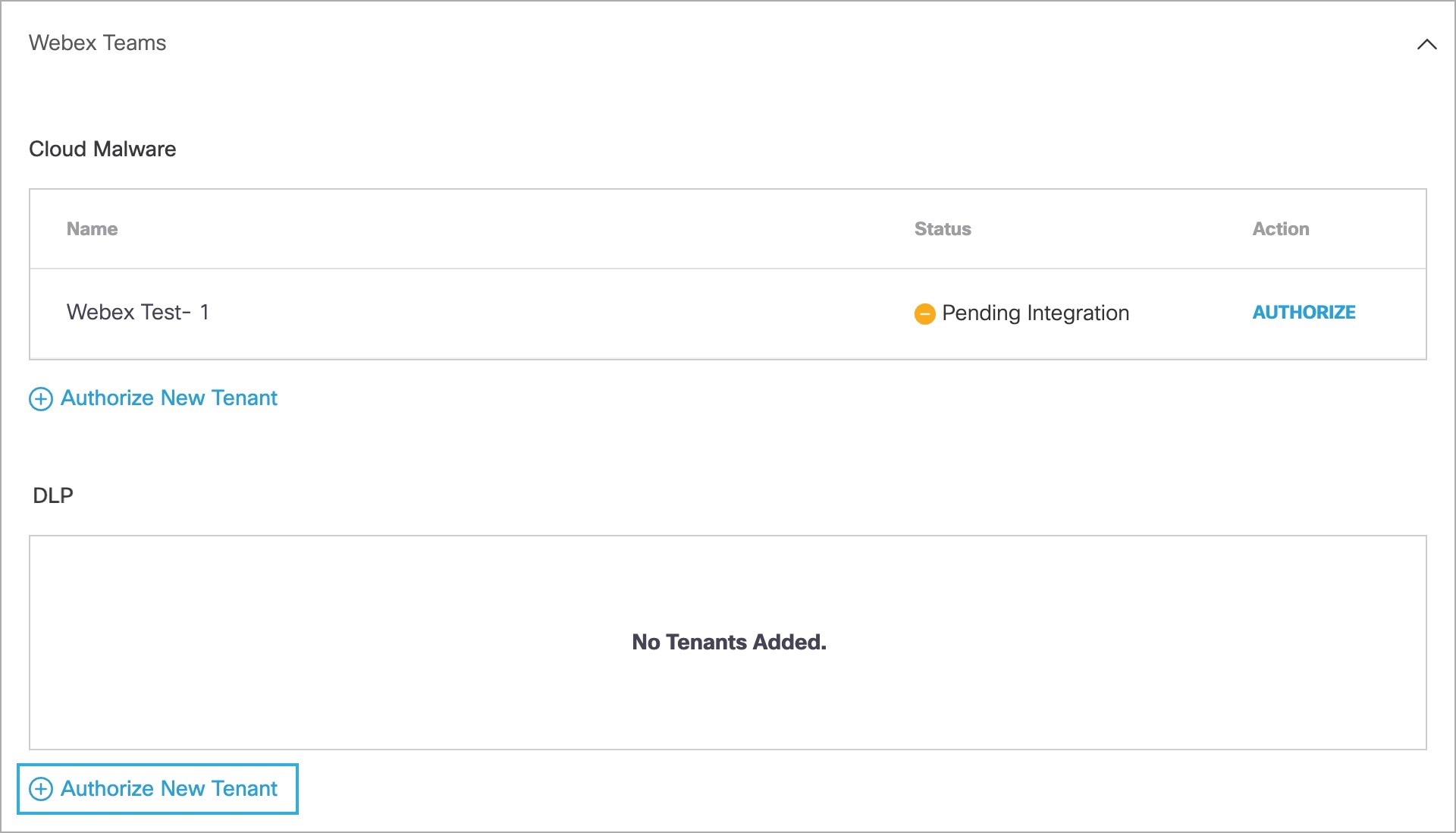
  3. In the DLP subsection, click Authorize New Tenant to add a Webex Teams tenant to your Secure Access environment.


    Webex Teams page displaying the option to authorize a new tenant
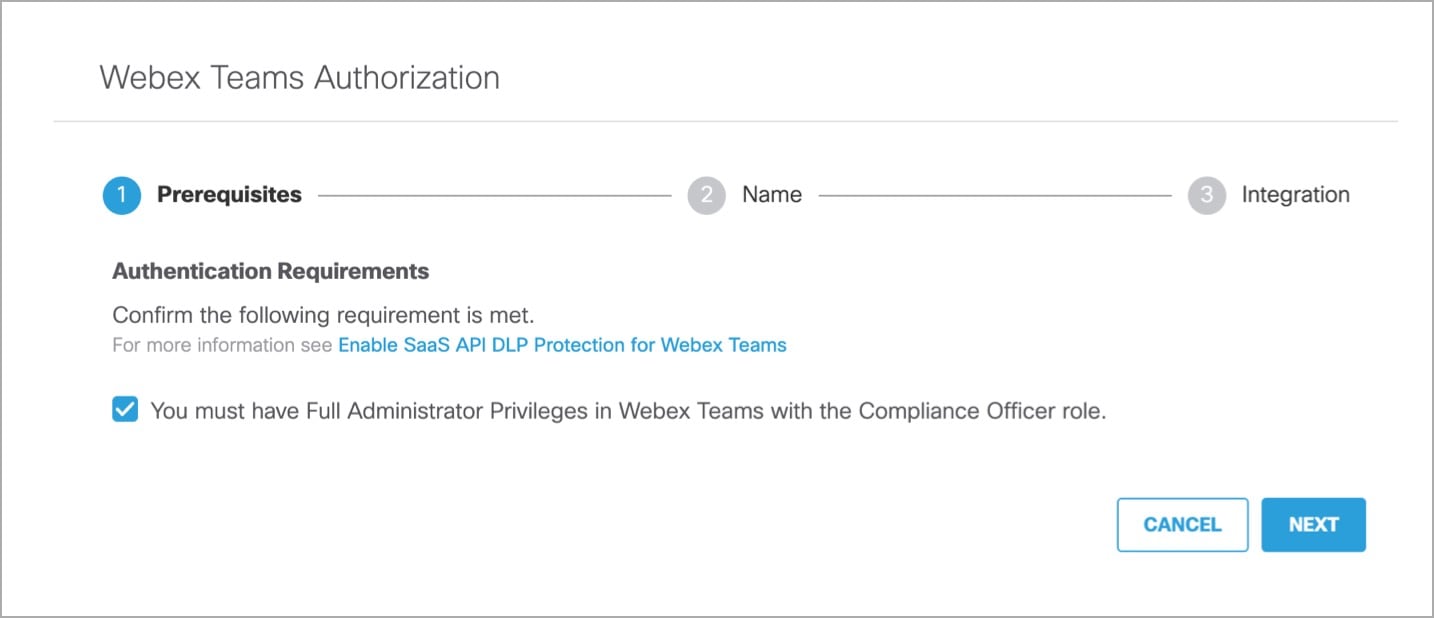
  4. In the Webex Teams Authorization dialog, check the checkbox to verify you meet the prerequisite, then click Next.


    Webex Teams Authorization page displaying the option to proceed to the next step
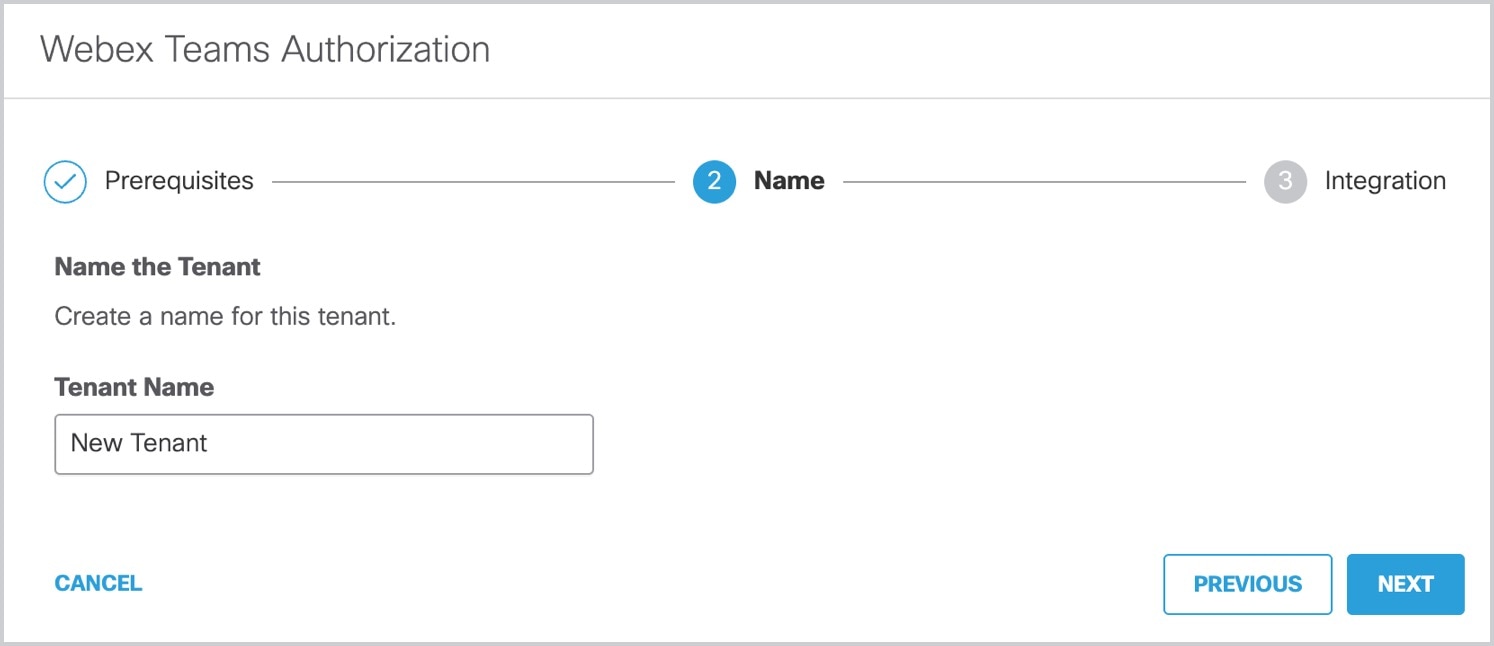
  5. Enter the name of your tenant, then click Next.


    Webex Teams Authorization page displaying the option to proceed to the next step
  6. Click Next to complete the integration.

  7. Click Accept to complete the authorization.

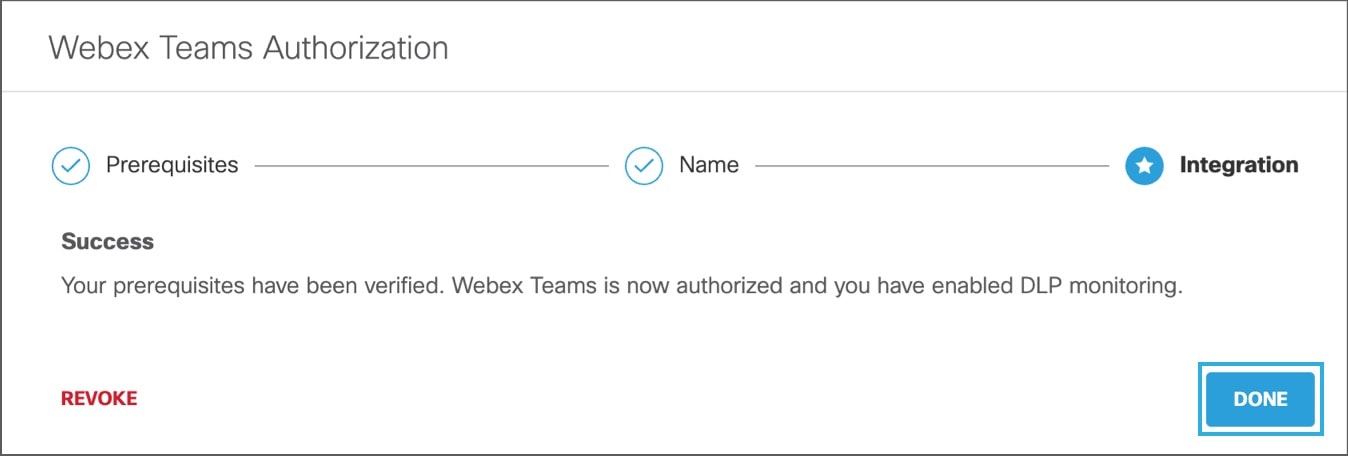
  8. You are redirected to Secure Access and a message appears showing the integration was successful. It may be up to 24 hours for the integration to be confirmed and appear as Authorized. Click Done to complete.


    Webex Teams Authorization page displaying the option for done.

Revoke Authorization

Procedure

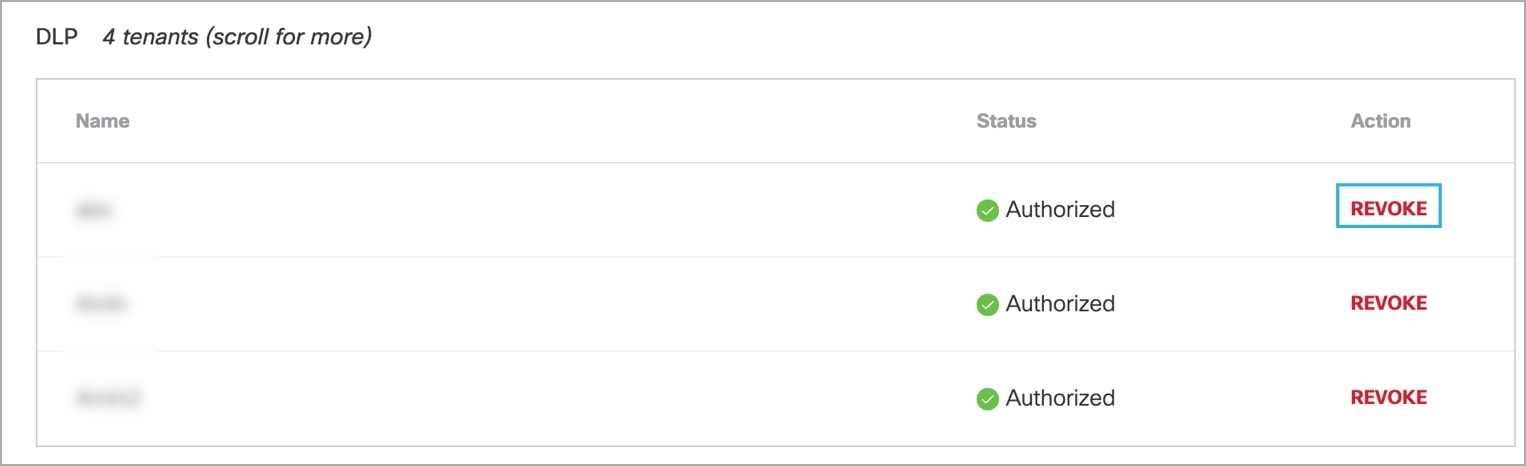
  1. Under Action, click Revoke. You can revoke any authorized tenant.


    DLP page displaying options for action and revoke
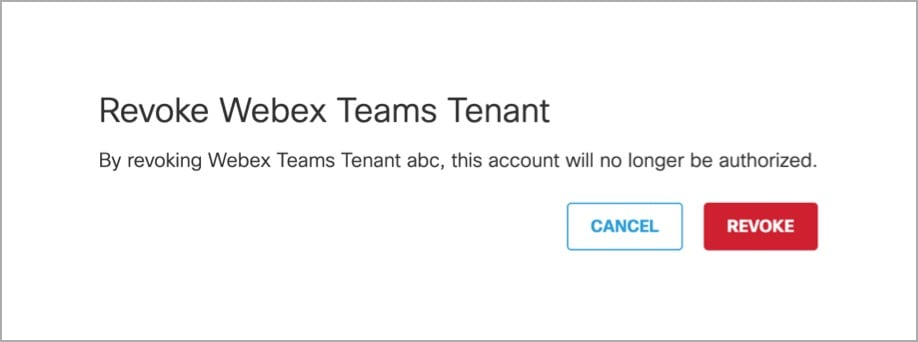
  2. Confirm to proceed. The selected account is not authorized.


    Revoke Webex Teams Tenant page displaying the option to revoke