Cisco Secure Access Help

PDF

Cisco Secure Access Help

View Internet Security Settings for Roaming Devices

Want to summarize with AI?

Log in

Describes View Internet Security Settings for Roaming Devices in Cisco Secure Access. A Roaming Device resource represents a user device that has deployed the Cisco Security Client with the Umbrella Roaming Security module.


A Roaming Device resource represents a user device that has deployed the Cisco Security Client with the Umbrella Roaming Security module.

The Cisco Secure Client Umbrella Roaming Security module enables secure internet access on user devices. The Umbrella Roaming Security module includes:

  • DNS-layer security
  • Web security

Once deployed, the Cisco Secure Client registers the user device with Secure Access. Cisco Secure Access adds the device to the list of Roaming Device resources managed by the organization. Cisco Secure Client syncs with Secure Access periodically and the device's DNS and web traffic is protected by the organization's policy rules. As an administrator, you can override, enable, or disable the internet security settings for the roaming devices in the organization.

Prerequisites

Note
IPS in Cisco Secure Access does not support traffic from the Secure Client roaming module.
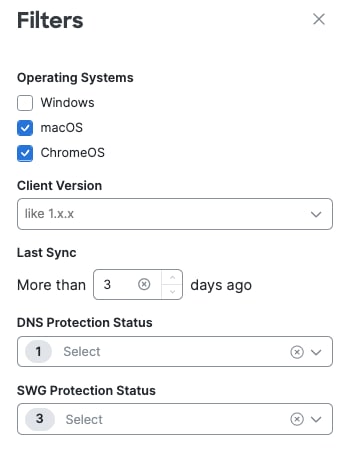
Procedure


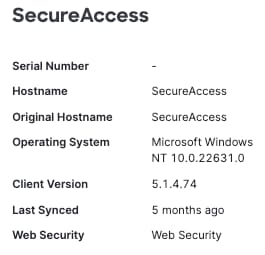
Host Information

  • Name—name of the device
  • Serial Number—serial number of the device
  • Original Hostname—original hostname of the device
  • Operating System—operating system and version
  • Client Version—version of Cisco Secure Client installed on the device
  • Last Synced—last date when Cisco Secure Client received a sync from Secure Access
  • Web Security—specifies whether Cisco Secure Client has internet security deployed

Secure Access page displaying host information

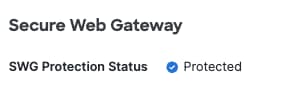
Secure Web Gateway

  • SWG Protection Status—specifies when the Secure Web Gateway roaming device status is Offline, Protected, Unprotected, Configuration Error, Cloud Service Unavailable, Disabled, Disabled due to VPN, or Disabled due to trusted network. For more information about these status values, see SWG Protection Status and Status in Umbrella Roaming Security Tile.
    Secure Web Gateway section displaying SWG protection status

Cisco Secure Client version 5.1.8.105 or later deployed with the Umbrella Roaming Security module or a PAC file for browsers in the environment is required for SWG protection status in Secure Access.

For more information, see the following resources:


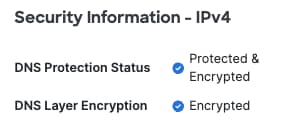
Security Information – IPv4

  • DNS Protection Status—specifies whether DNS-layer security roaming device status for IPv4 traffic is Offline, Unprotected, Protected, Protected & Encrypted, Protected by VA, Protected by Network, Disabled by User, Disabled on Full-Tunnel VPN, or Uninstalled.

  • DNS Layer Encryption—specifies whether DNS-layer security is encrypted for IPv4 traffic.


    Security Information - IPv4 section displaying DNS Protection Status and DNS Layer Encryption information

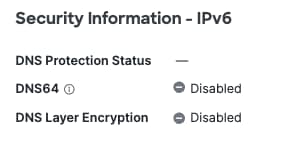
Security Information – IPv6

  • DNS Protection Status—specifies whether DNS-layer security roaming device status for IPv6 traffic is Offline, Unprotected, Protected, Protected & Encrypted, Protected by VA, Protected by Network, Disabled by User, Disabled on Full-Tunnel VPN, or Uninstalled.

  • DNS64—specifies whether DNS64 service is enabled (returns synthetic IPv6 addresses to clients for IPv4-only destinations).

    Note
    IPv6 queries for domains with IPv4-only addresses are not resolved by Secure Access at this time. These queries may be answered by your local DNS resolver and would not be protected by Secure Access.
  • DNS-layer Encryption—specifies whether DNS-layer security is encrypted for IPv6 traffic.


    Security Information - IPv6 section displaying DNS Protection status, DNS64 status, and DNS Layer Encryption information