Provides instructions for completing the Apply an Access Policy to Your Mobile Device workflow in Cisco Secure Access. Full admin access to the Secure Access dashboard.
Once your device is successfully configured and imported from the MDM dashboard, it is automatically synchronized with Secure Access. This ensures that the device's information, such as its identity and provisioning details, is made available in Secure Access. The imported device will then appear under in the Secure Access dashboard.

Since any changes to the actual provisioned device must be made through the MDM, these mobile devices are only listed in Secure Access. However, you can still apply access policies to these mobile device identities directly within Secure Access. To do this, navigate to and configure the desired rules for mobile devices.
Access policies allow you to define the level of protection and logging, such as blocking specific types of sites or enabling additional security features like the Secure Access intelligent proxy.
Only one Access Policy can be applied to a device identity at any time.
Before you begin
-
Full admin access to the Secure Access dashboard. See Manage Accounts.
Procedure
-
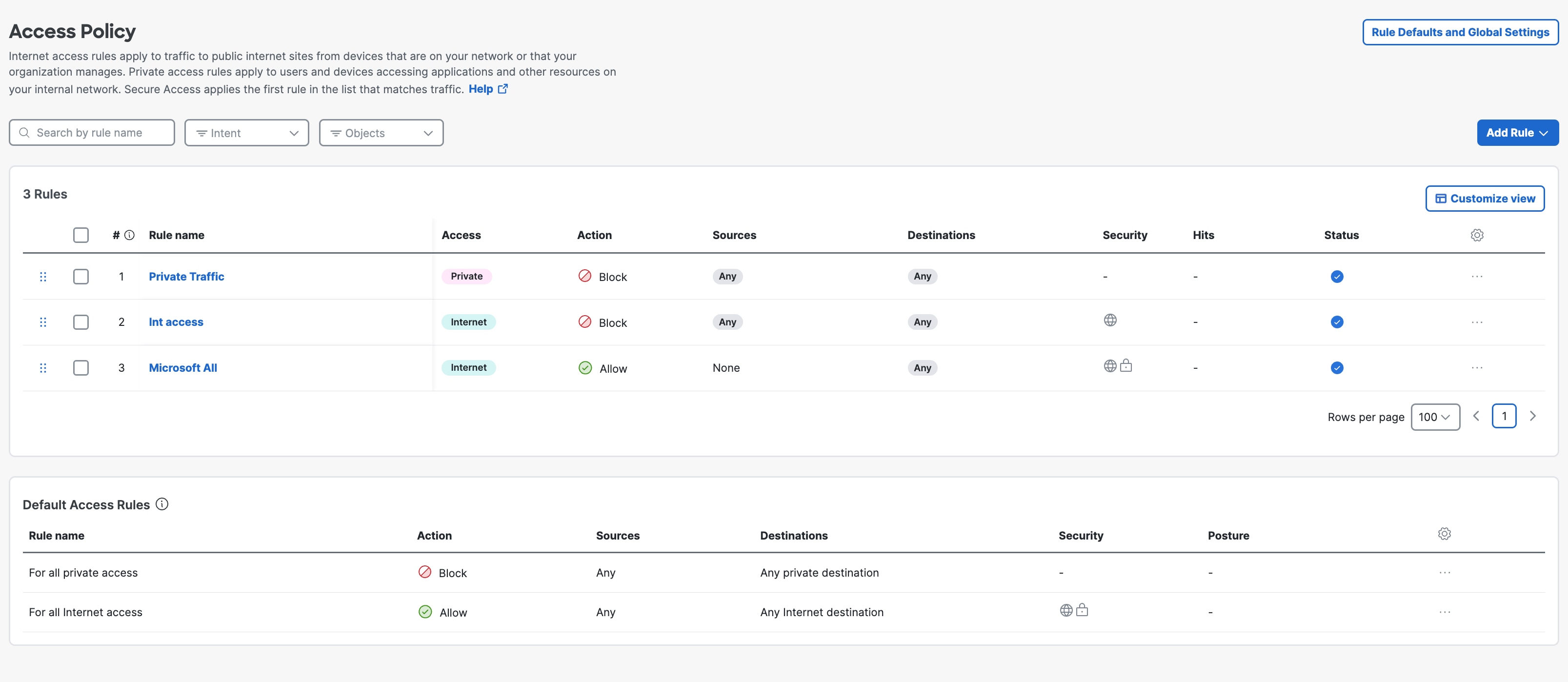
Navigate to .
-
Perform one of the following actions:
- To configure an existing policy, click the ellipsis at the far right side of a rule. Choose one of the following options based on your requirement: uiDuplicate, View, Edit, Disable, or Copy Link.
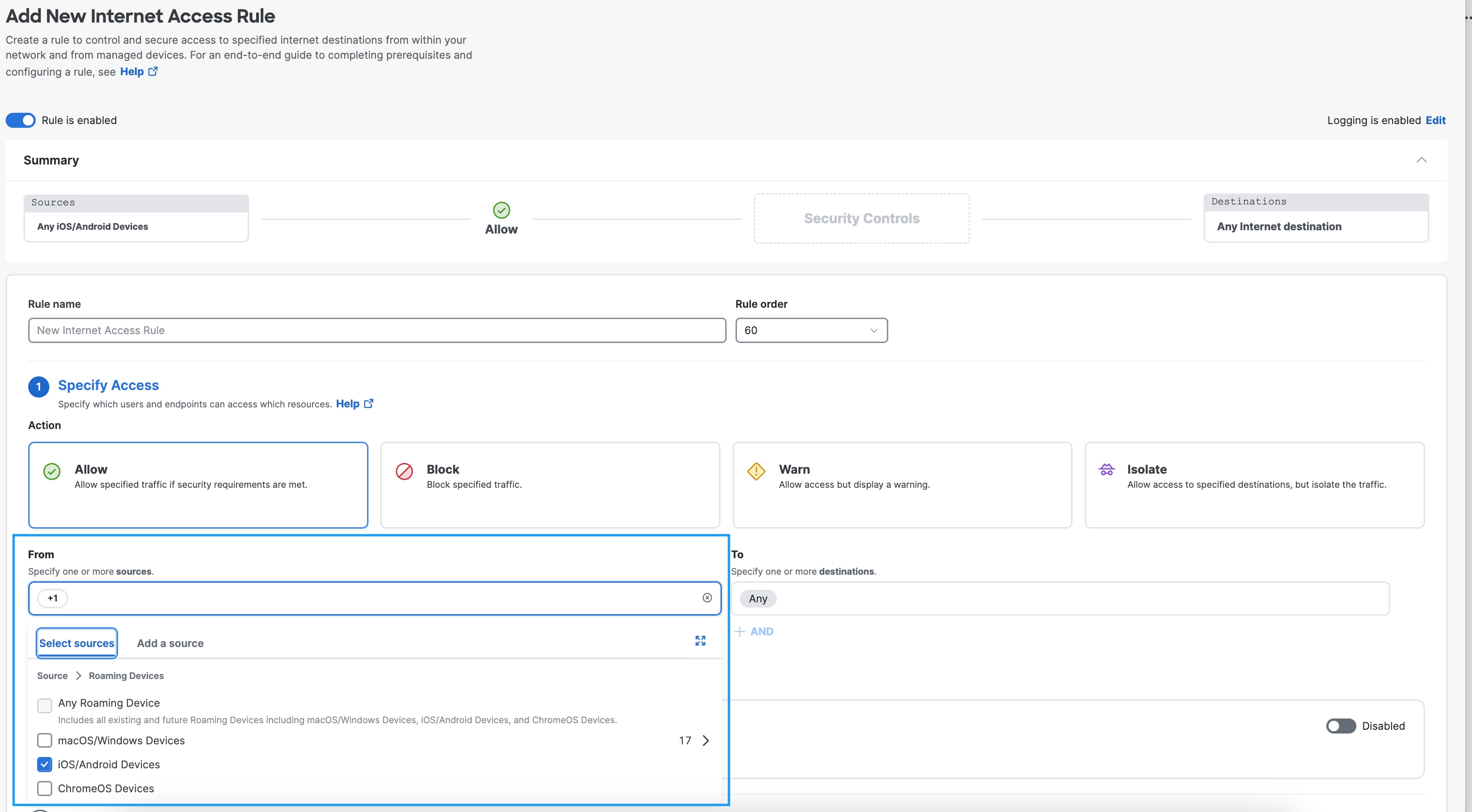
- To create a new Access Policy, click Add Rule. For more information, see Add an Internet Access Rule.
- While creating a new Access Policy, ensure that you select as the source.
What to do next
When your device is imported into Secure Access, Secure Access automatically applies the default access rules to it. You can change which Access Policies are applied to your identity at any time. For more information about Access Policies, see Manage the Access Policies.