Cisco Secure Access Help

PDF

Cisco Secure Access Help

Manage Network Devices

Want to summarize with AI?

Log in

Describes Manage Network Devices in Cisco Secure Access. In Cisco Secure Access, you can add a hardware or virtual network device—for example, a router, switch, access point, or firewall—that routes DNS traffic to Secure Access's recursive DNS servers.


In Cisco Secure Access, you can add a hardware or virtual network device—for example, a router, switch, access point, or firewall—that routes DNS traffic to Secure Access's recursive DNS servers. Some network devices may also:

  • Encrypt DNS traffic.
  • Add internal IP addresses to DNS requests.
  • Enable a policy for traffic by network segment or service set identifier (SSID).

After you add the network device in Secure Access, you can select the network device as a source component on the internet access rules in the Access policy. For more information, see Add an Internet Access Rule. You can also view the properties of a network device, and edit or remove the device in Secure Access.

Note
You can only deploy a network device when the device is on-network. You may deploy a network device as an alternative to a Secure Access Virtual Appliance (VA).

Prerequisites


How to Add a Network Device in Secure Access

Procedure

  1. Create a Secure Access API key with the Deployments > Network Devices key scope. For more information, see Manage API Keys.

  2. Before you register the network device in Secure Access, add your username and password or Secure Access Network Devices API key and secret to the device.

  3. On the device, use the Cisco Secure Access Network Devices API to add the network device in Secure Access. For more information, see Secure Access Network Devices API.


Procedure for Managing Network Devices


View the Network Devices in Secure Access

Procedure

  1. Navigate to Resources > Network Devices.

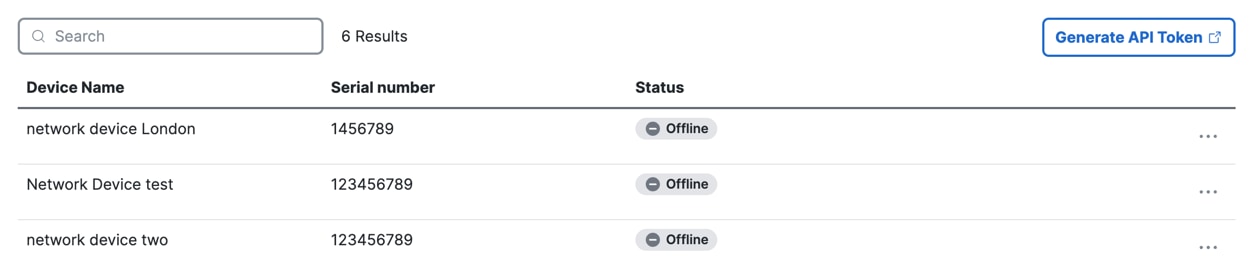
  2. Navigate to a network device. The properties of the network device are:

    • Device Name—The name of the network device.

    • Serial number—The serial number of the network device.

    • Status—The status of the network device: Online or Offline.


      View the properties of a network device in Secure Access

Edit a Network Device

Procedure

  1. Navigate to Resources > Network Devices.

  2. Navigate to a network device, click on the ellipsis (...), and then choose Edit.


    Network Devices page with an edit option to update the properties of a network device
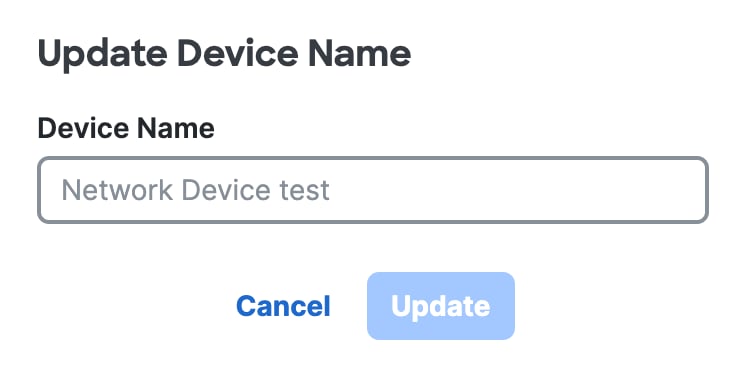
  3. For Device Name, enter a descriptive name for the network device. The device's name must be unique for all network devices in the organization.


    Update Device Name page showing a field to update the network device name
  4. Click Update.


Remove a Network Device

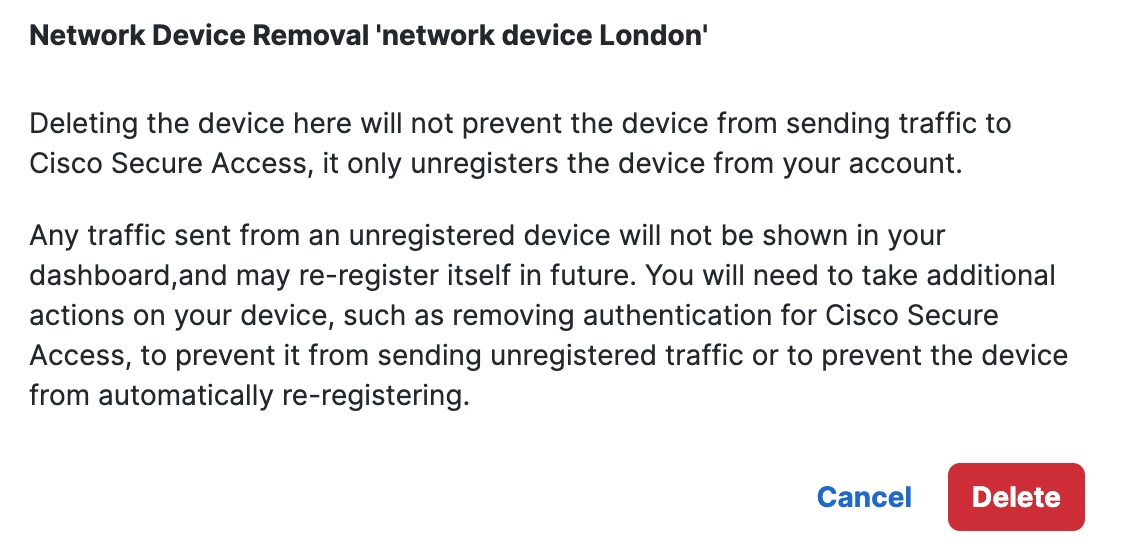
Deleting a network device in Secure Access does not prevent the device from sending traffic to Secure Access. To remove a network device fully, remove the authentication (username and password or API token) from the device first. If you are decommissioning the device, take the device offline. Otherwise, even if it is deleted in Secure Access, the device reappears when the network device sends additional traffic.

Procedure

  1. Navigate to Resources > Network Devices.

  2. Navigate to a network device, click on the ellipsis (...), and then choose Delete.


    Network Devices page showing delete option to remove a network device
  3. Click Delete to confirm the removal of the network device.


    Network Device Removal popup asking confirmation for deletion of a network device