Cisco Secure Access Help

PDF

Cisco Secure Access Help

Log Formats and Versioning

Want to summarize with AI?

Log in

Describes Log Formats and Versioning in Cisco Secure Access. Secure Access stores zipped CSV log files in Cisco's managed AWS S3 bucket or your own AWS S3 bucket.


Secure Access stores zipped CSV log files in Cisco's managed AWS S3 bucket or your own AWS S3 bucket. Each log file displays multiple columns of information that are extracted from your Secure Access logs. A log file may have additional fields that are not shown in the Secure Access reports.

To identify the current version of the Secure Access log format, refer to Find your log schema version.

Note

Logs are not always chronological and are not always in the specific time bucket based on the timestamp of the log event.

Prerequisites


Log File Name Formats

Logs are uploaded in 10-minute intervals from the Secure Access log queue to the AWS S3 bucket. Within the first two hours after a completed configuration, you should receive your first log upload to your AWS S3 bucket.

Note
To check if everything is working, the Last Sync time in Secure Access should update and logs should begin to appear in your AWS S3 bucket. The logs appear in a GZIP format with the following file name format. The files will also be sorted into date-stamped folders.
  • Admin Audit logs - auditlogs/<year>-<month>-<day>/<year>-<month>-<day>-<hour>-<minute>.csv.gz

  • Cloud Firewall traffic - firewalllogs/<year>-<month>-<day>/<year>-<month>-<day>-<hour>-<minute>.csv.gz

  • DLP traffic - dlplogs/<year>-<month>-<day>/<year>-<month>-<day>-<hour>-<minute>.csv.gz

  • DNS traffic - dnslogs/<year>-<month>-<day>/<year>-<month>-<day>-<hour>-<minute>.csv.gz

  • File Events traffic - fileeventlogs/<year>-<month>-<day>/<year>-<month>-<day>-<hour>-<minute>.csv.gz

  • IPS traffic - intrusionlogs/<year>-<month>-<day>/<year>-<month>-<day>-<hour>-<minute>.csv.gz

  • Network Connectivity logs - ntglogs/<year>-<month>-<day>/<year>-<month>-<day>-<hour>-<minute>.csv.gz

  • Remote Access VPN traffic - ravpnlogs/<year>-<month>-<day>/<year>-<month>-<day>-<hour>-<minute>.csv.gz

  • Web traffic - proxylogs/<year>-<month>-<day>/<year>-<month>-<day>-<hour>-<minute>.csv.gz

  • Zero Trust Network Access Enrollment traffic - ztnaenrollmentlogs/<year>-<month>-<day>/<year>-<month>-<day>-<hour>-<minute>.csv.gz

  • Zero Trust Network Access traffic - ztnalogs/<year>-<month>-<day>/<year>-<month>-<day>-<hour>-<minute>.csv.gz

  • Zero Trust Access flow traffic - ztnaflowlogs/<year>-<month>-<day>/<year>-<month>-<day>-<hour>-<minute>.csv.gz

Subfolders

Logs are uploaded to AWS S3 buckets in the appropriate subfolder with the following naming format.

<subfolder>/<YYYY>-<MM>-<DD>/<YYYY>-<MM>-<DD>-<hh>-<mm>-<xxxx>.csv.gz 

Secure Access names a log subfolder (<subfolder>) with one of the following folder names:

  • dnslogs

  • proxylogs

  • firewalllogs

  • fileeventlogs

  • intrusionlogs

  • auditlogs

  • dlplogs

  • ntglogs

  • ravpnlogs

  • ztnaenrollmentlogs

  • ztnalogs

  • ztnaflowlogs

The <xxxx> segment of the log GZIP file name is a random string of four alphanumeric characters, which prevents duplicate file names from being overwritten.

Example: dnslogs/2019-01-01/2019-01-01-00-00-e4e1.csv.gz


Find Your Log Schema Version

Depending on the Secure Access subscription that you have, and depending on the type of AWS S3 bucket you configure, there are different versions of the log schemas available. Once your system is configured to log to an AWS S3 bucket you can view the log schema version in use.

Log Schema Versions

  • v1—For customers who have configured their own S3 bucket before November 2017.

    Note
    To upgrade from v1 to a higher version of the Secure Access log format, you must remove your existing S3 bucket, disable the integration, and then recreate a new bucket. For all other versions, you can upgrade from the Log Management screen of the Secure Access dashboard by clicking Upgrade.
  • v2—For customers who have configured their own S3 bucket after November 2017, or are using a Cisco-managed bucket. This version is inclusive of everything in version 1.

  • v3— The same as version 2, but adds two new fields: Most Granular Identity Type and Identity Types for DNS logs.

  • v4—The same as version 3, but adds the Blocked Categories field for DNS and Proxy logs.

  • v5—The same as version 4, but adds three new fields: all Identities, all Identity Types, and Request Method for Proxy logs.

  • v6—The same as version 5, but adds the following fields to Proxy logs: Certificate Errors, Destination Lists IDs, DLP Status, File Name, Rule ID, and Ruleset ID.

  • v7—The same as version 6, but adds the DLP file label field.

  • v8—The same as version 7, but adds fields to the Proxy, DLP, and Firewall logs.

    • Proxy logs—Adds the Isolate Action, File Action, and Warn Status fields.

    • DLP logs—Changes the Event Type field. The event type is either Real Time or SaaS API.

    • Firewall logs—Adds the FQDNs and Destination List IDs fields.

  • v9—The same fields as version 8, but the v9 log format adds fields to the IPS and Web logs.

    • Adds new fields to the Intrusion Prevention System (IPS) logs: operation mode, policy resource ID, direction, firewall rule ID, IPS config type, AWS region.

    • Adds new fields to the Web logs: forwarding method and producer.

    • Adds File Events logs.

    • Adds Remote Access Virtual Private Network logs.

    • Adds Zero Trust Network Access logs.

  • v10—The same fields as version 9, but the v10 log format adds the following fields:

    • Cloud Firewall logs: app id, private resource id, private app group id, private flow, posture id, casi category ids, traffic source, content category ids, content category list ids, organization id.

    • Data Loss Prevention (DLP) logs: application category name, traffic direction, private resource name, private resource group name, destination protocol, destination ip, destination port, organization id.

    • DNS logs: rule id, destination countries, organization id.

    • IPS logs: application id, casi category ids, data center, organization id.

    • Remote Access VPN logs: asa syslog id, device id, machine id, public ipv6, assigned ipv6, security group tag, dap record name, dap connection type, failed reasons.

    • Web logs: msp organization id, geo location, blocked destination countries, application ids, hostname, data center, egress, server name, time based rule, security overridden, detected response file type, warn categories, organization id.

    • Zero Trust Access logs: transaction id, block reason, application port, application protocol, tunnel type, secure client version, possible match ruleset id, possible match rule id, possible match posture, source process id, source process name, source process hash, source process user name, organization id, ad joined id.

    • Adds Zero Trust Access Flow logs.

  • v11—The same fields as version 10, but the v11 log format adds two new fields : Application Entity Name, and Application Entity Category to Web logs.

  • v12—The same fields as version 11, but the v12 log format adds the following fields:

    • Cloud Firewall logs: egress ip, egress.

    • File Events logs: enforced by, ftd enforcement id, ftd enforcement name.

    • IPS logs: egress ip, egress, enforced by, ftd enforcement id, ftd enforcement name.

    • Remote Access VPN logs: log message, asa syslog severity, asa syslog class, asa syslog descriptor.

    • Web logs: egress ip.

    • Zero Trust Access logs: enforced by, ftd enforcement id, ftd enforcement name, mdm source, mdm device id, mdm is managed, mdm is compliant, mdm last updated.

    • Zero Trust Access Flow logs: enforced by, ftd enforcement id, ftd enforcement name.

  • v13—The same fields as version 12, but the v13 log format introduces Zero Trust Access Enrollment logs and adds the following new fields to the existing logs:

    • Web logs: ai model name, ai supply chain categories.

    • Zero Trust Access logs: applied trusted network, detected, trusted network, zta profile id, egress ip.

    • Zero Trust Access Enrollment logs: timestamp, identity email, identity labels, identity type labels, organization id, msp organization id, enrollment id, event type, enrollment method, event detail, os type & version, zta client version, event status, device id, public ip.

  • v14—The same fields as version 13, but the v14 log format adds the following new fields to the existing logs:

    • Web logs: event correlation id.

    • Cloud Firewall logs: event correlation id.

    • IPS logs: event correlation id.

    • Zero Trust Access logs: transaction id. The Transaction ID serves as the event correlation mechanism in ZTNA, unifying related events across security services (Firewall, SWG, ZTNA) to provide an end-to-end view of a single traffic flow.

  • v15—The same fields as version 14, but the v15 log format introduces Network Connectivity logs and adds the following new fields:

    • Network Connectivity logs: timestamp, identity labels, identity type labels, organization id, msp organization id, network tunnel group id, tunnel id, service name, level, message, region, datacenter ip, datacenter, ike auth id, ike customer address, ike customer port, ike spi, bgp peer ip.

  • v16—The same fields as version 15, but the v16 log format adds the following new fields to the existing logs:

    • Web logs: isolateProfileId.

    • Cloud Firewall logs: destinationSGTOriginId and fwBlockReason.

  • v17—The same fields as version 16, but the v17 log format introduces Data Loss Prevention (DLP) logs and adds the following new fields to the existing logs:

    • Cloud Firewall logs: source country.

    • DLP logs: taac tenant id, taac profile id, match excerpts, match violation starts, match violation ends, email sender, email recipients, email attachments, email id, and email vendor id.

    • Web logs: source country.


View Your Log Schema Version and Last Sync Time

Procedure

  1. To view the Schema version, navigate to Admin > Log Management > Manage > System information.

  2. To view the Last sync navigate to Admin > Log Management.

    • The Last sync field indicates the date and time when your logs were last synced to Amazon S3.
    • If your S3 log export job is paused due to a misconfiguration (for example, invalid bucket, deleted bucket, or access policy changes), the Last sync time will not update until the issue is resolved and syncing resumes.
    • When the job is paused, the Start logging located in Admin > Log Management > Manage page becomes active. After correcting the misconfiguration, you can use this button to manually resume log export.

    The default schema version is v10. When a new schema version is available, it will be displayed as a green label (for example, v12 Available) indicating that an upgrade is available.

    Note
    You cannot undo a schema upgrade or return to a previous schema version after completing the upgrade.

What to do next

There are two ways to upgrade to the latest schema version:

1. Navigate to Admin > Log Management > Upgrade from v<number>.

2. Navigate to Admin > Log Management > Manage > Upgrade.

When the upgrade is successful, the new version (for example, v12) will be displayed in the Schema Version field.


Include Headers

By default, AWS S3 log exports do not include a header row with field names.

To enable a header row with field names in your AWS S3 log exports, navigate to Admin > Log Management > Manage > Include Optional Log headers in S3 Export > Save.

This setting applies to all log files. Changes to this setting will take effect with the next export.


Log File Fields

Each type of Secure Access log contains various log fields. Not all field values are available in every log record. When a field does not have a value, Secure Access sets the field to the empty string (""). For information about the formats of the Secure Access reports, see Reports and CSV Formats.


Estimate the Size of a Log

The size of your S3 logs depends on the number of events that occur and the volume of the traffic in your organization.

  1. Download one of your Secure Access log files. The Secure Access log file is a comma-separated values (CSV) file.

  2. Count the number of rows in the CSV file minus one for the header row.

    The number of rows is equivalent to the number of events in the twenty-four hour period.

  3. Multiply the number of rows of data by the number of bytes of data listed in a single row in the file.

    The result is the estimate of the size of the event log recorded for one day.


Estimate the Size of an Exported Report

The size of an exported report depends on the number of events that occur, which is dependent on the volume of your traffic. The size of each log line varies based on a number of items—for example, the length of the domain name or the number of categories. Assuming each log line is 220 bytes, a million requests would be 220 MB.

Procedure

  1. Navigate to Monitor > Activity Search.

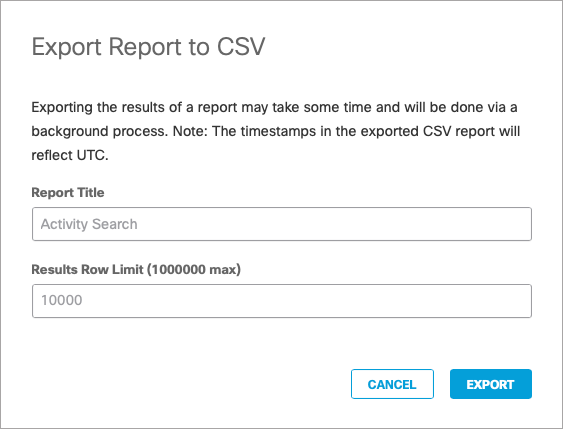
  2. For Filters, run a report for the last 24 hours and then click the Export CSV icon.


    The Export CSV Activity Search interface.
  3. Open the downloaded CSV file. The number of rows (minus one for the header) is the number of queries per day. Multiply the number of rows by the number of bytes in one row to get the estimate for one day.


Reports and CSV Formats


Activity Search Report

You can export the results of the Activity Search Report to a CSV format. For more information, see Export Report Data to CSV and Activity Search Report.

Fields in the Activity Search Report:

  • Type—The type of request made, such as DNS.

  • Date—The date the request was made.

  • Time—The time the request was made, in UTC.

  • Action—Whether the request was Allowed or Blocked.

  • Errors—Any certificate or protocol errors in the request.

  • Ruleset ID—The ID number assigned to the ruleset.

  • Ruleset Name—The ruleset that was applied.

  • Rule ID—The ID number assigned to the rule.

  • Rule Name—The rule that was applied.

  • Destination List IDs—The ID number assigned to a destination list.

  • Signature List ID—The unique ID assigned to a Default or Custom Signature List.

  • IPS Signature—The threat detected in our IPS/IDS protection.

  • IPS Signature Severity—The severity of the IPS Signature.

  • IPS Signature CVE—Common vulnerabilities and exposures related to the IPS Signature.

  • Identities—All tunnel identities associated with this request.

  • Identity Types—The types of identity that were associated with the request. For example, Roaming Computers or Networks.

  • Policy or Ruleset Identity—The identity that made the request.

  • Policy or Ruleset Identity Type—The type of the identity that made the request.

  • Forwarding Method—The method used to forward the identity of the client to the proxy.

  • Internal IP—The internal IP address that made the request.

  • External IP—The external IP address that made the request.

  • Source IP—The IP of the computer making the request.

  • Destination IP—The destination IP requested.

  • Source Port—The port the request was made on.

  • Destination Port—The destination port the request was made on.

  • Destination—The domain of the request.

  • Hostname—The name of the host.

  • Categories—The content categories, if any, that matched against the destination IP address or port requested.

  • Integrations—Integration categories you set.

  • Blocked Categories—The category that resulted in the destination being blocked.

  • Application—The application associated with the request.

  • Application Category—The categories for any applications associated with the request.

  • Query Type—The type of DNS request that was made.

  • Content Type—The type of web content; typically text or html.

  • Protocol—The actual protocol of the traffic. For example, TCP, UDP, or ICMP.

  • Filename—The name of the file.

  • File Action (Remote Browser Isolation)—The action taken on a file during a Remote Browser Isolation session.

  • Total Size in Bytes—The total size in bytes.

  • Request Size—Request size in bytes.

  • Response Size—Response size in bytes.

  • Packet Size—Packet size in bytes.

  • Referrer—The referring domain or URL.

  • User Agent—The browser agent that made the request.

  • Status Code—The HTTP status code.

  • Direction—The direction of the packet. It is directed either towards the internet or to the customer's network.

  • Threats—Any threats associated with the request.

  • Threat Types—The types of threats associated with the request.

  • SHA256 Hash—The hex digest of the response content.

  • Cisco AMP Result—The malware detected by AMP.

  • Cisco AMP Disposition—What action was taken on the file download.

  • Cisco AMP Score—The risk score associated with the downloaded file. This field returns blank unless the verdict is Unknown, in which the value will be 0.

  • Antivirus Result—Threats detected by the antivirus.

  • Potentially Unwanted Applications—A list of all potentially unwanted application (PUA) results for the proxied file as returned by the antivirus scanner.

  • Detected Response File Type—The file type of the response, as detected by the file type control that blocked the request based on factors such as URL or content type header.

  • Isolated State—Whether the Remote Browser Isolation state was isolated or not.

  • Data Loss Prevention State—Whether the DLP status was allowed or blocked.

  • Tenant Controls—Whether the request is Tenant Application Access Control protected.


Zero Trust Access Activity Search Fields

The Activity Search report displays the Zero Trust Access event details.

Field Name Reports Section Description
Ingress Region Event Details The geographic region of the data center where Secure Access received the incoming traffic.
Resource Connector Group Event Details The ID of the resource connector group that provides access to the private resource.
Tunnel Type Event Details The type of traffic supported by the network tunnel, which the endpoint established with the proxy. The transport protocol on the tunnel is either HTTP or HTTP3.
Transaction ID Event Details The unique ID associated with the Zero Trust request. Use the transaction ID to correlate and troubleshoot connection issues.
Block Reason Block Details Secure Access provides an explanation for blocking access to the private resource.
Associated Rule Block Details When access was blocked for not meeting access or posture requirements, Secure Access reports the closest matched policy rule that would have allowed access.
Associated Posture Block Details The posture profile that is configured for the associated rule.
Endpoint Application Endpoint Details The name of the endpoint application, which initiated the connection.
Application Signature Endpoint Details The SHA256 signature of the endpoint application process.
Endpoint Username Endpoint Details The username that is associated with the endpoint application process.

Top Categories Report


Top Destinations Report

You can export the results of the Top Destinations Report to a CSV format. For more information, see Export Report Data to CSV and Top Destinations Report.

Fields in the Top Destinations Report:

  • Domain—The domain that was requested.

  • Query Count—The number of requests for the domain.

  • Categories—The content categories that matched against the destination requested. See Manage Content Categories.


Top Resources Report

You can export the results of the Top Resources Report to a CSV format. For more information, see Export Report Data to CSV.

Fields in the Top Resources Report:

  • Identity—The identity making requests.

  • Query Count—The number of requests made by the identity.


Admin Audit Log Formats

The Cisco Secure Access Admin Audit logs show the administrative changes to your organization's Secure Access settings. For information about the size of a log file, see Estimate the Size of a Log.

Example

This is an example of an Admin Audit log event:

id,timestamp,email,user,type,action,logged in from,before,after
"123","2024-07-22 10:46:45","[user@domain.com](mailto:user@domain.com)","","logexportconfigurations","update","209.165.200.227","version: 4","version: 5"

Order of Fields in Admin Audit Log

Note
Not all the fields that are listed are found in most or all requests. When a field does not have a value, Secure Access sets the field to the empty string ("") in the log.

Optional Log Header Format

The CSV fields in the header row of the Optional Log header.

"ID","Time","Email","User","Type","Action","Logged in from","Before","After"
Note
The last two fields, "Before" and "After," may contain line breaks if the previous or updated value spans multiple lines.

Log Format

The CSV fields in the header row of the Admin Audit log.

id,timestamp,email,user,type,action,logged in from,before,after

The following table describes each field and the log version in which it was released across all supported versions. For more information about log versions, see Find Your Log Schema Version.

Field name Description Release version
id A unique identifier of the audit event. v4
timestamp The date and time of the administrative change event, expressed as a UTC-formatted string (e.g., 2024-01-16 17:48:41). Note: Unlike the Secure Access dashboard and reports, Secure Access logs do not convert the timestamp to your local timezone. v4
email The email of the user that triggered the event. v4
user The account name of the user who created the change. v4
type Where the change was made, such as settings or a policy. v4
action The type of change made, such as Create, update, or Delete. v4
logged in from The user's IP source. v4
before The policy or setting before the change was made. v4
after The policy or setting after the change was made. v4

Cloud Firewall Log Formats

Cloud firewall logs show traffic that has been handled by Secure Access cloud-delivered firewall. For information about the size of a log file, see Estimate the Size of a Log.

Example

This is an example of a Cloud Firewall log:

timestamp,origin IDs,identities,identity type,direction,protocol,packet size,source IP,source port,destination IP,destination port,data center,rule ID,action,fqdns,destination list IDs,first packet timestamp,last packet timestamp,packets sent,packets received,bytes sent,bytes received,fw event id,destination country,aws region,app id,private app group id,private flow,posture id,casi category ids,traffic source,content category ids,content category list ids,organization id,egress IP,egress, event correlation id, destination SGT Origin Id, fw Block Reason  
id, source country
"2024-06-14 18:59:57","\[211039844\]","Passive Monitor", "CDFW Tunnel Device", "OUTBOUND", "1", "84", "172.17.3.4", "60951", "146.112.255.129", "443","ams1.edc", "12", "ALLOW", "google.com,apple.com", "44,66", "1718391597", "1718391597", "3", "3", "1108", "755", "39-42", "", "", "", "", "", "", "[]", "", "", "", "2204063", "3.3.3.4", "TRUE", "8dd4e2a7c2dba7d1", "10", "policy_violation", "us"

Order of Fields in the Cloud Firewall Log

Note
Not all the fields that are listed are found in most or all requests. When a field does not have a value, Secure Access sets the field to the empty string ("") in the log.

Optional Log Header Format

The CSV fields in the header row of the Optional Log header.

"Timestamp","Origin IDs","Identities","Identity Types","Direction","Protocol","Packet Size","Source IP","Source Port","Destination IP","Destination Port","Data Center","Rule ID","Action","FQDNS","Destination List IDs","First Packet Timestamp","Last Packet Timestamp","Packets Sent","Packets Received","Bytes Sent","Bytes Received","FW Event ID","Destination Country","AWS Region","App ID","Private App ID","Private Flow","Posture ID","CASI Category IDs","Traffic Source","Content Category IDs","Content Category List IDs","Organization ID","Egress IP","Egress","Event Correlation ID","Destination SGT Origin ID", "Fw Block Reason", "Source Country"

Log Format

The CSV fields in the header row of the Cloud Firewall logs.

timestamp,origin ids,identities,identity type,direction,protocol,packet size,source ip,source port,destination ip,destination port,data center,rule id,action,fqdns,destination list ids,first packet timestamp,last packet timestamp,packets sent,packets received,bytes sent,bytes received,fw event id,destination country,aws region,app id,private app group id,private flow,posture id,casi category ids,traffic source,content category ids,content category list ids,organization id,egress IP,egress,event correlation id, destinationSGTOriginId, fwBlockReason, sourcecountry

The following table describes each field and the log version in which it was released across all supported versions. For more information about log versions, see Find Your Log Schema Version.

Field name Description Release version
timestamp The date and time of the cloud-delivered firewall traffic event, expressed as a UTC-formatted string (e.g., 2024-01-16 17:48:41). Note: Unlike the Secure Access dashboard and reports, Secure Access logs do not convert the timestamp to your local timezone. v1
origin ids The unique identity of the network tunnel. v1
identities The names of the network tunnel. v5
identity type The type of identity that made the request. Should always be CDFW Tunnel Device. v5
direction The direction of the packet. It is destined either towards the internet or to the customer's network. v1
protocol The actual protocol of the traffic. Valid values are: TCP, UDP, or ICMP. v1
packet size The size in bytes of the packet sent to the CDFW. v1
source ip The internal IP address of the user-generated traffic towards the CDFW. If the traffic goes through NAT before it comes to CDFW, it will be the NAT IP address. v1
source port The internal port number of the user-generated traffic towards the CDFW. v1
destination ip The destination IP address of the user-generated traffic towards the CDFW. v1
destination port The destination port number of the user-generated traffic towards the CDFW. v1
data center The name of the data center that processed the user-generated traffic. v1
rule id The ID of the rule that processed the user traffic. v1
action The final verdict whether to allow or block the traffic based on the rule. v1
fqdns The fully qualified domain names (FQDNs) that match the request. v8
destination list ids The destination list IDs that Secure Access applied in the rule. v8
first packet timestamp The timestamp when the first packet of the session was received in UTC in seconds. Populated only for traffic handled by Cisco Secure Firewall. v9
last packet timestamp The timestamp when the last packet of the session was received in UTC in seconds. Populated only for traffic handled by Cisco Secure Firewall. v9
packets sent The number of packets sent during the session. Populated only for traffic handled by Cisco Secure Firewall. v9
packets received The number of packets received during the session. Populated only for traffic handled by Cisco Secure Firewall. v9
bytes sent The number of bytes sent during the session. Populated only for traffic handled by Cisco Secure Firewall. v9
bytes received The number of bytes received during the session. Populated only for traffic handled by Cisco Secure Firewall. v9
fw event id The ID of the firewall event. Populated only for traffic handled by Cisco Secure Firewall. v9
destination country The ISO-3166 alpha-2 two-character identifier of the country associated with the destination IP. v10
aws region The AWS region that stores your VPN logs. v10
app id The unique application ID identified for the current session. v10
private app group id The unique ID of the private resource group ID that the private resource belongs to. v10
private flow TRUE if Secure Access applied a private access rule to the user-generated traffic, and FALSE if Secure Access applied an internet access rule. v10
posture id The unique ID of the endpoint posture profile. v10
casi category ids Name of the Application category to which the App ID belongs. v10
traffic source The source of the user-generated traffic. Valid values are 0 - Unknown, 1 - VPN,2 – ZTNA, 3 - Network Tunnel. v10
content category ids ID of one or more content categories matched by the rule. v10
content category list ids ID of one or more content category lists that include categories matched by the rule. v10
organization id The Secure Access organization ID. For more information, see Find Your Organization ID . v10
egress IP The public IP address assigned to a session as it exits the Secure Access ZTA infrastructure en route to the destination application. v12
egress TRUEindicates that the egress IP was a reserved IP. v12
event correlation id A unique identifier generated for each network request, the Event Correlation ID stitches together all related events across various security services (Firewall, SWG, ZTNA) to provide a unified, end-to-end view of a single traffic flow. v14
destination SGT origin Id The Security Group Tag (SGT) ID associated with the destination resource. This identifies the security group classification of the traffic destination. v16
fw block reason The specific reason why the firewall blocked the traffic. Common values include policy_violation, malicious_domain, protocol_mismatch, or access_denied. v16
source country The ISO 3166 alpha 2 two character identifier of the country associated with the source IP. v17

Data Loss Prevention (DLP) Log Formats

The Cisco Secure Access DLP logs show information about DLP events where data identifiers were triggered and a violation occurred. DLP logs are available in all log format versions. For information about the size of a log file, see Estimate the Size of a Log.

Note
A single DLP event can present in multiple rows of the logs when different data identifiers and file labels are triggered for the same content. Rows related to the same content or event have the same Unique Event ID.

Example

This is an example of a DLP log event:

timestamp,event type,unique event id,severity,identity,owner,name,application,destination,action,rule,data classification,data identifier,content type,file size,sha 256 hash,file label,application category name,traffic direction,private resource name,private resource group name,destination protocol,destination ip,destination port,organization id, taac tenant id, taac profile id, match excerpts, match violation starts, match violation ends, email sender, email recipients, email attachments, email id, email vendor id
"2022-02-15 12:05:45","Real Time","f64dcc3f-50fa-410a-b8e1-589894276cee_17c81f85-34f7-4bc5-aa4c-155571f484f6","ALERT","Network1","","first.xlsx","Dropbox","https://upload.dropbox.com/ajax/mercury/upload.php?av=100050982596543&__user=100050982596543","BLOCK","privateappsrule","Built-in PCI Classification","Credit Card Number - Strict","text/html","48","abbd2352c3cfea8846871928bf99ca24dc3a6f162170926649381a6d968869ab", "Confidential","","","dlpprivateresource","","https","127.0.0.1","443","8247177","tenant 12345","profile 67890","masked card: **** 4242, masked SSN: *** ** 1234","12,48","23,64","sender@example.com","alice@example.com, bob@example.com","invoice.pdf, contract.docx","email 2026 0001","m365"

Order of Fields in the DLP Log

Note
Not all the fields that are listed are found in most or all requests. When a field does not have a value, Secure Access sets the field to the empty string ("") in the log.

Optional Log Header Format

The CSV fields in the header row of the Optional Log header.

"Timestamp","Event Type","Unique Event ID","Severity","Identities","Owner","Name","Application","Destination","Action","Rule Name","Data Classification","Data Identifier","Content Type","File Size","SHA256 Hash","File Label","Application Category Name","Traffic Direction","Private Resource Name","Private Resource Group Name","Destination Protocol","Destination IP","Destination Port","Organization ID", "TAAC Tenant ID", "TAAC Profile ID", "Match Excerpts", "Match Violation Starts", "Match Violation Ends", "Email Sender", "Email Recipients", "Email Attachments", "Email ID", "Email Vendor ID"

Log Formats

The CSV fields in the header row of the DLP logs.

timestamp,event type,unique event id,severity,identity,owner,name,application,destination,action,rule,data classification,data identifier,content type,file size,sha 256 hash,file label,application category name,traffic direction,private resource name,private resource group name,destination protocol,destination ip,destination port,organization id, taac tenant id, taac profile id, match excerpts, match violation starts, match violation ends, email sender, email recipients, email attachments, email id, email vendor id

The following table describes each field and the log version in which it was released across all supported versions. For more information about log versions, see Find Your Log Schema Version.

Field name Description Release version
timestamp The date and time of the DLP event, expressed as a UTC-formatted string (e.g., 2024-01-16 17:48:41).
Note
Unlike the Secure Access dashboard and reports, Secure Access logs do not convert the timestamp to your local timezone.
v6
event type The type of event that matched a data identifier. Real Time denotes a proxy-based DLP event triggered by a Real Time rule and SaaS API denotes a DLP event triggered by any of the SaaS API rules. v8
unique event id The unique identifier for the event. There can be multiple violation matches in one event. v6
severity The severity of the rule: Low/Info, Medium/Warn, High/Alert, or Critical. v6
identity The source that triggered the violation. v6
owner The owner of the file. v6
name The name of the file. v6
application The application of the request. v6
destination The domain of the request. v6
action If the violation was Blocked or Monitored. v6
rule The DLP rule name. v6
data classification The data classification whose data identifier matched on the violation. v6
data identifier The data identifier that matched on the request. v6
content type The mime type of the file that matches the data identifier. v6
file size The size of the file in bytes. v6
sha 256 hash The hex digest of the response content. v6
file label The file name label that matched on the file properties. v7
application category name The category of the requested web application. For more information, see Application Categories. v10
traffic direction Direction of traffic. (Applies only to some applications, such as OpenAI API and OpenAI ChatGPT.) v10
private resource name The name of the private resource. v10
private resource group name The private resource group name if the matched rule destination was a private resource group. v10
destination protocol The protocol of the destination. v10
destination ip The IP address of the destination. v10
destination port The port of the destination. v10
organization id The Secure Access organization ID. For more information, see Find Your Organization ID . v10
taac tenant id The unique identifier for the Cisco Secure Access tenant within the TAAC platform. v17
taac profile id The unique identifier for the TAAC configuration profile. v17
match excerpts Comma separated masked excerpts containing classifier matches. v17
match violation starts Comma separated zero based start offsets for the matches. v17
match violation ends Comma separated exclusive end offsets for the matches. v17
email sender The sender address for email scan events. v17
email recipients Comma separated list of recipient addresses. v17
email attachments Comma separated list of attachment file names. v17
email id A unique identifier for the email message. v17
email vendor id The identifier for the email vendor or integration provider. v17

DNS Log Formats

The Cisco Secure Access DNS logs show your organization's traffic through the Secure Access DNS resolvers. For information about the size of a log file, see Estimate the Size of a Log.

Examples

This is an example of a DNS Log of an Allowed Action event:

timestamp,most granular identity,identities,internal ip,external ip,action,query type,response code,domain,categories,most granular identity type,identity types,blocked categories,rule id,destination countries,organization id
"2024-09-11 18:46:00","Active Directory User (adusername@example.net)","Active Directory User (adusername@example.net),WIN11-SNG01-Example","10.10.1.100","24.123.132.133","Allowed","1 (A)","NOERROR","domain-visited.com.","Software/Technology,Business Services,Allow List,Infrastructure and Content Delivery Networks,SaaS and B2B,Application","AD Users","AD Users,Anyconnect Roaming Client","","506165","","8234970"

This is an example of a DNS Log of a Blocked Action event with Blocked Categories:

timestamp,most granular identity,identities,internal ip,external ip,action,query type,response code,domain,categories,most granular identity type,identity types,blocked categories,rule id,destination countries,organization id
"2024-09-11 18:46:00","Active Directory User (adusername@example.net)","Active Directory User (adusername@example.net),WIN11-SNG01-Example","10.10.1.100","24.123.132.133","Blocked","1 (A)","NOERROR","domain-visited.com.","Chat,Social Networking","AD Users","AD Users,Anyconnect Roaming Client","Social Networking","506165","","8234970"

Order of Fields in the DNS Log

Note
Not all the fields that are listed are found in most or all requests. When a field does not have a value, Secure Access sets the field to the empty string ("") in the log.

Optional Log Header Format

The CSV fields in the header row of the Optional Log header.

"Timestamp","Most Granular Identity","Identities","Internal IP","External IP","Action","Query Type","Response Code","Domain","Categories","Most Granular Identity Type","Identity Types","Blocked Categories","Rule ID","Destination Countries","Organization ID"

Log Formats

The CSV fields in the header row of the DNS logs.

timestamp,most granular identity,identities,internal ip,external ip,action,query type,response code,domain,categories,most granular identity type,identity types,blocked categories,rule id,destination countries,organization id

The following table describes each field and the log version in which it was released across all supported versions. For more information about log versions, see Find Your Log Schema Version.

Field name Description Release version
timestamp The date and time of the DNS event, expressed as a UTC-formatted string (e.g., 2024-01-16 17:48:41).
Note
Unlike the Secure Access dashboard and reports, Secure Access logs do not convert the timestamp to your local timezone.
v8
most granular identity The first identity matched with this request in order of granularity. v8
identities All identities associated with this request. v5
internal ip The internal IP address that made the request. v8
external ip The external IP address that made the request. v8
action Whether the request was allowed or blocked. v8
query type The type of DNS request that was made. v8
response code The DNS return code for this request. v8
domain The domain that was requested. v8
categories The security or content categories that the destination matches. For category definitions, see Manage Threat Categories and Manage Content Category Lists. v8
most granular identity type The first identity type matched with this request in order of granularity. v3
identity types The type of identity that made the request, for example: Roaming Computer, Network. v3
blocked categories The categories that resulted in the destination being blocked. v4
rule id The ID of the access rule when the DNS request is matched by a policy. v10
destination countries The two-character country identifier of the domain that was requested. v10
organization id The Secure Access organization ID. For more information, see Find Your Organization ID. v10

File Events Log Formats

The Cisco Secure Access File Events log shows your organization's traffic events involving file access that match private access rules with File Inspection or File Type Control enabled. For more information, see Get Started With Private Access Rules, Manage File Inspection and File Analysis, and Manage File Type Controls.

For information about the size of a log file, see Estimate the Size of a Log.

Example

This is an example of the File Events log:

timestamp,organization id,retention policy in days,aws region,firewall eventid,file action,disposition,sha256,direction,threat name,filestatic analysis,threat score,filetype id,filename,filesize,archive filename,archive filedepth,archive sha,dlp status,enforced by,ftd enforcement id,ftd enforcement name
"2024-09-04 19:43:36","8231394","730","us-west-2a","9c8eff3ef69147905ff1ddec8b593c94be6d17fbc916f604b7deca0ba24299ae¦3¦1725479009¦67","CUSTOM_DETECTION","UNKNOWN","0fd3a79e8d4d16e12f782b1e9aa9b2f40ec8afa26675a1f426f12b4ffdea9923","DOWNLOAD","Carbanak","ANALYSIS_COMPLETE_NO_VIRUS","90","45","TryDownloading_9974801.sample","52224","TryDownloading_9974801.zip","1","e7624f8962811038bc7c5a266d56e86f8195cd8a2ce75905ded16dc79f47bfd5","FW_FILE_DLP_NONE","FTD","12321321312",""

Order of Fields in the File Events Log

Note
Not all the fields that are listed are found in most or all requests. When a field does not have a value, Secure Access sets the field to the empty string ("") in the log.

Optional Log Header Format

The CSV fields in the header row of the Optional Log header.

"Timestamp","Organization ID","Retention Policy In Days","AWS Region","Firewall Event ID","File Action","Disposition","SHA256 Hash","Direction","Threat Name","File Static Analysis","Threat Score","File Type ID","File Name","File Size","Archive File Name","Archive File Depth","Archive SHA","DLP Status","Enforced By","FTD Enforcement ID","FTD Enforcement Name"

Log Format

The CSV fields in the header row of the File Events log.

timestamp,organization id,retention policy in days,aws region,firewall eventid,file action,disposition,sha256,direction,threat name,filestatic analysis,threat score,filetype id,filename,filesize,archive filename,archive filedepth,archive sha,dlp status,enforced by,ftd enforcement id,ftd enforcement name

The following table describes each field and the log version in which it was released across all supported versions. For more information about log versions, see Find Your Log Schema Version.

Field name Description Release version
timestamp The timestamp of the request transaction in UTC (e.g., 2024-01-16 17:48:41). v9
organization id The Secure Access organization ID. For more information, see Find Your Organization ID. v9
retention policy The number of days that AWS S3 stores your Secure Access File Events log. v9
aws region The AWS region where Secure Access stores your logs. v9
firewall event id The ID of the firewall event. Populated only for traffic handled by Cisco Secure Firewall. v9
file action The action taken on a file in a remote browser isolation session. Valid values are: UNKNOWN, DETECT, BLOCK, MALWARE_CLOUD_LOOKUP, MALWARE_WHITELIST, CLOUD_LOOKUP_TIMEOUT, CUSTOM_DETECTION, CUSTOM_DETECTION_BLOCK, ARCHIVE_BLOCK_DEPTH_EXCEEDED, ARCHIVE_BLOCK_ENCRYPTED, ARCHIVE_BLOCK_FAILED_TO_INSPECT, TID_BLOCK v9
disposition The status of the files proxied and scanned by Cisco Advanced Malware Protection (AMP) as part of the File Inspection feature. Valid values are: CLEAN, MALWARE, UNKNOWN. v9
sha256 The SHA-256 checksum hash of the file. v9
direction The traffic direction of the file event. Valid values are: UNKNOWN, UPLOAD, DOWNLOAD. v9
threat name Name of the threat identified for files with MALWARE disposition. v9
file static analysis The status of the file static sample analysis. For more information, see Cisco Secure Malware Analytics (formerly Threat Grid) Details. Valid values are: UNKNOWN, NOT_ANALYZED, ANALYSIS_COMPLETE_NO_VIRUS, ANALYSIS_FAILED, ANALYSIS_COMPLETE_MALWARE_DETECTED v9
threat score The threat score most recently associated with this file. This is a value from 0 to 100. v9
file type id The type of file. For example, PDF or MSEXE. v9
file name The name of the file involved with the activity. v9
file size The size of the file in bytes. v9
archive file name The name of the archive file involved with the activity. v9
archive depth The level (if any) at which the file was nested in an archive file. v9
archive sha The SHA-256 checksum hash of the archive file. v9
dlp status The verdict of the DLP scanning service. For more information, see Manage the Data Loss Prevention Policy. Valid values are: FW_FILE_DLP_NONE, FW_FILE_DLP_SENT, FW_FILE_DLP_SUCCESS, FW_FILE_DLP_FAIL_ON_MIN_FILESIZE, FW_FILE_DLP_FAIL_ON_MAX_FILESIZE, FW_FILE_DLP_FAIL_ON_MEMCAP, FW_FILE_DLP_FAIL_ON_FULL_QUEUE, FW_FILE_DLP_FAIL_ON_SEND, FW_FILE_DLP_FAIL_ON_NO_RESPONSE, FW_FILE_DLP_FAIL_ON_CLOUD_SEND, FW_FILE_DLP_VERDICT_FAIL, FW_FILE_DLP_VERDICT_UNKNOWN, FW_FILE_DLP_VERDICT_CLEAN, FW_FILE_DLP_VERDICT_DATA_LEAK, FW_FILE_DLP_VERDICT_MALICIOUS, FW_FILE_DLP_VERDICT_TIMEOUT v9
enforced by

The Secure Access component or service that enforced the policy or control related to this event (e.g., Firewall, Web Proxy).

v12
ftd enforcement id The unique identifier of the enforcement action taken by a Firepower Threat Defense (FTD) device integrated with Secure Access. v12
ftd enforcement name The name or type of enforcement action taken by a FTD device integrated with Secure Access (e.g., Malware Block, URL Category Block). v12

IPS Log Formats

The Cisco Secure Access IPS logs show the traffic, events, and possible threats detected by the Secure Access Intrusion Prevention System. For information about the size of a log file, see Estimate the Size of a Log.

Example

This is an example of an IPS log:

timestamp,identities,identity types,generator id,signature id,signature message,signature list id,severity,attack classification,cves,ip protocol,session id,source ip,source port,destination ip,destination port,action,operation mode,policy resource id,direction,firewall rule id,ips config type,aws region,application id,casi category ids,data center,organization id,egress ip,egress,enforced by,ftd enforcement id,ftd enforcement name, event correlation id
"2024-09-11 23:17:13","Firewall Tunnel Name","Network Tunnels","1","16606","SERVER-ORACLE BEA WebLogic Server Plug-ins Certificate overflow attempt","50516","HIGH","Attempted User Privilege Gain","cve-2009-1016","TCP","12345","123.123.123.123","80","1.1.1.1","40762","Would Block","IDS","50516","S2C","21171","PROFILE","eu-central-2b","","","","8151514","3.3.3.4","TRUE","FTD","12321321312","","e846afe0f3c8a87f"

Order of Fields in the IPS Log

Note
Not all the fields that are listed are found in most or all requests. When a field does not have a value, Secure Access sets the field to the empty string ("") in the log.

Optional Log Header Format

The CSV fields in the header row of the Optional Log header.

"Timestamp","Identities","Identity Types","Generator ID","Signature ID","Signature Message","Signature List ID","Severity","Attack Classification","CVEs","IP Protocol","Session ID","Source IP","Source Port","Destination IP","Destination Port","Action","Operation Mode","Policy Resource ID","Direction","Firewall Rule ID","IPS Config Type","AWS Region","Application ID","CASI Category IDs","Data Center","Organization ID","Egress IP","Egress","Enforced By","FTD enforcement ID","FTD Enforcement Name","Event Correlation ID"

Log Format

The CSV fields in the header row of the IPS log.

timestamp,identities,identity types,generator id,signature id,signature message,signature list id,severity,attack classification,cves,ip protocol,session id,source ip,source port,destination ip,destination port,action,operation mode,policy resource id,direction,firewall rule id,ips config type,aws region,application id,casi category ids,data center,organization id,egress IP,egress,enforced by,ftd enforcement id,ftd enforcement name,event correlation id

The following table describes each field and the log version in which it was released across all supported versions. For more information about log versions, see Find Your Log Schema Version.

Field name Description Release version
timestamp The date and time of the IPS detection event, expressed as a UTC-formatted string (e.g., 2024-01-16 17:48:41).
Note
Unlike the Secure Access dashboard and reports, Secure Access logs do not convert the timestamp to your local timezone.
v8
identities All tunnel identities that are associated with this request. v8
identity types The type of identity that is associated with this request. v8
generator id Unique ID assigned to the part of the IPS that generated the event. v8
signature id Used to uniquely identify signatures. v8
signature message A brief description of the signature. v8
signature list id Unique ID assigned to a Default or Custom Signature List. v8
severity The severity level of the rule. Valid values are: High, Medium, Low, and Very Low. v8
attack classification The category of attack detected by a rule that is part of a more general type of attack class. Valid values are: trojan-activity, attempted-user, and unknown. v8
cves A list of information about security vulnerabilities and exposures. v8
ip protocol The actual protocol of the traffic, such as TCP, UDP, ICMP. v8
session id The unique identifier of a session, which is used to group the correlated events between various services. v8
source ip The IP of the computer making the request. v8
source port The port number of the request. v8
destination ip The port number of the request. v8
destination port The destination port number of the request. v8
action The action performed when criteria meets a rule, for example: block, warn, and would_block. v8
operation mode The mode of operation of the IPS, either detection or prevention. Valid values are: IDS, IPS, and UNKNOWN. v9
policy resource id The ID of the IPS policy resource. An example of a policy resource is: signature list. v9
direction The direction of the packet that matches the signature. Valid values are: S2C, C2S, and UNKNOWN. v9
firewall rule id The ID of the rule that matches the firewall session. v9
ips config type The type of the IPS configuration. Valid values are: CONFIG, PROFILE, and UNKNOWN. v9
aws region The AWS region where Secure Access stores your logs. v9
application id The ID of the destination application. v10
casi category ids The name of the Application category to which the App ID belongs. v10
data center The name of the data center that processed the user-generated traffic. v10
organization id The Secure Access organization ID. For more information, see Find Your Organization ID . v10
egress ip The public IP address assigned to a session as it exits the Secure Access ZTA infrastructure en route to the destination application. v12
egress TRUEindicates that the egress IP was a reserved IP. v12
enforced by

The Secure Access component or service that enforced the policy or control related to this event (e.g., Firewall, Web Proxy).

v12
ftd enforcement id The unique identifier of the enforcement action taken by a Firepower Threat Defense (FTD) device integrated with Secure Access. v12
ftd enforcement name The name or type of enforcement action taken by a FTD device integrated with Secure Access (e.g., Malware Block, URL Category Block). v12
event correlation id A unique identifier generated for each network request, the Event Correlation ID stitches together all related events across various security services (Firewall, SWG, ZTNA) to provide a unified, end-to-end view of a single traffic flow. v14

Network Connectivity Log Formats

The Cisco Secure Access Network Connectivity logs display the export data logs or reports to an Amazon S3 bucket, which can be either customer-owned or Cisco-managed. The S3 export facilitates long-term event retention and centralized management of log and report data. This is typically used for compliance, event correlation, or analytics purposes. For more information, see Estimate the Size of a Log.

Example

This is an example of a Network Connectivity log event:

"2017-10-02 23:52:53","Canary 1","Network Tunnel Hub","1234567","5678912","610610610","132412","BGP","ERROR","BGP Peer failed to connect","us-west-2","10.10.10.10","stg-aws-usw220","TestTunnel@111111-611069656.cisco.com","12.11.54.16","3000","53a5eed7da8frer","1.1.1.1" 

Order of Fields in Network Connectivity Log

Note
Not all the fields that are listed are found in most or all requests. When a field does not have a value, Secure Access sets the field to the empty string ("") in the log.

Optional Log Header Format

The CSV fields in the header row of the Optional Log header.

<timestamp><identity label><identity type label><organization id><msp organization id><network tunnel group id><tunnel id><service name><level><message><region><datacenter ip><datacenter><ike auth id><ike customer address><ike customer port><ike spi><bgp peer ip>

Log Format

The CSV fields in the header row of the Network Connectivity log.

Timestamp, Identity Label, Identity Type Label, Organization ID, MSP Organization ID, Network Tunnel Group ID, Tunnel ID, Service Name, Level, Message, Region, Datacenter IP, Datacenter, IKE Auth ID, IKE Customer Address, IKE Customer Port, IKE SPI, BGP Peer IP

The following table describes each field and the log version in which it was released across all supported versions. For more information about log versions, see Find Your Log Schema Version.

Field name Description Release version
timestamp The UTC time the event occurred in milliseconds. (e.g., 2017-10-02 23:52:53).
Note

Unlike the Secure Access dashboard and reports, Secure Access logs do not convert the timestamp to your local timezone.

v15
identity labels The list of labels for the identity. v15
identity type labels The label of the identity type. v15
organization id The Secure Access organization ID. v15
msp organization id ID of the MSP organization. v15
network tunnel group id Identifier of a network tunnel group. v15
tunnel id Identifier of an established tunnel instance. v15
service name Name of the service reporting the event. Options are BGP, IKE, ORCH, UNDEFINED. v15
level The level of this log entry. Options are INFO, WARNING, ERROR. v15
message Description of the log entry. v15
region Deployment region where datacenters are located, in which the log entry was generated. v15
datacenter ip IP address of the datacenter where the message was produced. v15
datacenter Name of the datacenter handling the tunnel termination in which this log entry was generated. v15
ike auth id Tunnel identity configured by the customer. v15
ike customer address Public customer side address of incoming IKEv2 packets. v15
ike customer port Public port of incoming IKEv2 packets. v15
ike spi A unique identifier per IKEv2 Security Association. v15
bgp peer ip The customer-side BGP peer IP address. v15

Remote Access VPN Log Formats

The Cisco Secure Access remote access virtual private network (VPN) logs show the VPN session connection events, which are managed by the Secure Access VPN services. Some relevant fields to aid debugging and trouble-shooting VPN sessions include:

  • Display Username for Failed Events – Significantly improves how quickly issues can be tracked and addressed.
  • ASA Syslog Message ID Extraction Support – Offers detailed insights by identifying the specific sys-log messages used in the remote access logs.
  • Device ID – Includes the device ID with every event, providing critical help to network administrators in numerous ways.
  • Failed Events for Posture – Provides vital information for effective triage during failed connection attempts.

For information about the size of a log file, see Estimate the Size of a Log.

Examples

This is an example of Secure Access VPN log of a CONNECTED event:

timestamp,hostname,aws region,event type,origin ids,origin type,user id,organization id,retention days,storage location,msp organization id,session id,session type,vpn profile,public ip,assigned ip,connected at,disconnection reason,os version,anyconnect version,asa syslog id,device id,machine id,public ipv6,assigned ipv6,security group tag,dap record name,dap connection type,failed reasons,log message,asa syslog severity,asa syslog class,asa syslog description
"2024-09-11 21:40:51","hostname-example","us-east-1","CONNECTED","\[1296793508\]","7","example-userid","8236318","365","us","","1486","IKEv2","CiscoSecureAccessVPN","24.123.132.133","10.10.1.100","","","Mac OS X 14.6.1","5.1.2.42","ASA-5-109201","DEVICE-M-L9XH","","n/a","n/a","10","","","[]","AAA Marking param1 server param2 as FAILED","5","INFORMATION","AAA-ERROR"

This is an example of Secure Access VPN log of a DISCONNECTED event:

timestamp,hostname,aws region,event type,origin ids,origin type,user id,organization id,retention days,storage location,msp organization id,session id,session type,vpn profile,public ip,assigned ip,connected at,disconnection reason,os version,anyconnect version,asa syslog id,device id,machine id,public ipv6,assigned ipv6,security group tag,dap record name,dap connection type,failed reasons,log message,asa syslog severity,asa syslog class,asa syslog description	
"2024-09-11 22:28:52","hostname-example","us-east-1","DISCONNECTED","\[1290579891\]","7","example-userid","8236318","365","us","","1476","TLS","CiscoSecureAccessVPN","24.123.132.133","10.10.1.100","2024-09-11T19:54:05Z","User Requested","Mac OS X 14.6.1","5.0.05040","ASA-4-113019","DEVICE-M-F1PG","","n/a","n/a","10","","","[]","AAA Marking param1 server param2 as FAILED","5","INFORMATION","AAA-ERROR"

This is an example of Secure Access VPN log of a failed AUTHORIZATION-CHECK event:

timestamp,hostname,aws region,event type,origin ids,origin type,user id,organization id,retention days,storage location,msp organization id,session id,session type,vpn profile,public ip,assigned ip,connected at,disconnection reason,os version,anyconnect version,asa syslog id,device id,machine id,public ipv6,assigned ipv6,security group tag,dap record name,dap connection type,failed reasons,log message,asa syslog severity,asa syslog class,asa syslog description
"2024-09-11 21:40:51","hostname-example","us-east-1","FAILED","\[1296793508\]","7","example-userid","8236318","365","us","","1486","IKEv2","CiscoSecureAccessVPN","24.123.132.133","10.10.1.100","","","Mac OS X 14.6.1","5.1.2.42","ASA-5-109201","DEVICE-M-L9XH","","n/a","n/a","10","","","\["AUTHORIZATION-CHECK"\]","AAA Marking param1 server param2 as FAILED","5","INFORMATION","AAA-ERROR"

This is an example of Secure Access VPN log of a failed CERT-AUTH-CHECK event:

timestamp,hostname,aws region,event type,origin ids,origin type,user id,organization id,retention days,storage location,msp organization id,session id,session type,vpn profile,public ip,assigned ip,connected at,disconnection reason,os version,anyconnect version,asa syslog id,device id,machine id,public ipv6,assigned ipv6,security group tag,dap record name,dap connection type,failed reasons,log message,asa syslog severity,asa syslog class,asa syslog description
"2024-09-11 21:40:51","hostname-example","us-east-1","FAILED","\[1296793508\]","7","example-userid","8236318","365","us","","1486","IKEv2","CiscoSecureAccessVPN","24.123.132.133","10.10.1.100","","","Mac OS X 14.6.1","5.1.2.42","ASA-5-109201","DEVICE-M-L9XH","","n/a","n/a","10","","","\["CERT-AUTH-CHECK"\]","AAA Marking param1 server param2 as FAILED","5","INFORMATION","AAA-ERROR"

Order of Fields in the RAVPN Log

Note
Not all the fields that are listed are found in most or all requests. When a field does not have a value, Secure Access sets the field to the empty string ("") in the log.

Optional Log Header Format

The CSV fields in the header row of the Optional Log header.

"Timestamp","Host Name","AWS Region","Event Type","Origin IDs","Origin Type","User ID","Organization ID","Retention Days","Storage Location","MSP Organization ID","Session ID","Session Type","VPN Profile","Public IP","Assigned IP","Connected At","Disconnection Reason","OS Version","Any Connect Version","ASA Syslog ID","Device ID","Machine ID","Public IPv6","Assigned IPv6","Security Group Tag","DAP Record Name","DAP Connection Type","Failed Reasons","AAA Marking param1 server param2 as FAILED","5","INFORMATION","AAA-ERROR"

Log Format

The CSV fields in the header row of the RAVPN logs.

timestamp,hostname,aws region,event type,origin ids,origin type,user id,organization id,retention days,storage location,msp organization id,session id,session type,vpn profile,public ip,assigned ip,connected at,disconnection reason,os version,anyconnect version,asa syslog id,device id,machine id,public ipv6,assigned ipv6,security group tag,dap record name,dap connection type,failed reasons,log message,asa syslog severity,asa syslog class,asa syslog description

The following table describes each field and the log version in which it was released across all supported versions. For more information about log versions, see Find Your Log Schema Version.

Field name Description Release version
timestamp The date and time of the RAVPN event, expressed as a UTC-formatted string (e.g., 2024-01-16 17:48:41).
Note
Unlike the Secure Access dashboard and reports, Secure Access logs do not convert the timestamp to your local timezone.'
v9
hostname The name of the node on the Cisco headend side where user VPN connections are established and events are generated. v9
aws region The AWS region that stores your VPN logs. v9
event type The label that describes the type of event. Valid values are: CONNECTED, DISCONNECTED, FAILED, or UNKNOWN. v9
origin ids The internal IP address of the device that connected to the Secure Access remote VPN services. v9
origin type The type of device connected to the Secure Access VPN services. v9
user id The ID of the VPN user. The ID is the email address associated with the user account. v9
organization id The Secure Access organization ID. For more information, see Find Your Organization ID . v9
retention days The number of days that AWS S3 stores your Secure Access VPN log. v9
storage location The two-character label that identifies the location of your Cisco-managed VPN logs. Configure the storage location on Secure Access for your organization. The storage location options are: eu or us. v9
msp organization id The Secure Access managed organization ID. v9
session id The unique ID of the VPN session. v9
session type The protocol used by the device with the VPN session, for example: TLS. v9
vpn profile The name of the VPN connection profile that establishes a VPN session. v9
public ip The public IP address of the device with the Cisco Secure Client and VPN module. v9
assigned ip The IP address assigned to the device with the Cisco Secure Client and VPN module. v9
connected at The date and time of the start of the initial CONNECTED VPN event for a DISCONNECTED event expressed in milliseconds as a UTC-formatted string. v9
disconnection reason The description of the VPN disconnected event. The value is null for other event types. v9
os version The type and version of the user device's operating system. v9
anyconnect version The version of the Cisco Secure Client with the VPN module. v9
asa syslog id The ID of the Cisco ASA syslog used to generate this log event. v10
device id The ID of the device with the Cisco Secure Client and VPN module. v10
machine id The ID of the client machine used for authentication. v10
public ipv6 The public IP v6 address of the device with the Cisco Secure Client and VPN module. v10
assigned ipv6 The IP v6 address assigned to the device with the Cisco Secure Client and VPN module. v10
security group tag Security group tag matched as a source by a rule. v10
dap record name The posture profile assessed by Cisco Secure Client HostScan. v10
dap connection type The RAVPN session connection type. v10
failed reasons The error codes for failed remote connection requests. v10
log message Log message details communications between devices involved in 802.1X port-based network access. This message is used to troubleshoot issues with authentication, authorization, and accounting (AAA) processes, including RADIUS servers. v12
asa syslog severity The severity level of the event. Syslog severity levels range from 0 (Emergency) to 7 (Debug), with lower numbers indicating higher severity. The levels are: Emergency (0), Alert (1), Critical (2), Error (3), Warning (4), Notice (5), Informational (6), and Debug (7). v12
asa syslog class The syslog message class categorizes syslog messages by type, representing a device's feature or function. For example, the 'auth' class denotes user authentication. You can use syslog message classes to specify an output location for an entire category of syslog messages or to create a message list that specifies the message class. v12
asa syslog descriptor The syslog message format typically includes a timestamp, a hostname or IP address, facility code, severity level, and the actual log message content, all of which are used for system logging and analysis. v12

Web Log Formats

The Cisco Secure Access Web logs show your organization's traffic through the Secure Access proxy. For information about the size of a log file, see Estimate the Size of a Log.

Example

This is an example of a Web log event:

timestamp,policy identity label,internal client ip,external client ip,destination ip,content type,action,url,referer,user agent,status code,request size,response size,response body size,sha—sha256,categories,av detections,puas,amp disposition,AMP malware name,amp score,policy identity type,blocked categories,identities,identity types,request method,dlp status,certificate errors,file name,ruleset id,rule ID,destination list ids,isolate action,file action,warn status,forwarding method,producer,msp organization id,geo location of blocked destination countries,application ids,hostname,data center,egress,server name,time based rule,security overridden,detected response file type,warn categories,organization id,application entity name,application entity category, egress iP, ai model name, ai supply chain categories, event correlation id, isolation profile id, source country
"2025-01-06 13:39:24","SIG2-Denver","10.X.X.X","10.X.X.X","10.X.X.X","","ALLOWED","https://example.com","","","200","1557","6441","","","Software/Technology,Allow List,Computers and Internet","","","","","","Network Tunnels","","SIG2-EX,RTO-XXXX-SIG","Network Tunnels,Internal Networks","CONNECT","","","","13368132","610352","9999583","not_isolated","","","","","","","","swg-nginx-proxy-https-4335ec07f282.signginx.den1","DEN1","true","winatp-gw-eus.microsoft.com","false","false","","","2204063","","",:"1.1.1.","deepseek-v3","Prohibited Suppliers, Copyleft License","e846afe0f3c8a87f","a1b2c3d4-e5f6-7890-abcd-1234567890ef", "us"

Order of Fields in the Web Log

Note
Not all the fields that are listed are found in most or all requests. When a field does not have a value, Secure Access sets the field to the empty string ("") in the log.

Optional Log Header Format

The CSV fields in the header row of the Optional Log header.

"Timestamp","Policy Identity Label","Internal Client IP","External Client IP","Destination IP","Content Type","Action","URL","Referer","User Agent","Status Code","Request Size","Response Size","Response Body Size","SHA256 Hash","Categories","AV Detections","PUAs","AMP Disposition","AMP Malware Name","AMP Score","Policy Identity Type","Blocked Categories","Identities","Identity Types","Request Method","DLP Status","Certificate Errors","File Name","Ruleset ID","Rule ID","Destination List IDs","Isolate Action","File Action","Warn Status","Forwarding Method","Producer","MSP Organization ID","Geo Location Of Blocked Destination Countries","Application IDs","Host Name","Data Center","Egress","Server Name","Time Based Rule","Security Overridden","Detected Response File Type","Warn Categories","Organization ID","Application Entity Name","Application Entity Category", "Egress IP","AI Model Name","AI Supply Chain Categories","Event correlation ID", "Isolation profile ID", "source country"

Log Format

The CSV fields in the header row of the Web log.

timestamp,policy identity label,internal client ip,external client ip,destination ip,content type,action,url,referer,user agent,status code,request size,response size,response body size,sha—sha256,categories,av detections,puas,amp disposition,AMP malware name,amp score,policy identity type,blocked categories,identities,identity types,request method,dlp status,certificate errors,file name,ruleset id,rule ID,destination list ids,isolate action,file action,warn status,forwarding method,producer,msp organization id,geo location of blocked destination countries,application ids,hostname,data center,egress,server name,time based rule,security overridden,detected response file type,warn categories,organization id,application entity name,application entity category, egress ip,ai model name,ai supply chain categories,event correlation id,isolation profile id,source country

The following table describes each field and the log version in which it was released across all supported versions. For more information about log versions, see Find Your Log Schema Version.

Field name Description Release version
timestamp The date and time of the Web traffic event, expressed as a UTC-formatted string (e.g., 2024-01-16 17:48:41).
Note
Unlike the Secure Access dashboard and reports, Secure Access logs do not convert the timestamp to your local timezone.
v1
policy identity label The identity that made the request. v1
internal client ip The internal IP address of the computer making the request. v1
external client ip The egress IP address of the network where the request originated. v1
destination ip The destination IP address of the request. v1
content type The type of web content, typically text/html. v1
action Whether the request was allowed, blocked, or trusted. v1
url The URL requested. v1
referer The referring domain or URL. v1
user agent The browser agent that made the request. v1
status code The HTTP status code; should always be 200 or 201. v1
request size Request size in bytes. v1
response size Response size in bytes. v1
response body size Response body size in bytes. v1
sha—sha256 The hex digest of the response content. v1
categories The security categories for this request, such as Malware. v1
av detections The detection name according to the antivirus engine used in file inspection. v1
puas A list of all potentially unwanted application (PUA) results for the proxied file as returned by the antivirus scanner. v1
amp disposition The status of the files proxied and scanned by Cisco Advanced Malware Protection (AMP) as part of the File Inspection feature; can be Clean, Malicious or Unknown. v1
amp malware name If Malicious, the name of the malware according to AMP. v1
amp score The score of the malware from AMP. This field returns blank ("") unless the verdict is Unknown, in which the value will be 0. v1
policy identity type The first identity type that made the request. Examples: Roaming Computer, Network. v1
blocked categories The category that resulted in the destination being blocked. v4
identities All identities associated with this request. v5
identity types The type of identities that were associated with the request. Examples: Roaming Computer, Network. v5
request method The HTTP request method. Examples: GET, POST, HEAD, PUT, DELETE. v5
dlp status If the request was Blocked for DLP. v6
certificate errors Any certificate or protocol errors in the request. v6
file name The name of the file. v6
ruleset id The ID number assigned to the ruleset. v6
rule id The ID number assigned to the rule. v6
destination list ids The ID number assigned to a destination list. v6
isolate action The remote browser isolation state associated with the request. v8
file action The action taken on a file in a remote browser isolation session. Valid values are: UNKNOWN, DETECT, BLOCK, MALWARE_CLOUD_LOOKUP, MALWARE_WHITELIST, CLOUD_LOOKUP_TIMEOUT, CUSTOM_DETECTION, CUSTOM_DETECTION_BLOCK, ARCHIVE_BLOCK_DEPTH_EXCEEDED, ARCHIVE_BLOCK_ENCRYPTED, ARCHIVE_BLOCK_FAILED_TO_INSPECT, TID_BLOCK v8
warn status The Warn page's state associated with the request. v8
forwarding method The method used to forward the proxy events. Example: Secure Web Appliance. v9
producer The producer of the proxy events. v9
msp organization id The Secure Access parent organization ID. v10
geo location of blocked destination countries The ISO-3166 IDs of one or more countries where destination IPs blocked by policy are located. v10
application ids The ID of the destination application. v10
hostname The hostname of the user device. v10
data center The name of the data center that processed the user-generated traffic. v10
egress TRUE indicates that the egress IP was a reserved IP. v10
server name The name of the server according to the TLS protocol server name indication (SNI), if present, or from the server's SAN certificate common name (CN). v10
time based rule TRUE indicates that a the rule was applied due to a time condition. v10
security overridden TRUE indicates that security filtering was explicitly overridden and not applied during enforcement. v10
detected response file type The file type that resulted in a blocked response. Examples: exe, avi. v10
warn categories The ID of one or more content categories in lists matched for a Warn action by the rule. v10
organization id The Secure Access organization ID. For more information, see Find Your Organization ID. v10
application entity name The specific name of an application entity within the system. This field is used exclusively for YouTube Tenant Control. v11
application entity category

The classification grouping of application entities based on shared characteristics. This field is used exclusively for YouTube Tenant Control.

v11
egress ip The public IP address assigned to a session as it exits the Secure Access ZTA infrastructure en route to the destination application. v12

ai model name

Indicates the name of the AI model involved in the transaction or event. v13

ai supply chain categories

The list of AI supply chain categories associated with the event. Valid values are: PROHIBITED SUPPLIERS, CODE EXECUTION, and COPYLEFT LICENSE

v13
event correlation id A unique identifier generated for each network request, the Event Correlation ID stitches together all related events across various security services (Firewall, SWG, ZTNA) to provide a unified, end-to-end view of a single traffic flow. v14
isolation profile id The unique identifier for the isolation profile applied to the session. This profile determines the specific browser isolation policies enforced for the user's web traffic. v16
source country The ISO 3166 alpha 2 two character identifier of the country associated with the source IP. v17

Zero Trust Access Log Formats

The Cisco Secure Access Zero Trust Access logs show your organization's traffic through the Secure Access Zero Trust Access services. ZTA logs include traffic events that take place at the time of ZTA session authentication for both client-based and browser-based ZTA sessions. For logs that show traffic events that take place after successful ZTA session authentication, see Zero Trust Access Flow Log Formats.

For information about the size of a log file, see Estimate the Size of a Log.

Example

This is an example of a Zero Trust Access log event:

timestamp,identity email,identity labels,identity type labels,hostname,verdict,client os,client browser,client geo location,client ip,ruleset id,rule id,private app group id,private app id,private resource id,private resource group id,step up auth type,step up auth result,step up auth token life,posture id,requested id fqdn,resolved ip,app connector group id,headend type,duo device id,duo device id string,system password,client firewall,disk encryption,anti malware agents,transaction id,block reason,application port,application protocol,tunnel type,secure client version,possible match ruleset id,possible match rule id,possible match posture,source process id,source process name,source process hash,source process user name,organization id,ad joined id,enforced by,ftd enforcement id,ftd enforcement name,mdm source,mdm device id,mdm is managed,mdm is compliant,mdm last updated,applied trusted network,detected trusted network,zta profile id,egress ip
"2017-10-02 23:52:53","network@example.com","Network. AD Computer","Networks","ts-auto.com","ALLOW","Mac OS 10.9.5","Chrome 9.9","Canada","10.10.10.10","56","12","25","129","200","756","SAML_SSO","SUCCESS","6000","256","prod.example.com","1.1.1.1","45","CLAP",,"921c9ab4123456789aa5d6e814b90","enabled\[1000\]","SYS","THIRDPARTY","\[cisco-amp 1.20.0.877, windows-defender 1.20.0.877\]","ne2OJA4jNFM2J2LSVKJXvNguHW2bFqUd","","80","TCP","HTTP2","","[]","[]","[]","[]","[]","[]","[]","8151514","","FTD","12321321312","","JAMF","2131ABC2312","true","true","1643746051341","Shaw1234","Shaw4532, Verizon6","12345","2.2.2.2"

Order of Fields in Zero Trust Access Logs

Note
Not all the fields that are listed are found in most or all requests. When a field does not have a value, Secure Access sets the field to the empty string ("") in the log.

Optional Log Header Format

The CSV fields in the header row of the Optional Log header.

"Timestamp","Identity Email","Identity Labels","Identity Type Labels","Host Name","Verdict","Client OS","Client Browser","Client Geolocation","Client IP","Ruleset ID","Rule ID","Private App Group ID","Private App ID","Private Resource ID","Private Resource Group ID","Step Up Auth Type","Step Up Auth Result","Step Up Auth Token Life","Posture ID","Requested ID FQDN","Resolved IP","App Connector Group ID","Headend Type","Duo Device ID","Duo Device ID String","System Password","Client Firewall","Disk Encryption","Anti Malware Agents","Transaction ID","Block Reason","Application Port","Application Protocol","Tunnel Type","Secure Client Version","Possible Match Ruleset ID","Possible Match Rule ID","Possible Match Posture","Source Process ID","Source Process Name","Source Process Hash","Source Process User Name","Organization ID","Ad Joined ID","Enforced By", "FTD enforcement ID", "FTD Enforcement Name", "MDM Source", "MDM Device ID", "MDM Is Managed", "MDM Is Compliant", "MDM Last Updated", "Applied Trusted Network", "Detected Trusted Network", "ZTA Profile ID", "Egress IP"

Log Format

The CSV fields in the header row of the Zero Trust Access log.

timestamp,identity email,identity labels,identity type labels,hostname,verdict,client os,client browser,client geo location,client ip,ruleset id,rule id,private app group id,private app id,private resource id,private resource group id,step up auth type,step up auth result,step up auth token life,posture id,requested id fqdn,resolved ip,app connector group id,headend type,duo device id,duo device id string,system password,client firewall,disk encryption,anti malware agents,transaction id,block reason,application port,application protocol,tunnel type,secure client version,possible match ruleset id,possible match rule id,possible match posture,source process id,source process name,source process hash,source process user name,organization id,ad joined id,enforced by,ftd enforcement id,ftd enforcement name,mdm source,mdm device id,mdm is managed,mdm is compliant,mdm last updated,applied trusted network,detected,trusted network,zta profile id,egress ip

The following table describes each field and the log version in which it was released across all supported versions. For more information about log versions, see Find Your Log Schema Version.

Field name Description Release version
timestamp The date and time of the ZTA event, expressed as a UTC-formatted string (e.g., 2024-01-16 17:48:41).
Note
Unlike the Secure Access dashboard and reports, Secure Access logs do not convert the timestamp to your local timezone.
v9
identity email The email address of the Active Directory user. v9
identity labels The list of labels for the identity. v9
identity type labels The label of the identity type. v9
hostname The hostname of the user device. v9
verdict Whether the user has access to a resource. v9
client os The operating system of the user device. v9
client browser The name of the browser on the user device. v9
client geo location The regional location of the user device. v9
client ip The IP address of the user device. v9
ruleset id The ID of the ruleset. v9
rule id The ID of the access rule. v9
private app group id The ID of the private application group. v9
private app id The ID of the private application. v9
private resource id The ID that Secure Access assigns to the customer-defined private application. v9
private resource group id The ID if the rule matched is based on the private application group. v9
step up auth type The type of authentication. Valid values are: SAML_SSO, MFA, or NONE. v9
step up auth result The result of the authentication. Valid values are: SUCCESS or FAILURE. v9
step up auth token life The time in seconds between when you generated the token and used the token. v9
posture id ID of the matching posture profile. v9
requested id fqdn The IP or FQDN of the requested application. v9
resolved ip The IP of the application returned by the proxy. v9
app connector group id The group ID of the App Connector. v9
headend type The type of the headend. Valid values are: CLAP or BAP. v9
duo device id The ID of the Duo App on the device. v9
duo device id string The ID label of the Duo App on the device. v9
system password Whether the system password is enabled with its timeout in seconds. v9
client firewall The client system firewall. Valid values are SYS or NONE. v9
disk encryption The client Disk Encryption Type. Valid values are: SYS, NONE or THIRD PARTY. v9
anti malware agents The clients' anti malware agents. v9
transaction id A unique identifier generated by the Secure Client for each network request. The Transaction ID serves as the event correlation mechanism in ZTNA, unifying related events across security services (Firewall, SWG, ZTNA) to provide an end-to-end view of a single traffic flow. For a browser-based connection, the authorization, establishment, and termination records share the same Transaction ID. In Events, use the Event ID to display these records.
Note

The Event Correlation ID is not used in ZTNA, as its functionality is covered by the Transaction ID field.

Note:
v10
block reason The reason for the transaction being blocked. (e.g., Android OS not allowed) v10
application port The port of the destination application. v10
application protocol The type of protocol used for transactions. (e.g., TCP) v10
tunnel type The type of tunnel used to connect to the ZTA proxy. Valid values are: HTTP2, HTTP3 v10
secure client version The version of the Cisco Secure Client on the endpoint device accessing a private resource. v10
possible match ruleset id For a block event, the ID of the ruleset that could have allowed the transaction if not for the block reason. v10
possible match rule id For a block event, the ID of the rule within the ruleset that could have allowed the transaction if not for the block reason. v10
possible match posture For a block event, the posture that could have allowed the transaction if not for the block reason. v10
source process id The ID of the source process that initiated the transaction from the client side. v10
source process name The name of the source process that initiated the transaction from the client side (e.g., chrome.exe). v10
source process hash The hash of the source process that initiated the transaction from the client side. v10
source process user name The user name associated with the source process that initiated the transaction from the client side. v10
organization id The Secure Access organization ID. For more information, see Find Your Organization ID. v10
ad joined id ID of the device if it is joined to an Active Directory domain. v10
enforced by

The Secure Access component or service that enforced the policy or control related to this event (e.g., Firewall, Web Proxy).

v12
ftd enforcement id The unique identifier of the enforcement action taken by a Firepower Threat Defense (FTD) device integrated with Secure Access. v12
ftd enforcement name The name or type of enforcement action taken by a Cisco Secure Firewall Threat Defense device that is integrated with Secure Access, for example, Malware Block and URL Category Block. v12
mdm source The specific Mobile Device Manager (MDM) platform integrated with Secure Access providing device management and compliance information (e.g. Cisco Meraki Systems Manager) v12
mdm device id The unique identifier assigned to the device by the integrated MDM platform, enabling Secure Access to track and manage the device's access privileges. v12
mdm is managed Indicates whether the device is currently under active management by the integrated MDM platform: TRUE or FALSE v12
mdm is compliant Indicates whether the device meets the compliance policies defined within the integrated MDM platform: TRUE or FALSE v12
mdm last updated The date and time that Secure Access last received updated device information from the integrated MDM platform. v12
trusted network The trusted network that was applied during policy enforcement. v13
detected trusted networks A list of trusted networks that were detected by the client during the event. v13
zta profile id The unique identifier of the applicable ZTA profile associated with the event. v13
egress ip

The public IP address assigned to a session as it exits the Secure Access ZTA infrastructure toward the destination application. For network tunnel backhauls, the destination network sees this address as the source IP address of the connection. For Resource Connector backhauls, this field does not represent the source IP address seen by the destination network.

v13

Zero Trust Access Flow Log Formats

The Cisco Secure Access Zero Trust Access (ZTA) flow logs show your organization's traffic through the Secure Access ZTA services.

ZTA flow logs show traffic after successful authentication for clientbased and browserbased sessions. For browserbased access, each TCP connection has establishment and termination records. Match Transaction IDs to correlate these records with authorization logs. One application session can use several connections. Use log format version 10 or later. For information about the size of a log file, see Estimate the Size of a Log.

Example

This is an example of a Zero Trust Access flow log event:

timestamp,identity email,identity labels,identity type labels,organization id,msp organization id,hostname,transaction ID,private resource id,private resource group id,app connector id,app connector group id,ruleset id,rule id,connection status,connection failure reason,headend type,event type,rxbytes,txbytes,egress ip,egress port,nt group id,zta source port,enforced by,ftd enforcement id,ftd enforcement name
"2026-08-28 12:34:56","alice@example.com","alice@example.com","managed-device-123","AD Users","Managed Devices","100001","","ztna-host","txn-abc-123","999","888","777","666","555","444","TERMINATED","Timeout","CLAP","CONN_FAILURE","1024","2048","100","443","333","8080","Enforcement Point","ftd-123","FTD Device"

Order of Fields in Zero Trust Access Flow Logs

Note
Not all the fields that are listed are found in most or all requests. When a field does not have a value, Secure Access sets the field to the empty string ("") in the log.

Optional Log Header Format

The CSV fields in the header row of the Optional Log header.

"Timestamp","Identity Email","Identity Labels","Identity Type Labels","Organization ID","MSP Organization ID","Host Name","Transaction ID","Private Resource ID","Private Resource Group ID","App Connector ID","App Connector Group ID","Ruleset ID","Rule ID","Connection Status","Connection Failure Reason","Headend Type","Event Type","Rx Bytes","Tx Bytes","Egress IP","Egress Port","NT Group ID","ZTA Source Port","Enforced By", "FTD enforcement ID", "FTD Enforcement Name"

Log Format

The CSV fields in the header row of the Zero Trust Access flow log.

timestamp,identity email,identity labels,identity type labels,organization id,msp organization id,hostname,transaction ID,private resource id,private resource group id,app connector id,app connector group id,ruleset id,rule id,connection status,connection failure reason,headend type,event type,rxbytes,txbytes,egress ip,egress port,nt group id,zta source port,enforced by,ftd enforcement id,ftd enforcement name

The following table describes each field and the log version in which it was released across all supported versions. For more information about log versions, see Find Your Log Schema Version.

Field name Description Release version
timestamp The date and time of the ZTA event, expressed as a UTC-formatted string (e.g., 2025-01-16 17:48:41). For browser-based flow records, the timestamp identifies establishment or termination according to Connection Status. Termination is not necessarily application logout.
Note
Unlike the Secure Access dashboard and reports, Secure Access logs do not convert the timestamp to your local timezone.
v10
identity email The email address of the Active Directory user. v10
identity labels The list of labels for the identity. v10
identity type labels The label of the identity type. v10
organization id The Secure Access organization ID. For more information, see Find Your Organization ID. v10
msp organization id The Secure Access organization ID of the parent managed service provider. v10
hostname The hostname of the user device. v10
transaction id Universally unique identifier (UUID) of the transaction associated with the event. v10
private resource id The ID that Secure Access assigns to the customer-defined private application. v10
private resource group id The ID if the rule matched is based on the private application group. v10
app connector id The ID of the App Connector. v10
app connector group id The group ID of the App Connector. v10
ruleset id The ID of the ruleset. v10
rule id The ID of the access rule. v10
connection status The status of the request to connect to the private resource. Valid values are: Connected, Reset, Terminated, or Unknown. For browser-based ZTA, Connected marks establishment; Terminated marks closure. v10
connection failure reason The error codes for failed connection requests. v10
headend type The type of the headend. Valid values are: CLAP or BAP. v10
event type The type of flow event. Valid values are: DNS_FAILURE_CONNECTIVITY, DNS_FAILURE_RESOLUTION, CONN_FAILURE, CONN_SUCCESS, APP_INVALID_DESTINATION, APP_PORT_MISMATCH, APP_PROTOCOL_MISMATCH v10
rxbytes The number of bytes received during the session. For browserbased ZTA, final totals are available at termination. v10
txbytes The number of bytes transmitted or sent during the session. For browser-based ZTA, final totals are available at termination. v10
egress ip The egress IP address is not included in the flow logs and appears as empty. However, it can be found in the ZTA logs using the same transaction ID.
egress port The egress port number of the network where the request originated. v10
nt group id The tunnel ID associated with this request. v10
zta source port The port number used by the Zero Trust proxy service to connect to an unmanaged device requesting a connection to a private resource. v10
enforced by

The Secure Access component or service that enforced the policy or control related to this event (e.g., Firewall, Web Proxy).

v12
ftd enforcement id The unique identifier of the enforcement action taken by a Firepower Threat Defense (FTD) device integrated with Secure Access. v12
ftd enforcement name The name or type of enforcement action taken by a FTD device integrated with Secure Access (e.g., Malware Block, URL Category Block). v12
source ip The source IP address of the client endpoint for the Zero Trust Access flow. v18
destination ip The destination IP address for the flow. v18
application protocol The application layer protocol used by the flow. Example: HTTPS. v18

Zero Trust Access Enrollment Log Formats

The Cisco Secure Access Zero Trust Access (ZTA) flow logs provide a detailed account of events relating to ZTA services. From version 13, Secure Access introduces a new log format specifically designed for ZTA enrollment events. These logs capture the details of enrollment and unenrollment transactions, enabling administrators to monitor the enrollment process and troubleshoot potential issues effectively.

Example

This is an example of a ZTA enrollment log event:

timestamp,identity email,identity labels,identity type labels,organization id,msp organization id,enrollment id,event type,enrollment method,event detail,os type & version,zta client version,event status,device id,public ip
"2017-10-02 23:52:53","tom@abc.com","tom@abc.com", "Network". "AD Computer","Networks","ts-auto.com","1234567","1234567","Gd2o4Dr9PBERUpCvvAneaKbBqA6Di4Io","ENROLL","SAML","Failed to enroll","Mac OS 10.9.5","5.1.0.0","Successfully enrolled","12345","1.1.1.1"

Order of Fields in ZTA Enrollment Logs

Note
Not all the fields that are listed are found in most or all requests. When a field does not have a value, Secure Access sets the field to the empty string ("") in the log.

Optional Log Header Format

The CSV fields in the header row of the Optional Log header are as follows:

"Timestamp","Identity Email","Identity Labels","Identity Type Labels","Organization ID","MSP Organization ID","Enrollment ID","Event Type","Enrollment Method","Event Detail","OS Type & Version","ZTA Client Version","Event Status","Device ID","Public IP"

Log Format

The CSV fields in the header row of the ZTA enrollment log are as follows:

timestamp,identity email,identity labels,identity type labels,organization id,msp organization id,enrollment id,event type,enrollment method,event detail,os type & version,zta client version,event status,device id,public ip

The following table describes each field and the log version in which it was released across all supported versions. For more information about log versions, see Find Your Log Schema Version.

Field name Description Release version
timestamp The date and time of the ZTA enrollment event, displayed as a UTC-formatted string, for example, 2026-01-16 17:48:41.
Note
Unlike the Secure Access dashboard and reports, Secure Access logs do not convert the timestamp to your local timezone.
v13
identity email The email address of the Active Directory user initiating the enrollment or unenrollment. v13
identity labels The list of labels associated with the identity. v13
identity type labels The label specifying the identity type. v13
organization id The unique identifier for the Secure Access organization. For more information, see Find Your Organization ID. v13
msp organization id The Secure Access organization ID of the parent-managed service provider. v13
enrollment id The unique transaction ID for the enrollment or unenrollment process. v13
event type The type of enrollment event. Valid values are: ENROLL or UNENROLL. v13
enrollment method The authentication method used for enrollment. Valid values are: SAML, CERTIFICATE, or BOTH. v13
event detail Additional context for the event, including reasons for enrollment failure. v13
os type & version The operating system name and version of the client device. v13
zta client version The version of the ZTA client installed in the device. v13
event status The status of the enrollment event, for example, successfully enrolled or failure status details. v13
device id The unique identifier assigned to the enrolled or unenrolled device. v13
public ip The public IP address of the client device. v13