Describes Data Catalogue in Cisco Secure Access. Use it to investigate files, S3 buckets, classifications, exposure, scan status, and data identifiers.
The Data Catalogue is the evidence layer behind posture, recommendations, and insights. Use it to investigate files, S3 buckets, classifications, exposure, scan status, and data identifiers.
-
The Assets tab lists individual files discovered by DSPM and supports filtering by platform, severity, exposure, scan status, classification, document type, MIP label, and data identifiers.
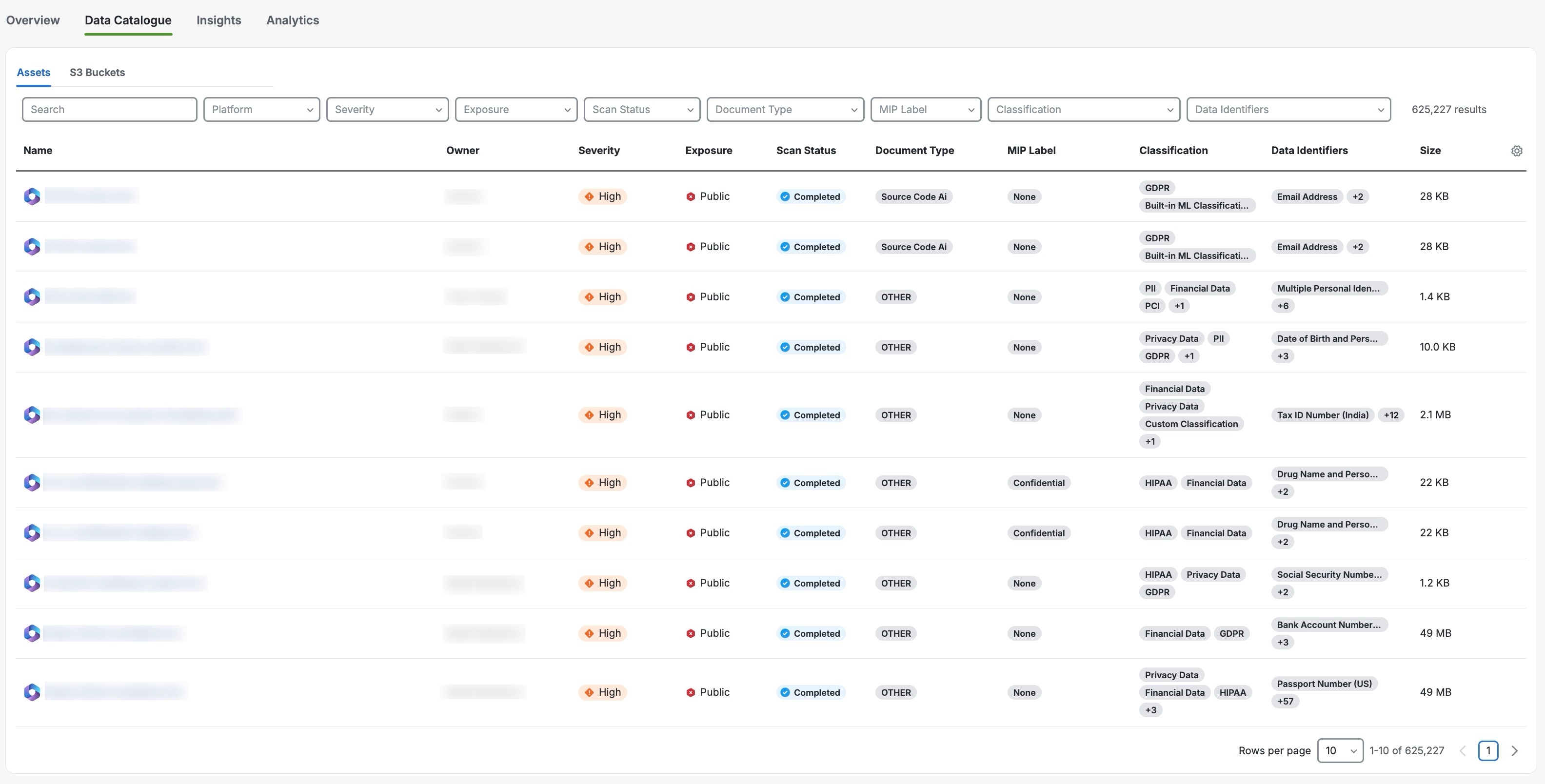
Filter Function Search Find assets by name or partial text. Platform Filter by data source. Severity Filter assets by severity level. Exposure Filter by exposure state. Scan Status Filter by scan progress. Classification Filter by sensitive data category. Data Identifiers Filter by specific detected data identifiers. Name Select asset name to open details. Owner Owner or associated user. MIP Label Filter assets based on applied Microsoft Information Protection sensitivity labels. Document Type Filter assets based on the classified document type. Document Type is generated using Meta Llama 3. Size Asset size. -
The S3 Buckets tab provides a resource-level view for AWS S3. This view focuses on storage entities and their exposure, risk distribution, scan status, classifications, and timestamps.
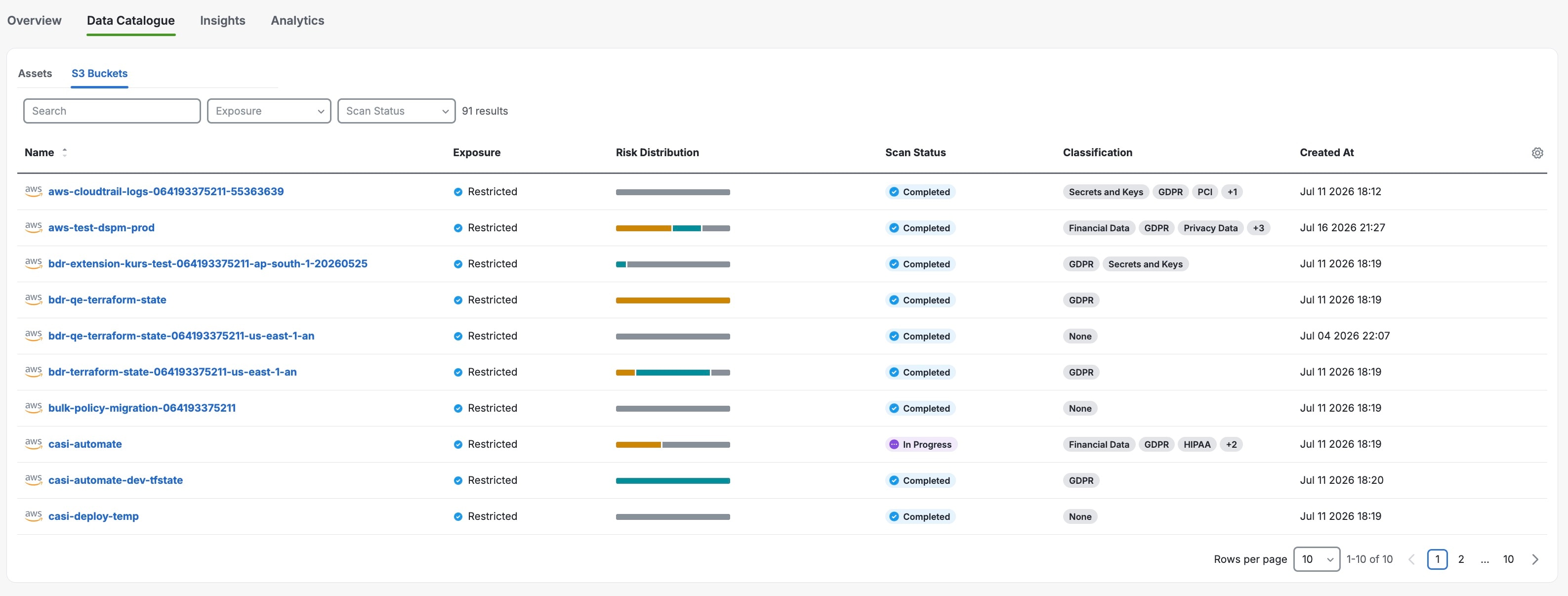
Function Filter Search Find a bucket by name. Exposure Filter buckets by exposure state. Scan Status Filter buckets by scan status. Risk Distribution Visual distribution of risk within the bucket. Classification Summary of sensitive classifications detected in the bucket. Modified At / Created At Bucket timestamps captured during discovery. -
S3 Bucket Details: This page provides context for a single S3 bucket. It shows the bucket exposure score, risk distribution, asset details, scan details, and classifications found within the bucket.
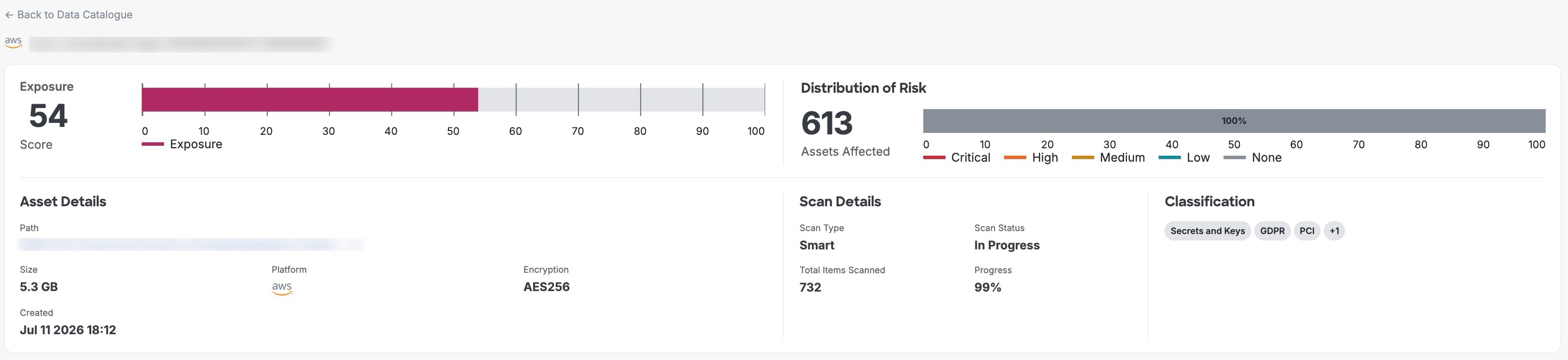
Section Purpose Exposure score Numeric exposure score for the bucket. Distribution of Risk Breakdown of risks in the bucket by severity. Asset Details Path, size, platform, encryption, creation date, and last modified date. Scan Details Scan type, scan status, total items scanned, and progress. Classification Sensitive data categories detected in the bucket. -
The Assets tab within a selected s3 bucket lists files discovered within the bucket. Use this view to identify the specific files that drive bucket-level risk or classification.
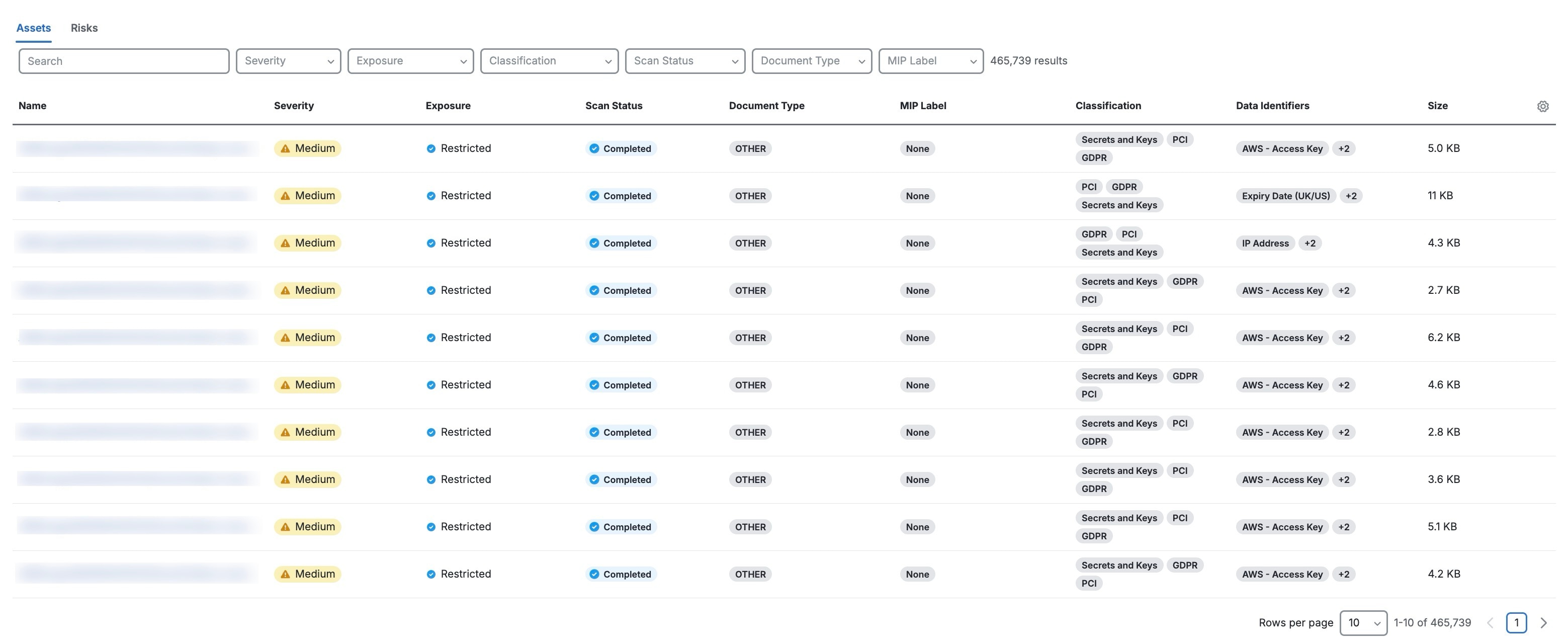
Filter Function Name File path or object name. Severity Severity derived from risk context. Exposure Exposure state for the file or object. Scan Status File scan status. Document Type Filter assets based on the classified document type. Document Type is generated using Meta Llama 3. MIP Label Filter assets based on applied Microsoft Information Protection sensitivity labels. Classification Sensitive data classification found in the file. Data Identifiers Specific identifiers detected in the file. Number of Risks Count of risks related to the file. Size File size. -
The Risks tab shows risk findings related to the selected bucket. Use this tab to understand the risk category, detection time, affected platform, and number of related objects.
