Understand how to set up a VPN profile to map the DDNS servers configured within your network to resolve DDNS requests so VPN clients can access network resources when connecting over VPN.
When setting up a VPN profile, you choose the Secure Access region where your data center is located, which determines where the VPN traffic will be routed within the your network. You also choose the DNS servers to resolve DNS requests to internet resources. Optionally, you can include DDNS (Dynamic DNS) servers in your VPN profiles to update the mappings of domain names to IP addresses when a remote user's network IP address changes.
Cisco Secure Access allows you to map DNS and DDNS servers within a VPN profile, essentially directing all your DNS requests through the VPN tunnel to those designated servers, ensuring that your internet traffic is routed through the VPN and utilizing the chosen DNS resolution service.
This topic describes how to set up a VPN profile to map the DDNS servers configured within your network to resolve DNS requests and updates so VPN clients can access network resources when connecting over VPN.
The following procedure describes how to map DNS servers configured in regions across your Secure Access organization. DNS settings are part of the General settings when setting up VPN profiles, thus this procedure covers only a subset of the VPN profile set up. For more information, see:
-
Add VPN Profiles Step 1 – General Settings for how DNS settings are applied in the VPN profile's general settings.
Before you begin
-
Full Admin user role. For more information, see Manage Accounts.
-
Set up the VPN profile. DNS and DDNS settings are part of the General settings when setting up VPN profiles. For more information, see Step 1 – General Settings of the VPN profile section.
-
When setting up VPN profiles, check the DDNS Servers updates option to update the mappings of domain names to IP addresses when a remote user's network IP address changes.
-
When setting up VPN profiles, the DDNS Servers setting defaults to Region specified, meaning that the VPN profile uses the DDNS specified for the region. This is the default behavior across all regions.
-
(Optional) Change the default to Custom specified and map DDNS servers to a different server pair for a VPN profile.
-
(Optional) Change the default to Custom specified selectively for any region, or map all regions to use the same DDNS server pair.
Procedure
-
Review the DNS Servers options.
-
By default, the DNS Servers is set to Region specified, meaning that the VPN profile uses the DNS specified for the region.
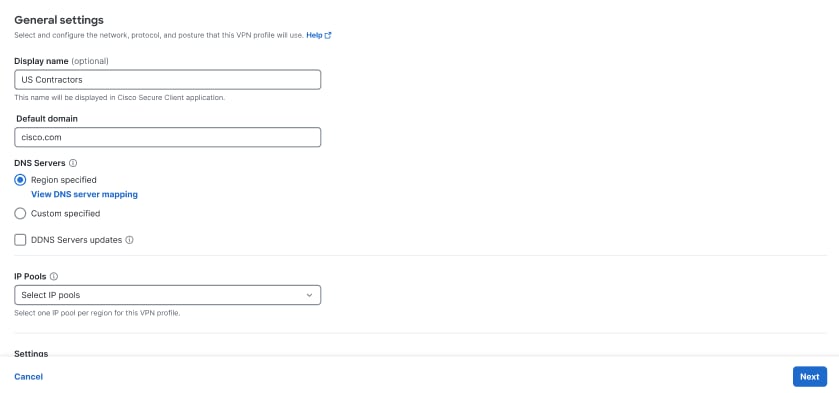
-
Check DDNS Servers updates to include dynamic updates to the mappings of domain names to IP addresses when a remote user's network IP address changes. By default, the DDNS Servers is set to Region specified, meaning that the VPN profile uses the DDNS specified for the region.
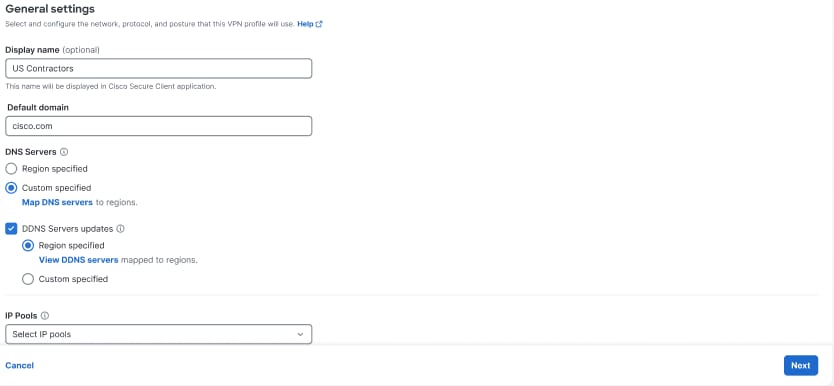
-
Click View DDNS server mapping to see the list of DNS servers mapped to regions.
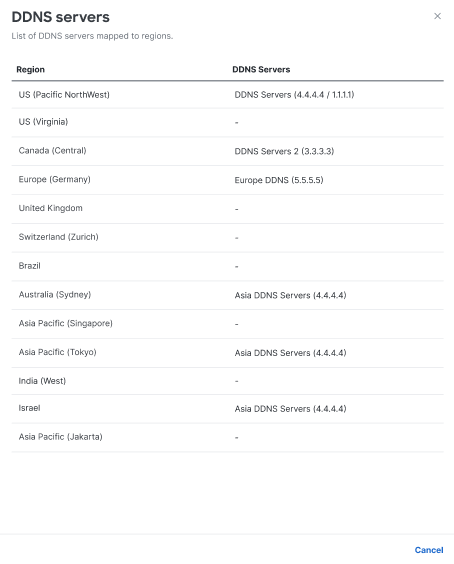
-
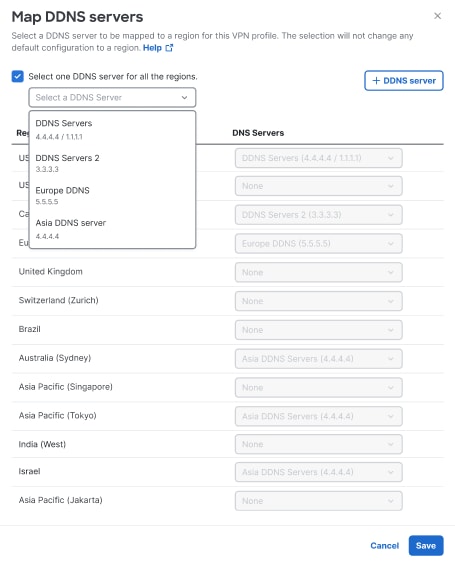
(Optional) To choose a DNS pair other than the default regional DNS, click Custom specified, then click Map DDNS servers to open an configurable view of all available DNS servers for a VPN profile.
-
(Optional) Use the DDNS Servers drop-downs to map any DDNS server changes for a corresponding Region. Click Save to change the DDNS settings, or click Cancel to exit.
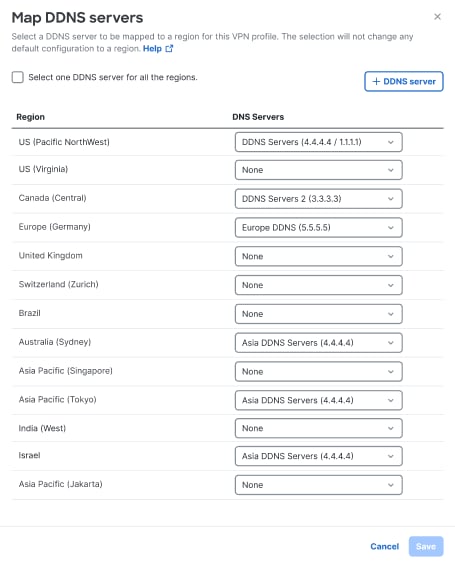
-
(Optional) To choose one DDNS pair for all regions, check Select one DDNS server for all the regions.
-
(Optional) Select a DDNS server pair from the available drop-down list to be applied to all regions. Optionally, click + DDNS server to configure a new DDNS server option. See Manage DNS Servers for more information.
-
(Optional) Click Save to change the DDNS settings, or click Cancel to exit.
-