Provides instructions for completing the Exact Data Match Identifiers workflow in Cisco Secure Access. Exact Data Matching (EDM) is a data classification and matching technique that effectively detects data loss incidents involving sensitive records maintained and stored in a structured data format.
Exact Data Matching (EDM) is a data classification and matching technique that effectively detects data loss incidents involving sensitive records maintained and stored in a structured data format. EDM is designed to help protect sensitive data by fingerprinting data instead of leveraging pattern matching techniques.
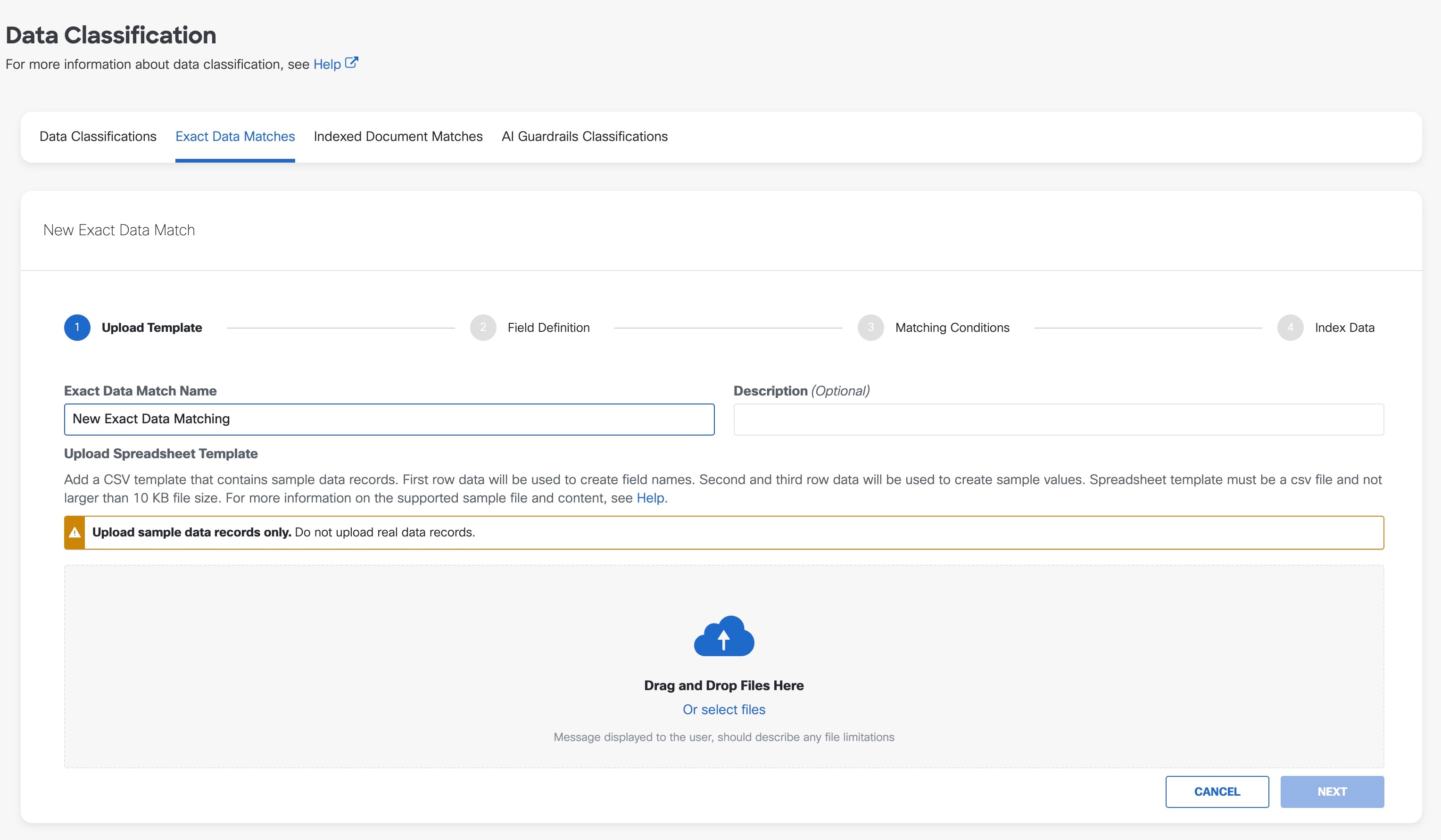
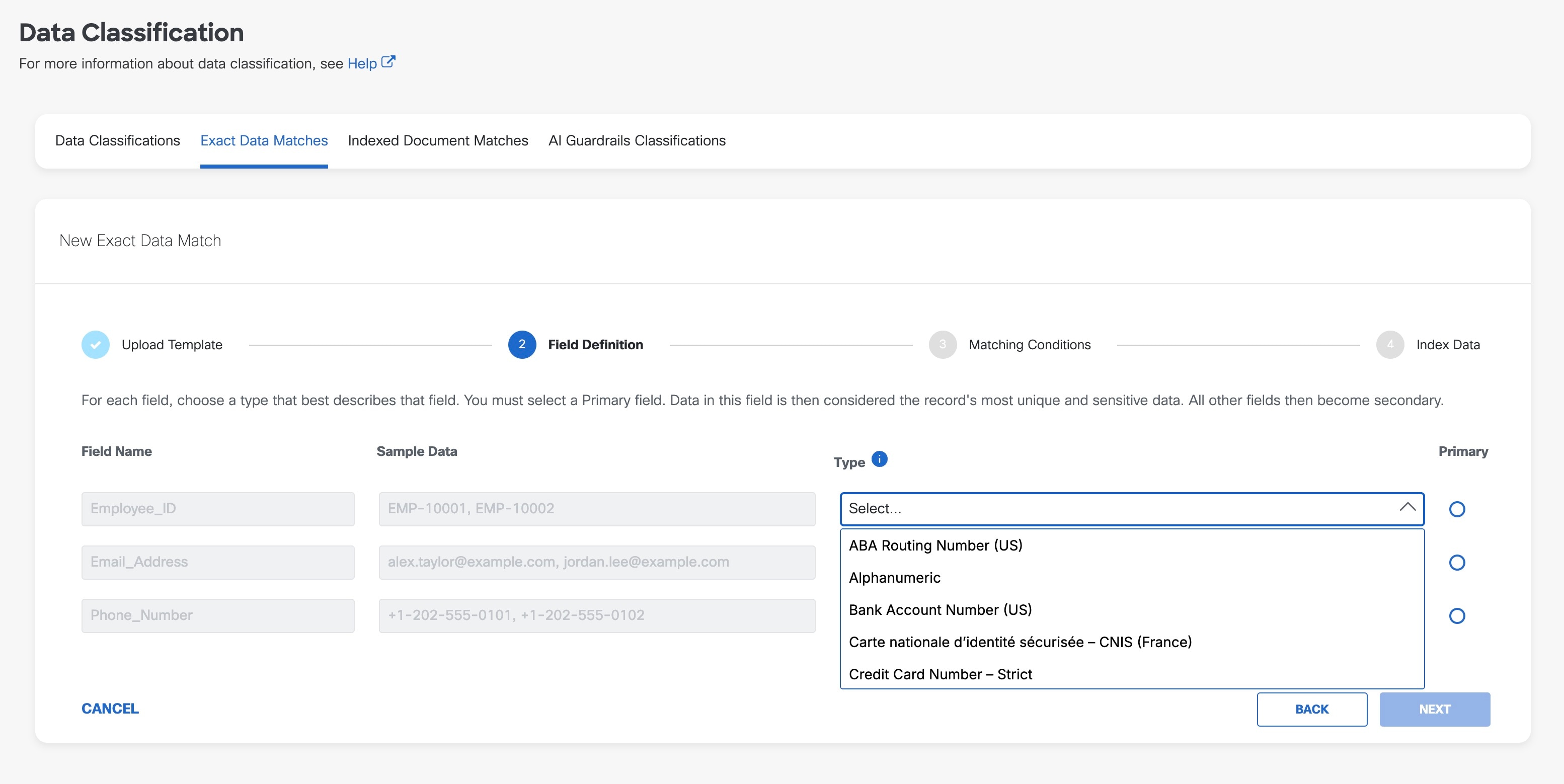
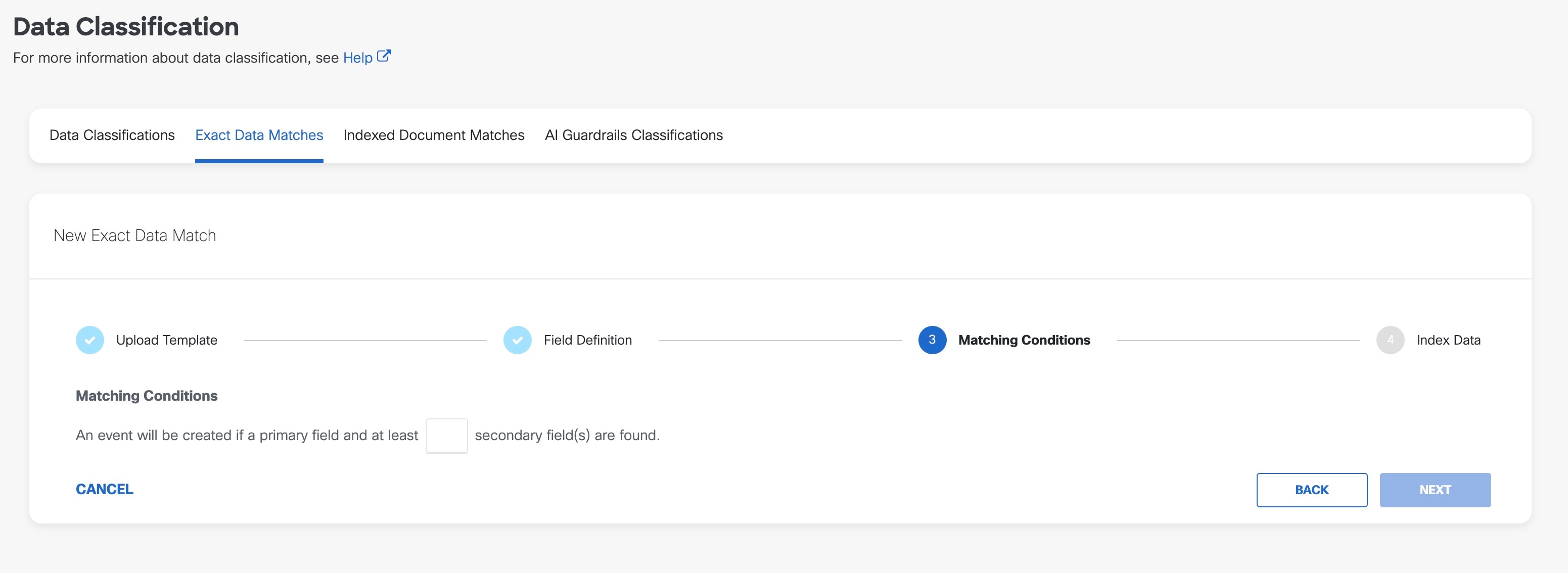
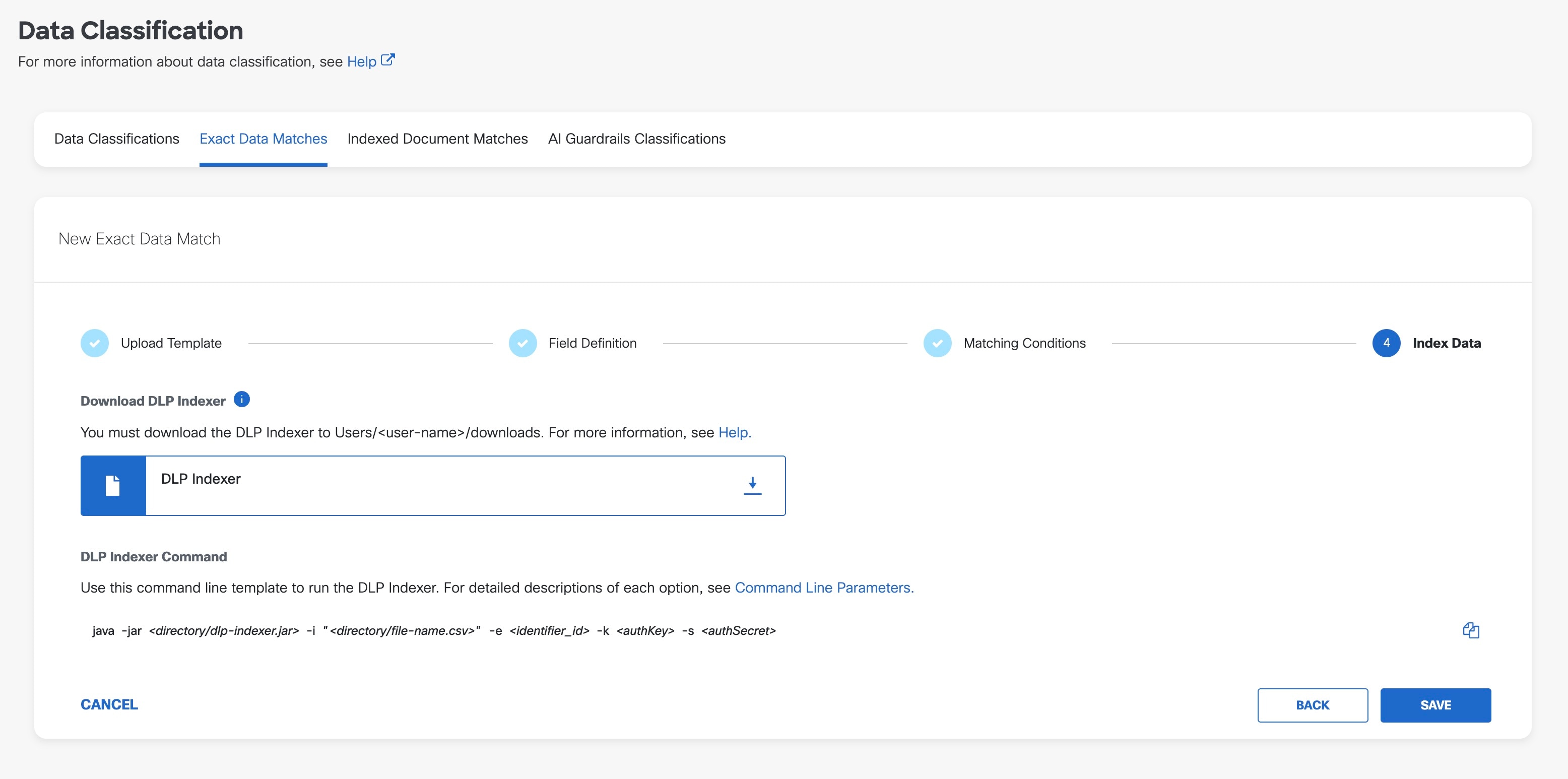
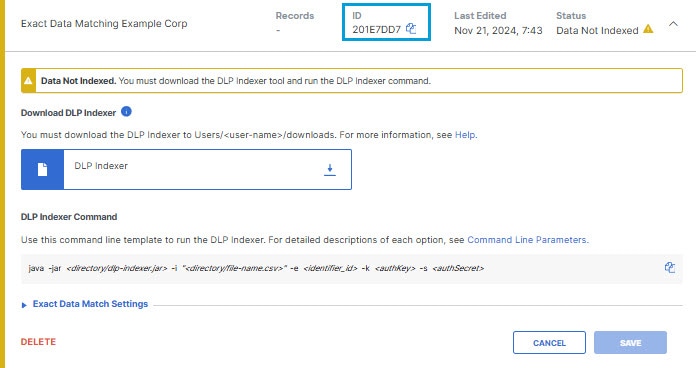
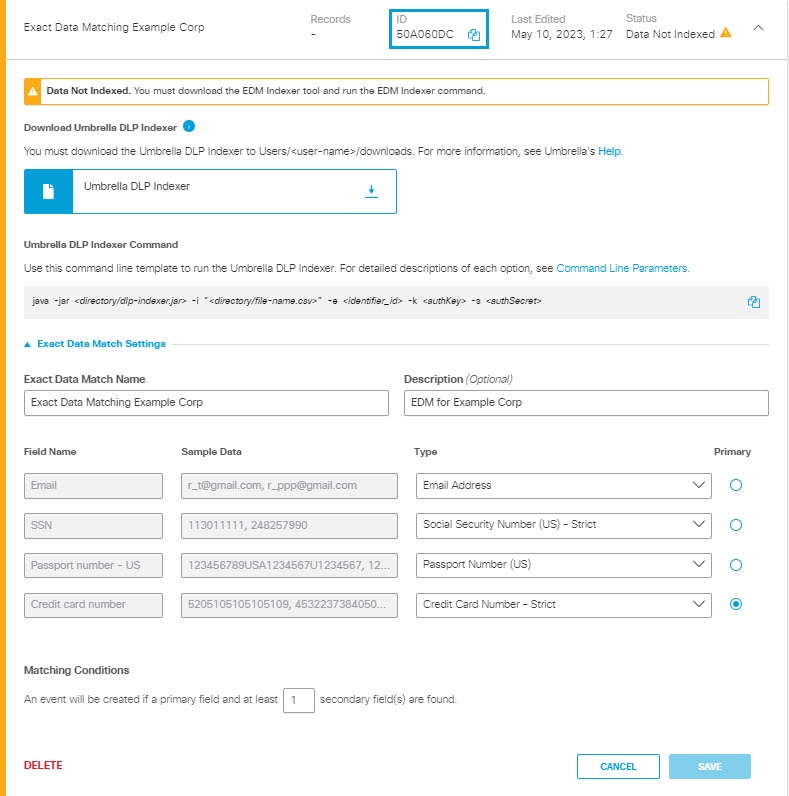
Secure Access performs Exact Data Matching using an EDM template, which you create by uploading a plain text CSV file that describes the fields to be matched, and choosing an EDM type for each field described in the CSV file. You must also specify which fields are required for a match, and their priority. Once the EDM template is created, you will obtain an ID for it from Secure Access.
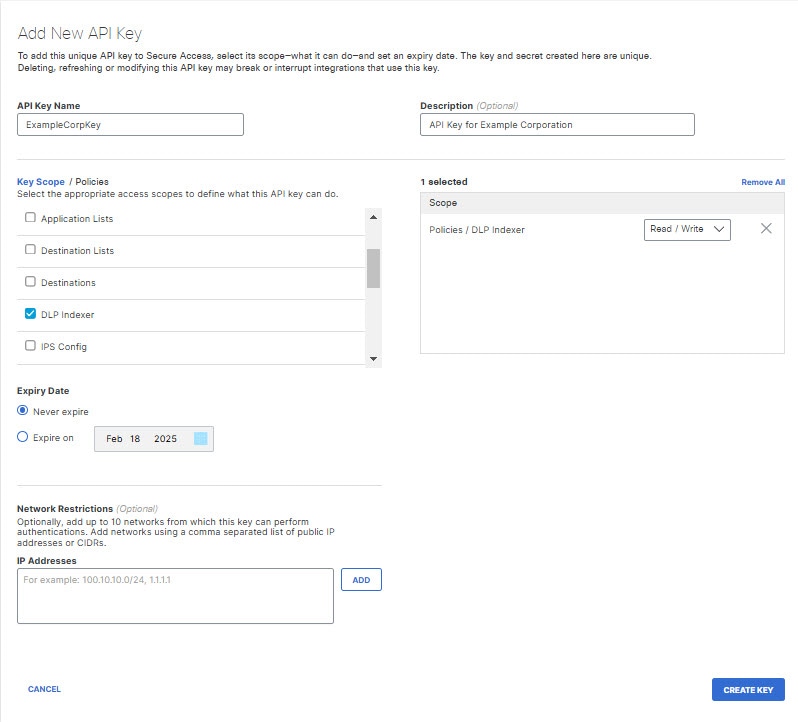
You must then download the DLP indexer and run the indexer against your data records using the EDM template. The DLP indexer validates records against the template and generates hash fingerprints for those records, creating an EDM.
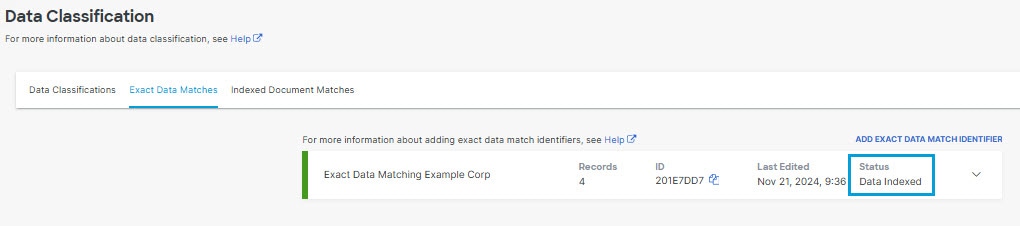
Once you have run the indexer, you will have an Exact Data Match Identifier associated with the documents. You will then be able to:
Procedure
-
Create a Data Classification that uses the EDM as a custom data identifier (as described in Create a Data Classification or Copy and Customize a Built-In Data Classification).
-
Create a DLP rule that uses the Data Classification including that EDM Identifier. (For more information on DLP rules, see Manage the Data Loss Prevention Policy.)
What to do next
With these configurations in place, Secure Access can monitor and/or block transmission of structured files containing records that match your indexed data. Matching records meet the criteria you establish when you create the EDM template.