Cisco Secure Access Help

PDF

Cisco Secure Access Help

Manage Internal Networks

Want to summarize with AI?

Log in

An Internal Network resource represents a private address space of IP addresses that is managed by your organization and is non-routable. Internal networks include local area networks (LANs) found in branch or residential offices.


A resource is an internet capable entity that is managed by your organization. After you add a resource to Cisco Secure Access, your resource is protected against threats and attacks through security configurations defined in policy rules. Secure Access can support high-level entities within your organization—for example, registered or internal networks —or very granular entities—for example, a single user logged into Microsoft o365. For more information about policy rules, see Manage the Access Policy.

An Internal Network resource represents a private address space of IP addresses. Internal networks are managed by your organization and are non-routable. Some examples of internal networks are: local area networks (LANs) found in branch or residential offices. Internal Network resources have Sites, Registered Networks, or Network Tunnel Groups that forward DNS traffic from your organization's internal network to Secure Access.

Add Resources to Associate with Internal Networks

To start protecting the internal networks in your organization, see Add Internal Network Resources.

Add Internal Network Resources

An Internal Network resource represents a private address space of IP addresses. Internal networks are managed by your organization and are non-routable or RFC1918 compliant. You must configure an Internal Network resource with either a Cisco Secure Access Site, Registered Network, or Network Tunnel Group. The associated Site, Networks, or Network tunnel groups forward DNS traffic from devices on your organization's internal network to Secure Access.

To start protecting an internal network, add an Internal Network resource to Secure Access. Once added, you can apply an existing policy rule to the internal network resource or add a new rule to protect the resource. Build rules to extend Secure Access's protection to any device that connects to the internet from behind the internal network. For more information about Secure Access policy rules, see Manage the Access Policy.

In Secure Access, all traffic originating from the IP of the site, network, or network tunnel group resource is identified as coming from the Internal Network. The private IP space or IP range defines the scope of the resource. The traffic sent from user devices on your organization's Internal Network is visible in the Secure Access Activity Search report.

Add Resources to Associate with Internal Networks

Before you begin

Procedure

  1. Navigate to Resources > Internal Networks and click Add.


    Internal Networks section with an option to add internal network resources
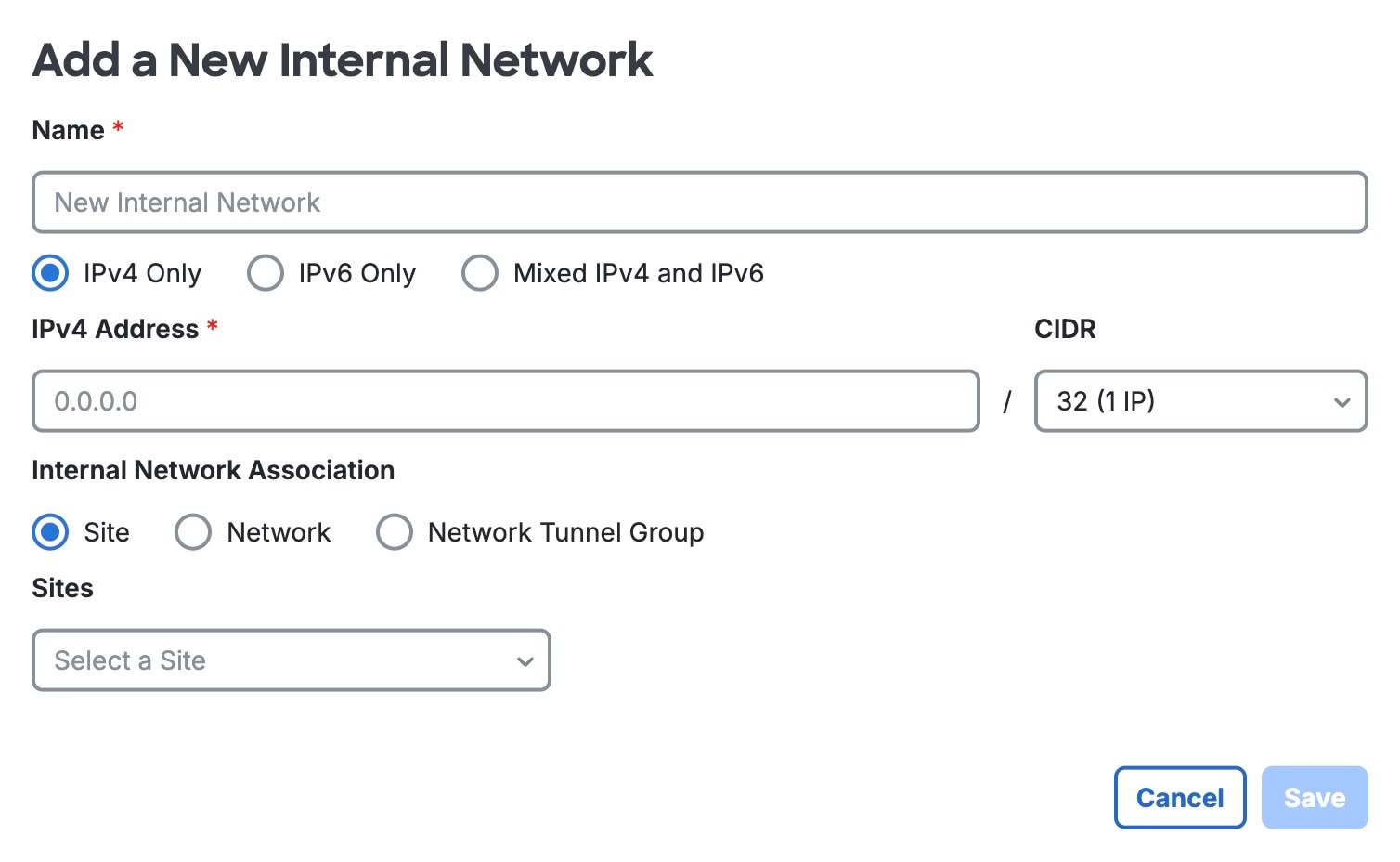
  2. For Name, enter a descriptive name for the internal network.


    Add a New Internal Network page displaying parameters to emter for a network resource
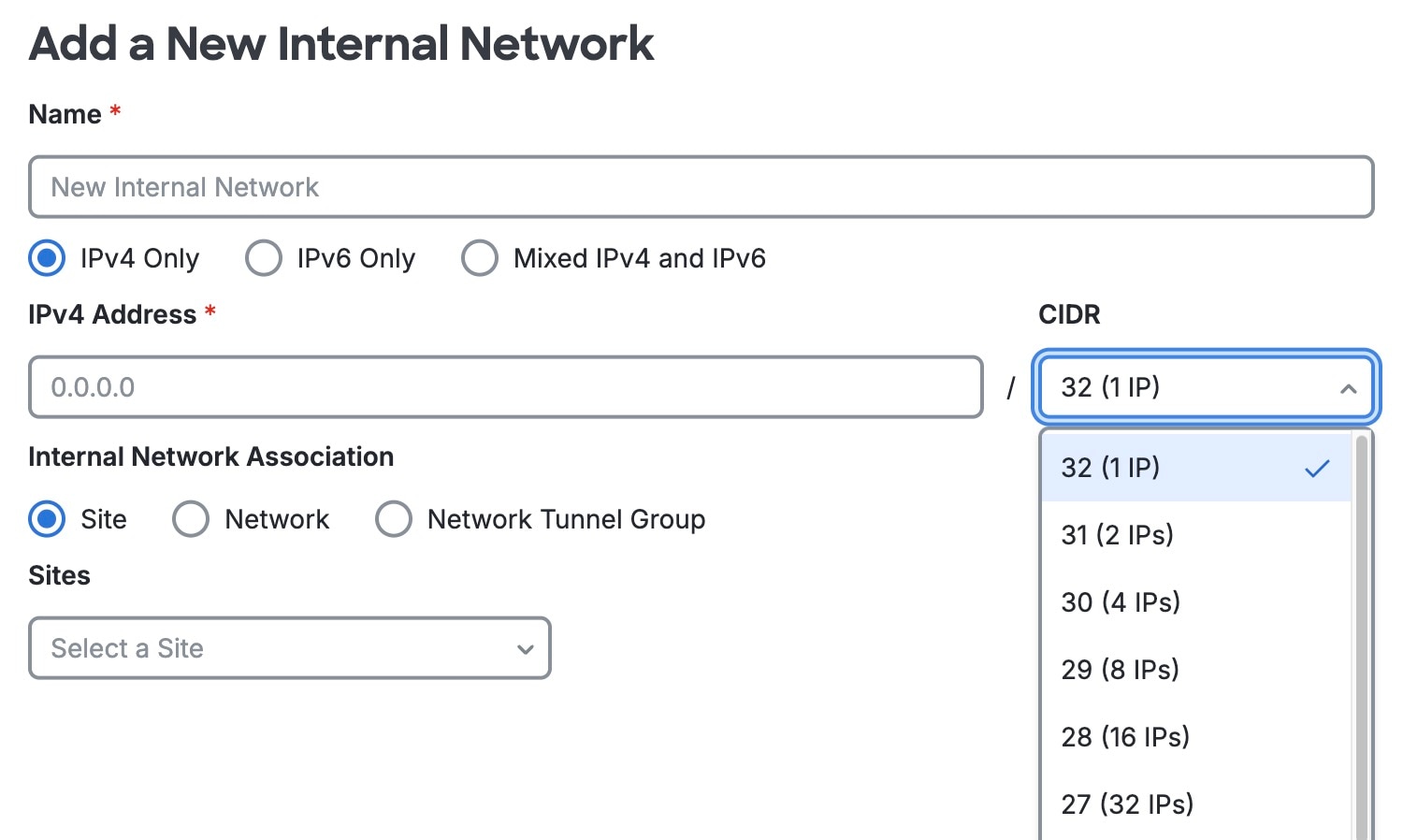
  3. For IPv4 Address, enter an IPv4 address and choose a range.


    IPv4 Address section with fields to add an IPv4 address and specify an address range
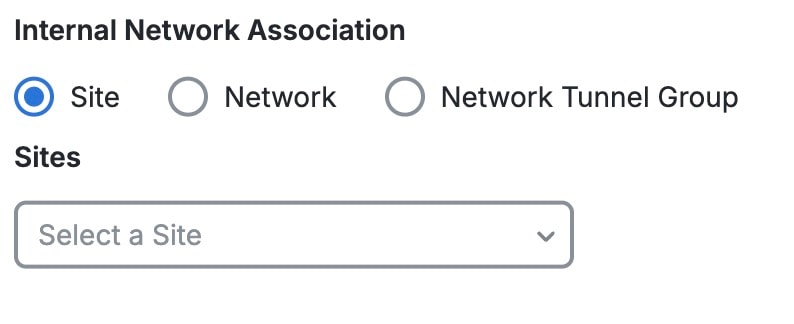
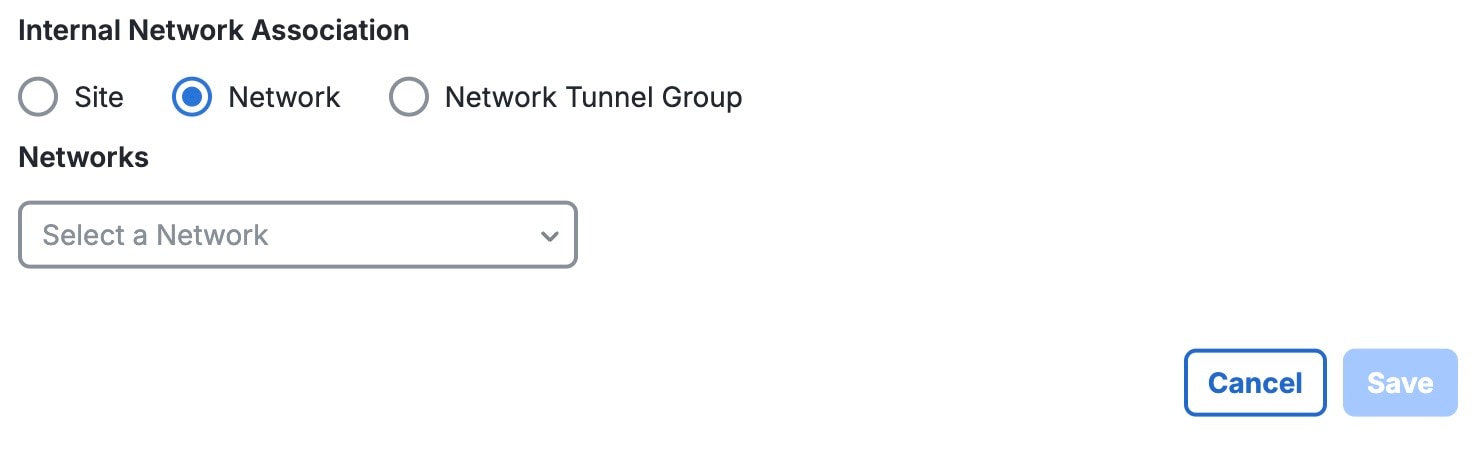
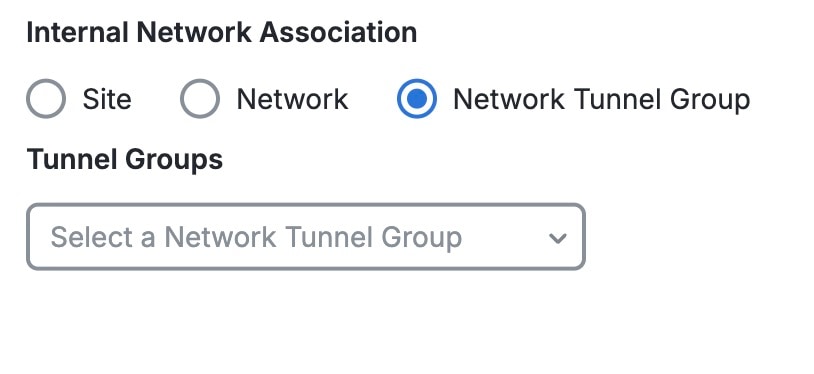
  4. For Internal Network Association, choose Site, Network, or Network Tunnel Group.

    1. Expand Sites, and then select the Site to associate with the Internal Network.


      Internal Network Association section with option for selecting network resources to associate with an internal network resource

    2. Expand Networks, and then select the Network resources to associate with the Internal Network resource.


      Internal Network Association section with option for selecting network resources to associate with an internal network resource
    3. Expand Network Tunnel Group, and then select the Network Tunnel Groups to associate with the Internal Network resource.


      Internal Network Association section with option for selecting network tunnel groups to associate with an internal network resource

Update an Internal Network Resource

Once you add an Internal Network resource in Cisco Secure Access, you can edit the internal network's name, and IP address and address range.

Before you begin

Procedure

  1. Navigate to Resources > Internal Networks.

  2. Navigate to an Internal Network resource, click the ellipsis (...), and then choose Edit to update the Internal Network resource.


    Edit option to update internal network resource

  3. For Name, modify the name of the Internal Network resource.

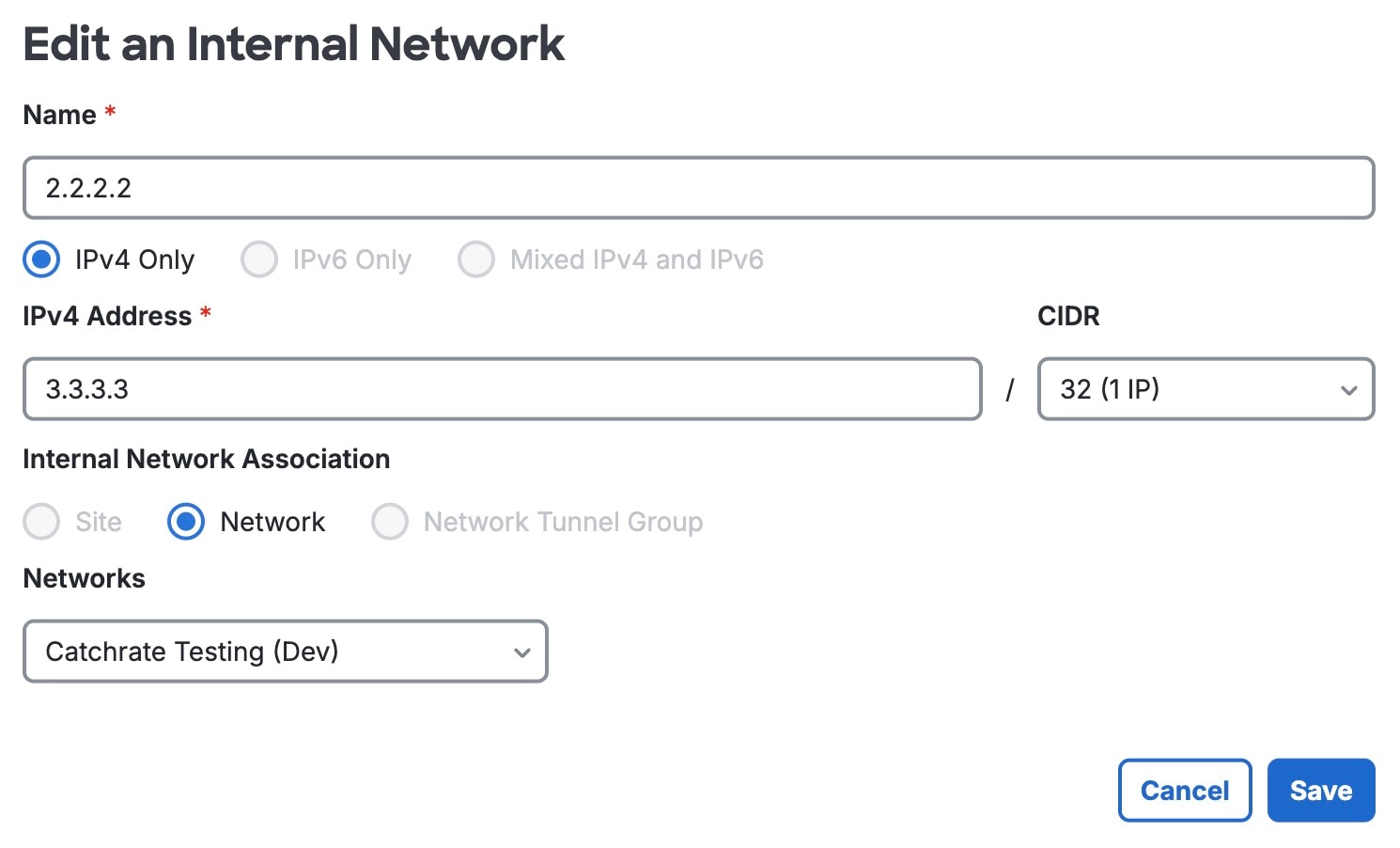
  4. Update the IP address and address range.

    1. For IPv4 Address, update the IPv4 address and choose the IP address range.


      Edit an Internal Network page displaying fields to update a IPv4 address and an address range
    2. For IPv6 Address, update the IPv6 address and choose the IP address range.

  5. Click Save.


Delete an Internal Network Resource

Once you add an Internal Network resource in Cisco Secure Access, you can remove the resource from your Secure Access organization. Then, the deleted Internal Network resource is not available to select on your access rules and the internal network is not protected by Secure Access.

Prerequisites