Cisco Secure Access Help

PDF

Cisco Secure Access Help

Activity Volume Report

Want to summarize with AI?

Log in

Describes Activity Volume Report in Cisco Secure Access. The Activity Volume Report provides an overall summary of traffic by security categories and policies affected by content categories and Destination Lists.


The Activity Volume Report provides an overall summary of traffic by security categories and policies affected by content categories and Destination Lists. You can view traffic allowed and blocked across these fields as well as the percentage of this traffic for each field and determine which activities may be a potential risk in the organization.
View Requests by Volume of Activity

Before you begin

A minimum user role of Read-only. For more information, see Manage Accounts.

Procedure

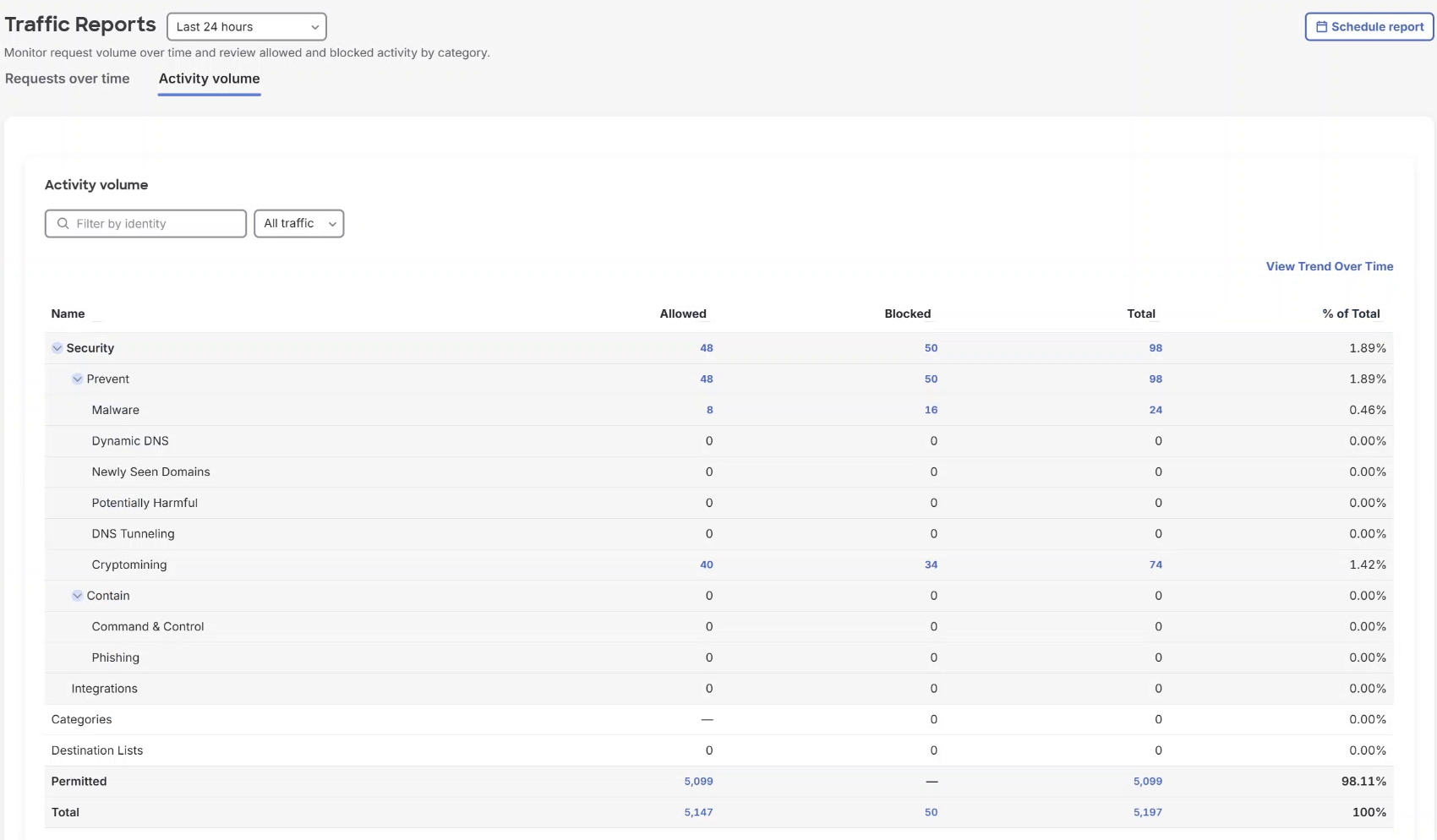
  1. Navigate to Monitor > Reports > Traffic Reports, then select Activity volume.

    The table displays categorized requests for the selected time range.


    The Activity Volume Whole Page interface.
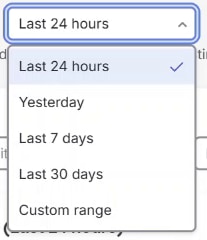
  2. Choose a time range from the drop-down beside Traffic Reports. You can select Last 24 hours, Yesterday, Last 7 days, Last 30 days, or a custom range within the last 90 days.


    The Activity Volume Time Frame interface.
  3. Use Filter by identity to find an identity.

    Choose All traffic, DNS, or Web beside the search field.


    The Activity Volume Filter by Identity interface.

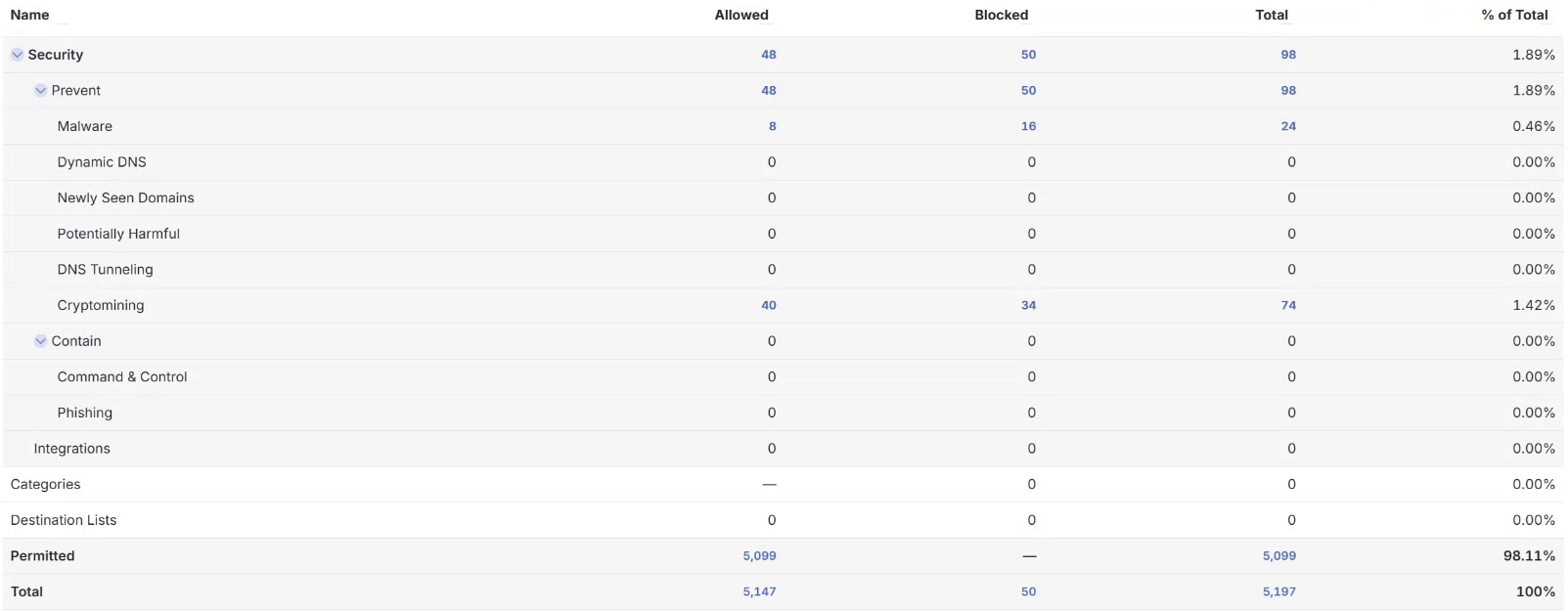
    The Activity Volume Report consists of three main fields of activity (Security, Categories, and Destination Lists), the total Permitted requests, and the Total requests of all traffic. Each field displays the number of requests Allowed, Blocked, the Total number of requests, and the Percentage of all requests that that field represents.

    Note
    Allowed Categories do not display any results.

    The Activity Volume Requests Closed interface.

View Activity Volume by Threat Categories

The Security field contains two sub-fields of traffic data relating to potential security risks: Prevent and Contain. For more information about threat categories, see Threat Category Descriptions. Integrations are not applicable to Secure Access.


The Activity Volume Requests Security Open interface.

Prevent

Expand Security and Prevent to review the threat categories used to prevent risks in your environment. The table lists Allowed, Blocked, Total, and % of Total for each category. Use these values to identify high-volume categories and determine whether policies need to be updated.


The Activity Volume Requests Security Prevent Open interface.

Contain

Expand Contain under Security to review Command & Control and Phishing. These categories help identify threats that are contained to prevent them from spreading. The table lists Allowed, Blocked, Total, and % of Total for each category.


The Activity Volume Requests Security Contain Open interface.

View Activity Volume by Policy Traffic

The Categories and Destination Lists rows show traffic allowed or blocked by policies configured with content categories and destination lists. The table lists Allowed, Blocked, Total, and % of Total for each row. Use these values to identify the policies receiving the most traffic.


The Activity Volume Requests Categories and Destination Lists interface.

Click View Trend Over Time to switch to the Requests over time tab in Traffic Reports and view traffic trends for the selected period.


The Activity Volume View Trend Over Time interface.