Cisco Security Cloud Control: Secure Firewall Management

PDF

Cisco Security Cloud Control: Secure Firewall Management

Security Cloud Control command line interface tool

Want to summarize with AI?

Log in

Describes the Security Cloud Control command line interface (CLI) tool in Security Cloud Control for managing or troubleshooting IOS and other device types. Highlights its purpose and points to the related configuration guide for more details.


A command line interface tool is a utility that

  • provides a command line interface in Security Cloud Control

  • enables management of IOS and other device types, and

  • supports troubleshooting activities.

Reference information

Use the Security Cloud Control command line interface (CLI) to manage or troubleshoot IOS and other device types.

For more information, refer to the Security Cloud Control configuration guideUse the Security Cloud Control Command Line Interface Tool (CLI).

View device configuration file

Use this task to view the configuration file of a selected device or model in the management interface so you can review its current settings.

You can view the configuration file using Security Cloud Control.

Note

Cisco IOS devices have read-only configurations.

Procedure

  1. From the Security Cloud Control Home page, click Firewall.

  2. Click Security Devices.

  3. Click the Devices tab to locate the device or the Templates tab to locate the model device.

  4. Click the appropriate device type tab.

  5. Select the device or model whose configuration you want to view.

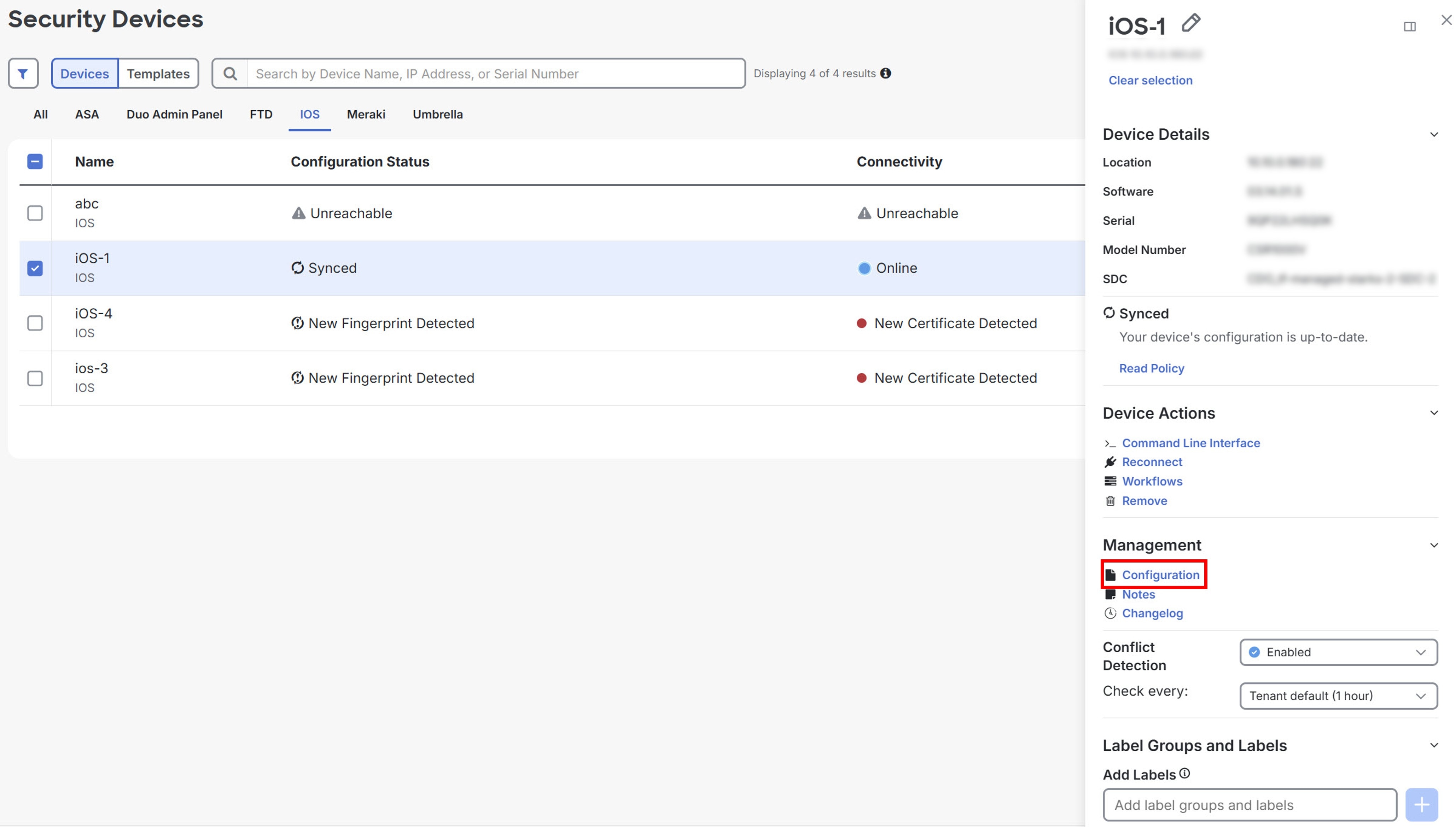
  6. Click Configuration under the Management section.

    Security Devices page showing Configuration button.

After you complete these steps, you can see the full configuration file.