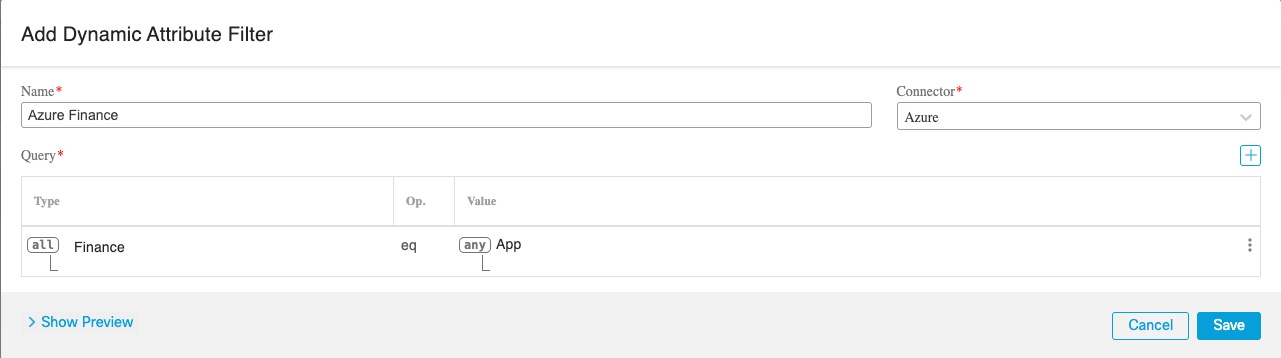
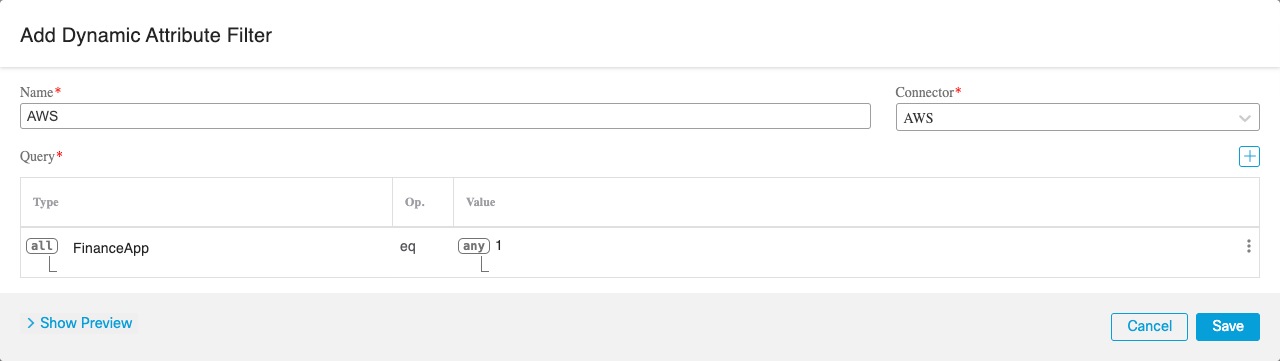
Configure dynamic attributes filters using the Dynamic Attributes Connector.
Create dynamic attributes filters to expose them as dynamic objects in Security Cloud Control for use in access control policies.
Dynamic attributes filters that you define using the Dynamic Attributes Connector are exposed in the Security Cloud Control as dynamic objects that can be used in access control policies. For example, restrict access to an AWS server for the Finance Department to only members of the Finance group defined in Microsoft Active Directory.
You cannot create dynamic attributes filters for Azure Service Tags, Cisco Multicloud Defense, Generic Text, GitHub, Outlook 365, Tenable, Webex, and Zoom. These types of cloud objects provide their own IP addresses.
For more information about access control rules, see Create access control rules or DNS rules using dynamic atttributes filters.
Procedure
-
Do any of the following:
-
Add a new filter: click Add (
 ).
-
Edit or delete a filter: Click More (
 ), then click Edit or Delete at the end of the row.
-
-
Enter the following information.
Item
Description
Name
Unique name to identify the dynamic filter (as a dynamic object) in a policy and in the Security Cloud Control Object Manager ().
Connector
From the list, click the name of a connector to use.
Query
Click Add
 .