Configure Cisco Firewall Threat Defense devices for Universal Zero Trust Network Access to secure the private resources and enforce identity-based access rules.
All Firewall Threat Defense devices associated with the Cloud-Delivered Firewall Management Center that you onboarded to Security Cloud Control are security devices to which you can:
-
Associate private resources, which are internal applications you want to protect with identity-based access control, IPS, malware, and other protections.
-
Deploy Secure Access access rules. Security devices are responsible for enforcing access rules for on-premises users, remote users, or both.
Perform these steps to enable universal zero trust network access settings on the Threat Defense devices. These steps include configuring the device FQDN, inside interface, outside interface, and PKCS12 certificate to enable universal ZTNA on the devices.
Before you begin
You must know the name of each device's internal and external network interfaces:
-
The internal interface (also referred to as the DMZ interface) is used to apply access rules to on-premises users.
-
The external interface is used to apply access rules to remote users.
You can choose internal, external, or both types of interfaces for each security device.
Procedure
-
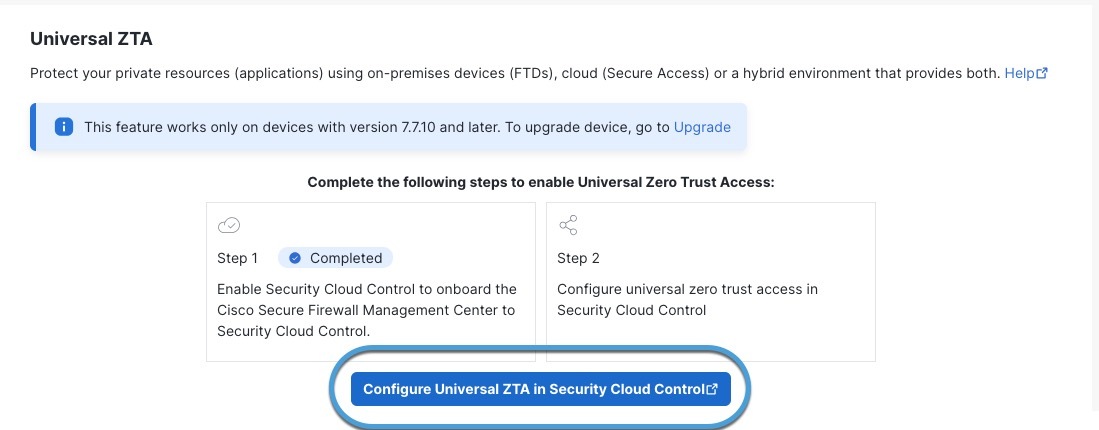
Click Configure Universal ZTA in Security Cloud Control.
This figure shows an example.
-
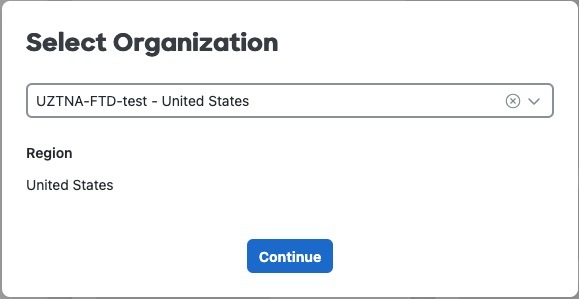
When prompted, select your organization from the drop-down list and click Continue.
Select an organization that has both Secure Access and Secure Firewall micro applications configured.
This figure shows an example.
-
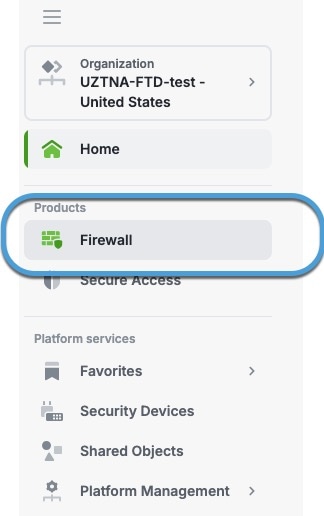
In Security Cloud Control, in the Products section, click Firewall.
This figure shows an example.
-
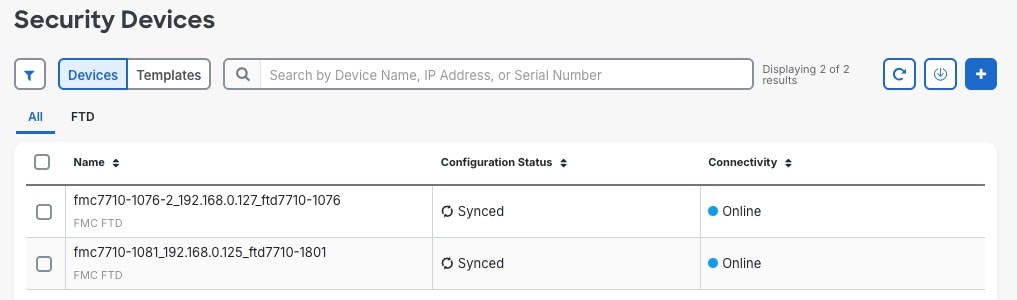
In the Manage section, click Security Devices.
The Security Devices page displays the available security devices.
-
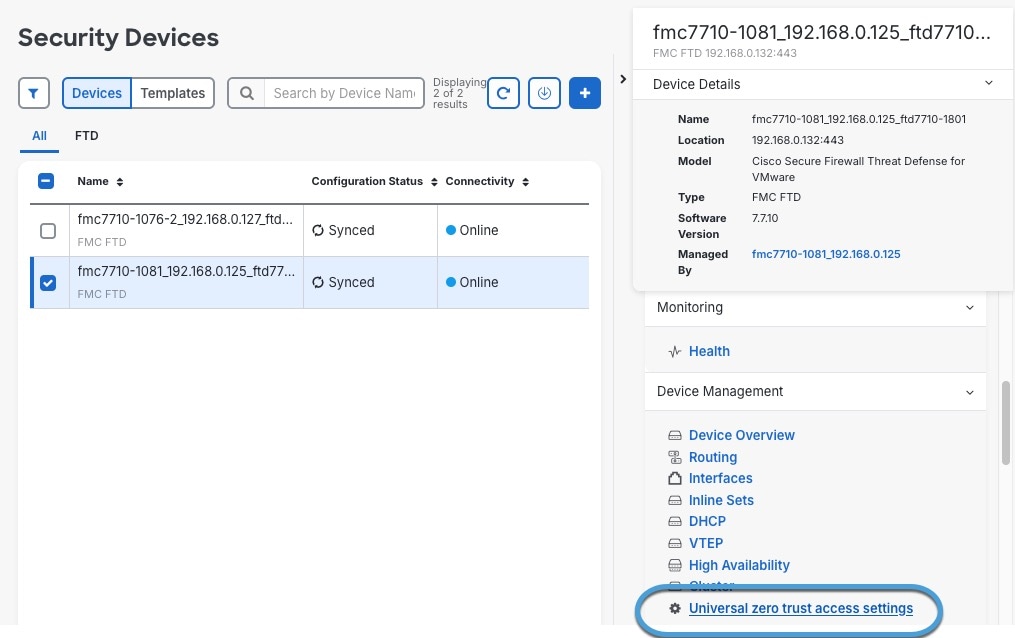
In the right pane, click .
This figure shows an example.
-
Enter or edit the following information on the Configure device for Universal Zero Trust Access page.
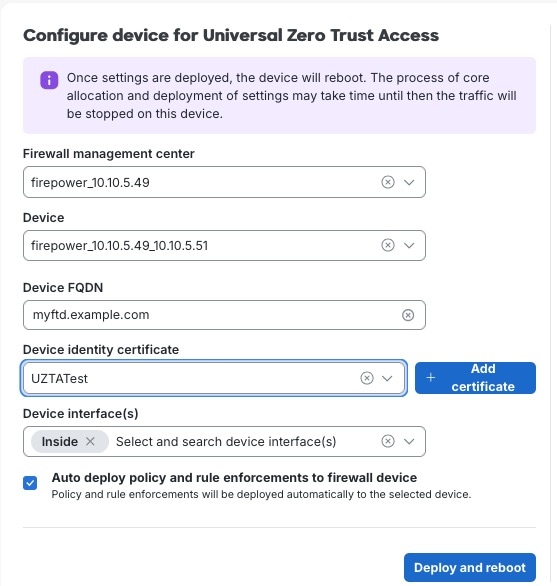
This table describes the configurations to enable universal ZTNA on the device.
Item
Description
Firewall management center
From the drop-down list, click the name of a Cloud-Delivered Firewall Management Center to use for policy deployment, monitoring, and other tasks.
Device
From the drop-down list, click the name of a device to use for rule deployment and enforcement.
Device FQDN
Enter the security device's fully qualified domain name (FQDN). The FQDN is also referred to as the TLS/SSL certificate's Common Name.
Secure Access redirects the clients to the resource that is represented by this FQDN.
Ensure that the device FQDN exactly matches the Common Name (CN) of the device identity certificate and must also match a Subject Alternative Name (SAN) in the certificate.
Device identity certificate
The Device identity certificate must have a Common Name that:
-
Exactly matches the value you enter in the Device FQDN field.
-
Matches a Subject Alternative Name (SAN) in the certificate.
From the drop-down list, click the name of an existing identity certificate from the list.
Click Add certificate and add an identity certificate in .p12 format (also referred to as PKCS#12; see this article on ssl.com).
Universal ZTNA supports only the PKCS#12 format of certificate enrollment.
In the provided fields, enter a Name to identify the certificate. Then copy/paste, drag/drop, or upload the certificate and private key. If the certificate is encrypted, enter its password in the provided field.
You can optionally use a wildcard certificate as discussed in What is a Wildcard Certificate? on ssl.com.
Device Interface(s)
From the drop-down list, select the check box next to any of the following types of interfaces.
-
Internal network interface (or DMZ): deploys access rules for on-premises users only.
-
External network interface: deploys access rules for remote users only.
-
Both types of interfaces: deploys access rules for either on-premises or remote users.
Auto deploy policy and rule enforcements to firewall device
Select the check box to automatically deploy access rules to the device after they are updated on Secure Access.
On the device, the Auto deploy feature selectively deploys only the Universal ZTNA access policy. It does not impact other changes or configurations on the Firewall Management Center.
If there are other interdependent policies on the device (which are interlinked with the Universal ZTNA access policy), the Firewall configuration status displays an error message. The deployment then stops. In such cases, you should manually deploy the Universal ZTNA access policy from the Firewall Management Center.
-
-
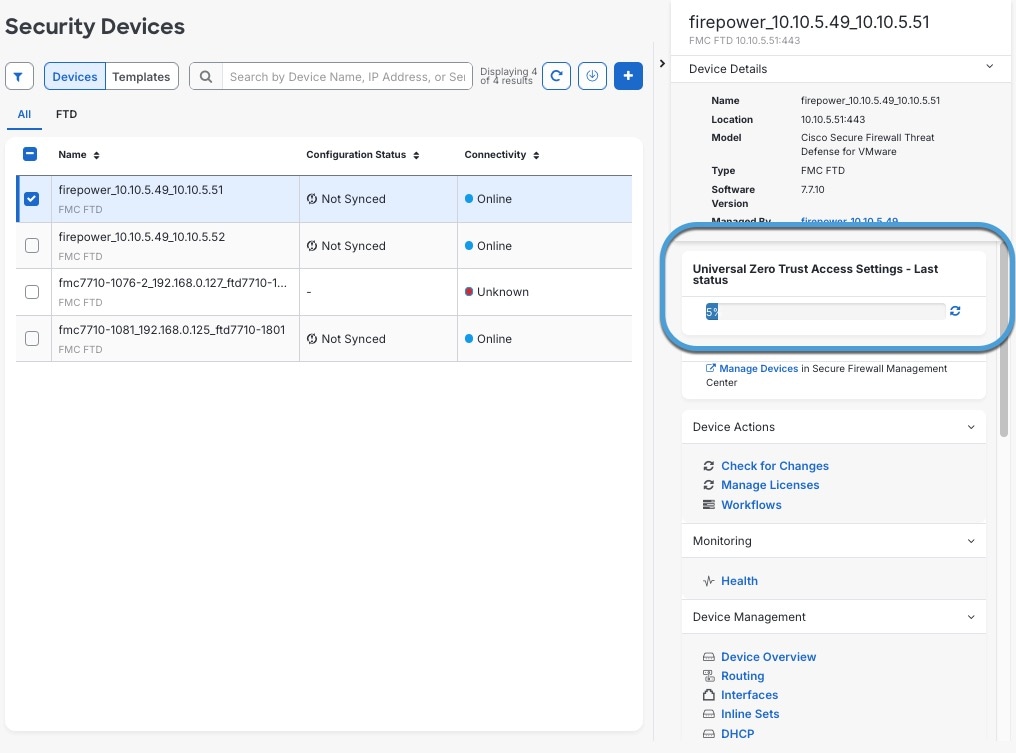
On the Security Devices page, select the check box next to the device to which you just deployed the Universal ZTNA configuration.
The right pane displays the deployment status, as shown in the figure.
For additional information, click in the right pane.
After the deployment completes, you can view the completion status in the Universal Zero trust Access Settings - Last status tab for the device.
Universal ZTNA-enabled Firewall Threat Defense device is connected to Secure Access.
What to do next:
Check the availability of the Threat Defense device under Secure Access by clicking .