Configure the deboarding of Catalyst SD-WAN Manager from Security Cloud Control to automatically remove associated devices, NGFW policies, and security objects.
This task removes Catalyst SD-WAN Manager and its associated components from Security Cloud Control while preserving the original configurations in the manager for future independent management.
Deboarding Catalyst SD-WAN Manager from Security Cloud Control automatically removes its associated devices, policies, and objects from Security Cloud Control.
When you deboard Catalyst SD-WAN Manager from Security Cloud Control, all the policies and objects created through Security Cloud Control are deleted from Security Cloud Control but remain in Catalyst SD-WAN Manager. You can then edit security objects and policies from Catalyst SD-WAN Manager.
Procedure
-
Select the manager that you want to delete and click Remove SD-WAN Devices.
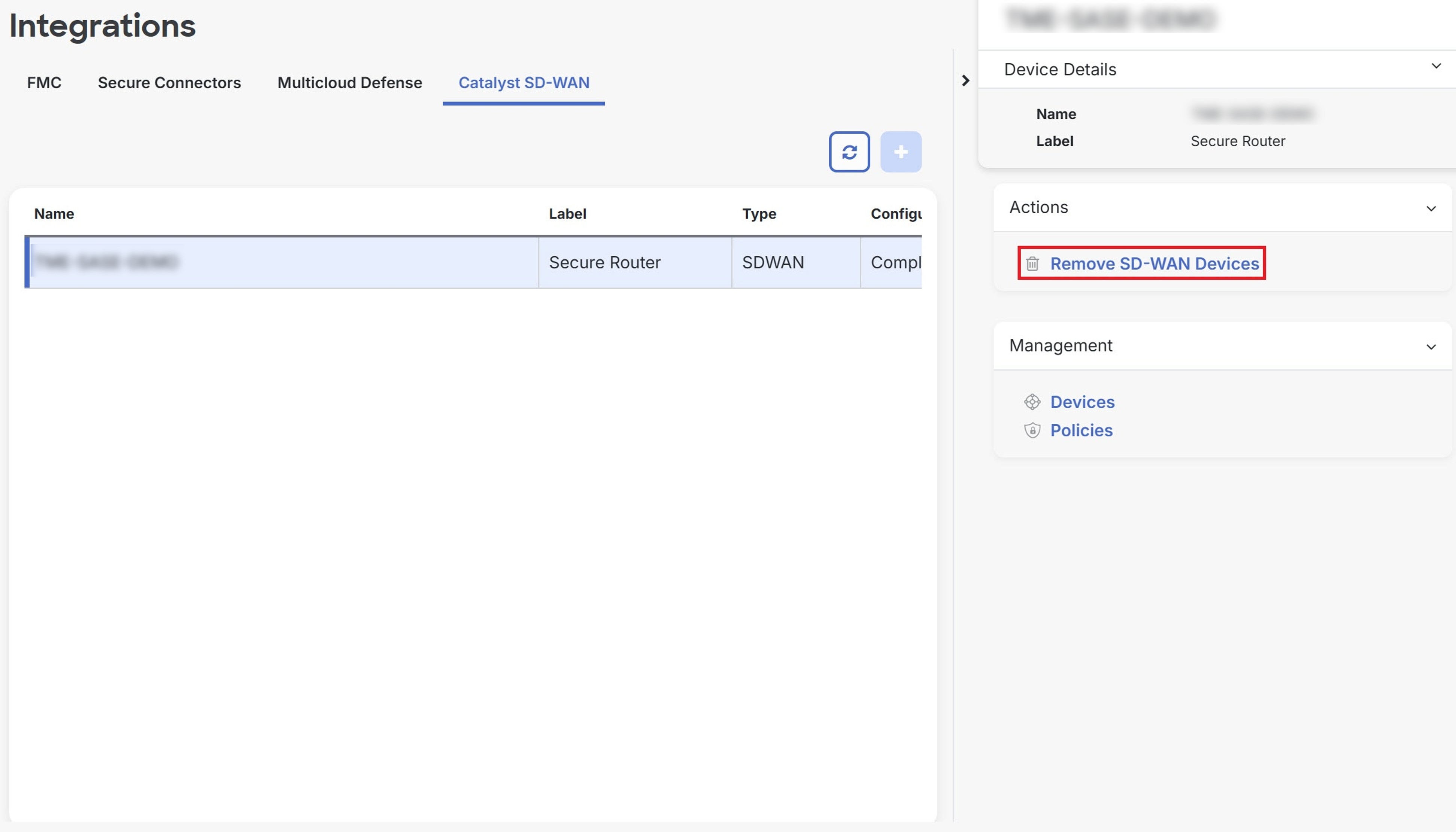
The Catalyst SD-WAN Manager is deboarded from Security Cloud Control, and all associated devices, policies, and objects are removed from Security Cloud Control while remaining accessible in the original manager.