Configure access to device configurations for onboarded Catalyst SD-WAN devices in Security Cloud Control Firewall Management.
View and export device configurations for your onboarded Catalyst SD-WAN devices to manage and monitor device settings.
Security Cloud Control Firewall Management provides the ability to view the device configuration of your onboarded devices on the Security Devices page.
Procedure
-
Select a device and click Configuration under Management.
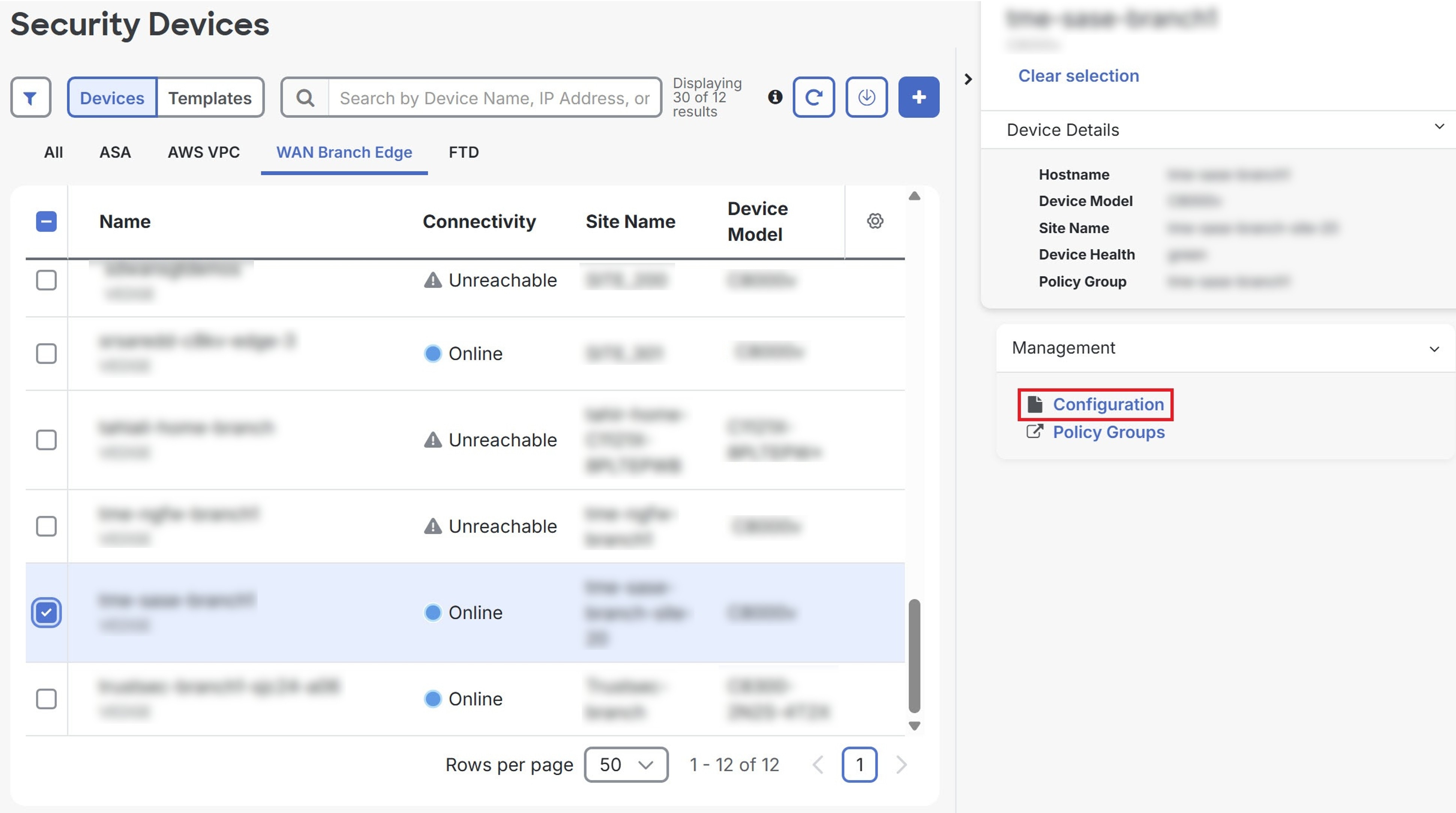
-
To export the list of devices as a CSV file, click the export icon (
 ).
The device configuration is displayed, and you can optionally export the device list as a CSV file for external use.