Configure the removal of Catalyst SD-WAN security objects in Security Cloud Control Firewall Management if they are not referenced by any policies, objects, or configurations.
This task removes unused Catalyst SD-WAN security objects to maintain system cleanliness and prevent clutter in the configuration.
You can delete one or multiple Catalyst SD-WAN security objects.
-
If the security object was synchronized with Catalyst SD-WAN Manager, deleting it updates both Security Cloud Control Firewall Management and Catalyst SD-WAN Manager for consistency.
-
Security policies or configurations that reference the deleted object do not get deleted automatically. You must remove the references manually from the security policies before deleting the object.
-
Delete actions are logged for auditing and traceability.
Before you begin
Verify that the Catalyst SD-WAN security objects you want to delete are not used or referenced in other objects, policies, or configurations.
Procedure
-
In the Actions pane, click Remove.
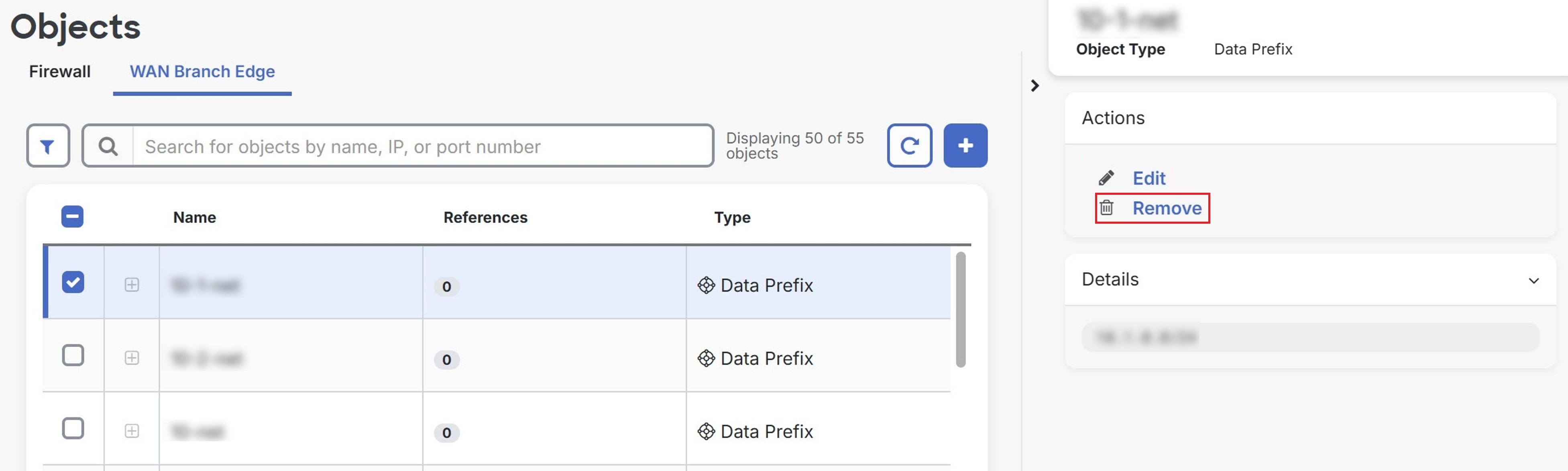
Selected Catalyst SD-WAN security objects are deleted. Delete actions are logged for audit purposes, ensuring traceability of changes.
To view the logs:
-
In the Security Cloud Control application, choose .
-
In the Catalyst SD-WAN Manager application, choose .