Configure filtering and searching of security objects by Object Type and Profile Type to streamline network security management.
Filter and search for Catalyst SD-WAN security objects to efficiently locate, review, modify, or delete security objects, optimizing system performance and ensuring effective SD-WAN security object administration for WAN Branch Edge environments.
Catalyst SD-WAN Manager enables users to efficiently filter and search security objects by Object Type and Profile Type, streamlining network security management. This feature enhances the ability to locate, review, modify, or delete security objects, optimizing system performance and ensuring effective SD-WAN security object administration for WAN Branch Edge environments.
You can filter objects using two parameters: Object Type and Profile Type.
Procedure
-
Click the filter icon (
 ) and select objects by Object Type or Profile Type.
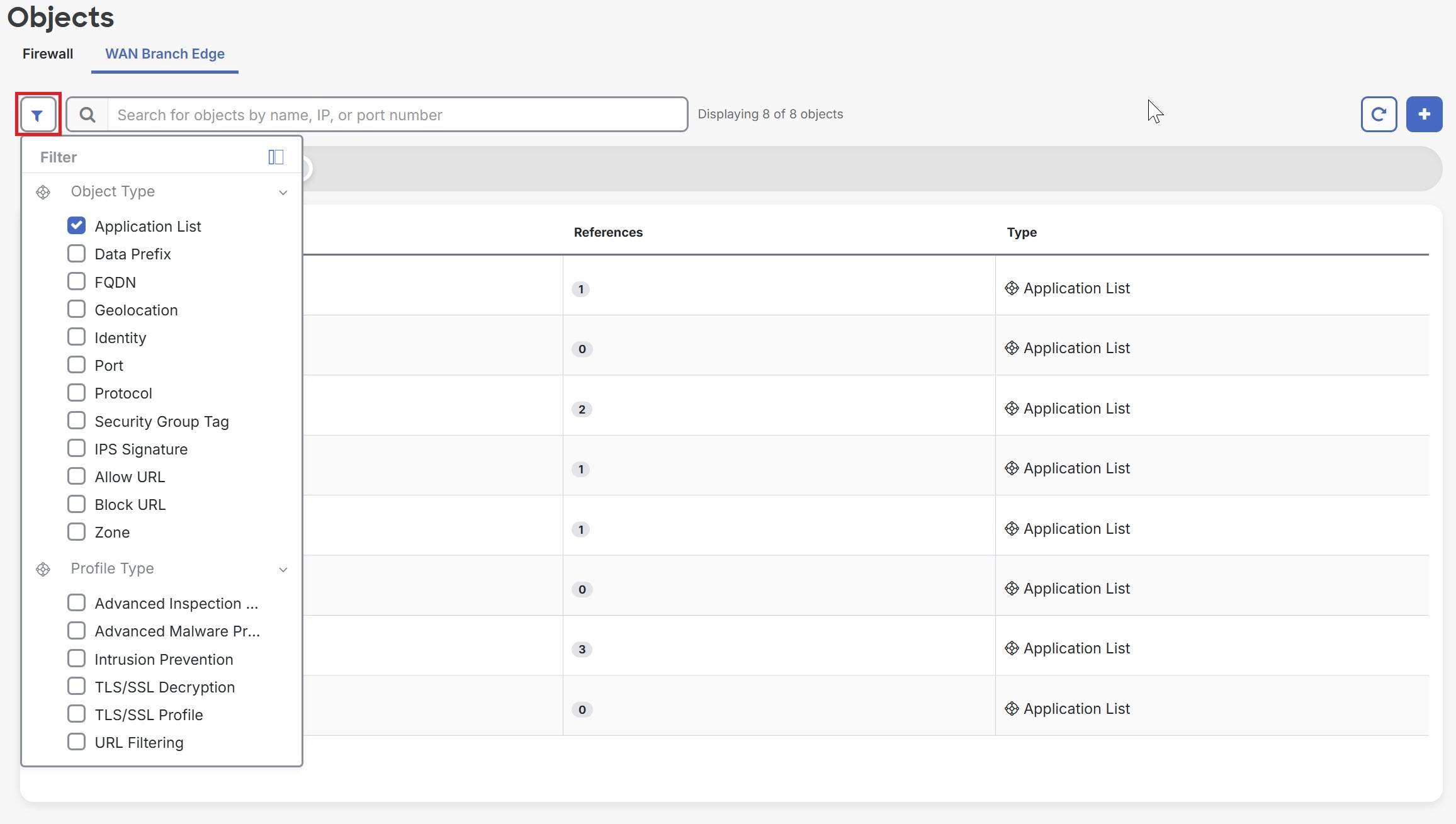
You can use filters to search for objects. Refine the results by typing the object name, IP address, or port number to narrow the search.
The ability to filter and search for Catalyst SD-WAN security objects by Object Type and Profile Type allows users to efficiently locate, review, modify, and, when needed, delete these objects. This approach helps maintain optimal system performance.