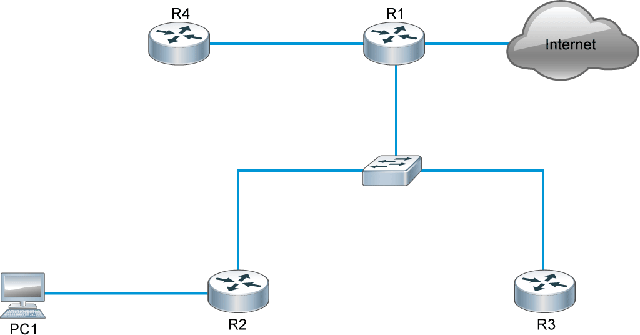
Skip to Content | Skip to Footer

Cisco Learning Labs for ICND1 lab topologies
- Discovery 1: Get Started with Cisco CLI
- Discovery 2: Perform Basic Switch Configuration
- Discovery 3: Observe How a Switch Operates
- Discovery 4: Troubleshoot Switch Media and Port Issues
- Discovery 5: Inspect TCP/IP Applications
- Discovery 6: Start with Cisco Router Configuration
- Discovery 7: Configure Cisco Discovery Protocol
- Discovery 8: Configure Default Gateway
- Discovery 9: Exploration of Packet Forwarding
- Discovery 10: Configure and Verify Static Routes
- Discovery 11: Configure and Verify ACLs
- Discovery 12: Configure a Provider-Assigned IP Address
- Discovery 13: Configure Static NAT
- Discovery 14: Configure Dynamic NAT and PAT
- Discovery 15: Troubleshoot NAT
- Discovery 16: Configure VLAN and Trunk
- Discovery 17: Configure a Router on a Stick
- Discovery 18: Configure a Cisco Router as a DHCP Server
- Discovery 19: Troubleshoot DHCP Issues
- Discovery 20: Configure and Verify RIPv2
- Discovery 21: Troubleshoot RIPv2
- Discovery 22: Enhance Security of Initial Configuration
- Discovery 23: Limit Remote Access Connectivity
- Discovery 24: Configure and Verify Port Security
- Discovery 25: Configure and Verify NTP
- Discovery 26: Configure Syslog
- Discovery 27: Configure Basic IPv6 Connectivity
- Discovery 28: Configure IPv6 Static Routes
- Challenge 1: Implementing the Initial Switch Configuration
- Challenge 2: Implementing the Initial Router Configuration
- Challenge 3: Implementing Static Routing
- Challenge 4: Implementing Basic Numbered and Named ACLs
- Challenge 5: Implementing PAT
- Challenge 6: Summary Challenge Lab: 1
- Challenge 7: Summary Challenge Lab: 2
- Challenge 8: Troubleshooting VLANs and Trunk
- Challenge 9: Implement Multiple VLANs and Basic Routing Between the VLANs
- Challenge 10: Implementing a DHCP Server in on a Cisco IOS Device
- Challenge 11: Implementing RIPv2
- Challenge 12: Securing Device Administrative Access
- Challenge 13: Implementing Device Hardening
- Challenge 14: Configuring System Message Logging
- Challenge 15: Summary Challenge Lab: 3
- Challenge 16: Summary Challenge Lab: 4
- Challenge 17: Implement IPv6 Static Routing
Discovery 1: Get Started with Cisco CLI
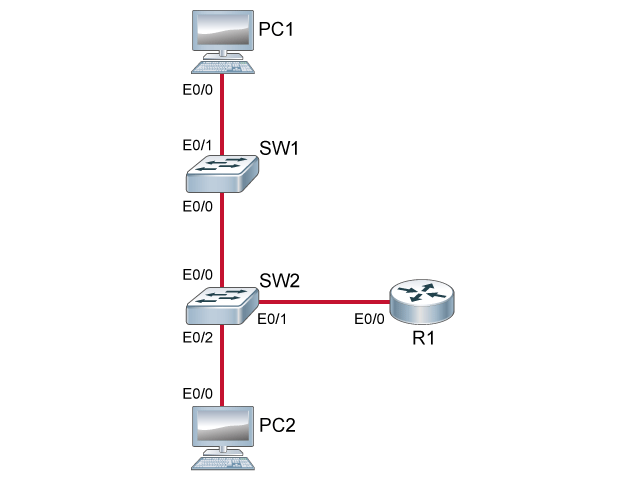
Discovery 2: Perform Basic Switch Configuration
Discovery 3: Observe How a Switch Operates
Discovery 4: Troubleshoot Switch Media and Port Issues
Discovery 5: Inspect TCP/IP Applications
Discovery 6: Start with Cisco Router Configuration
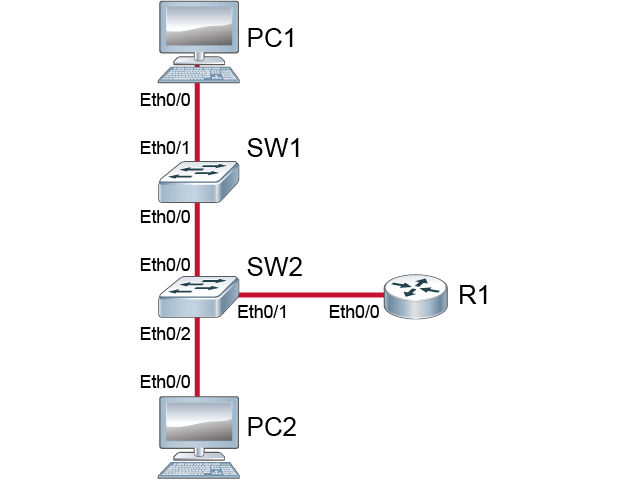
Discovery 7: Configure Cisco Discovery Protocol
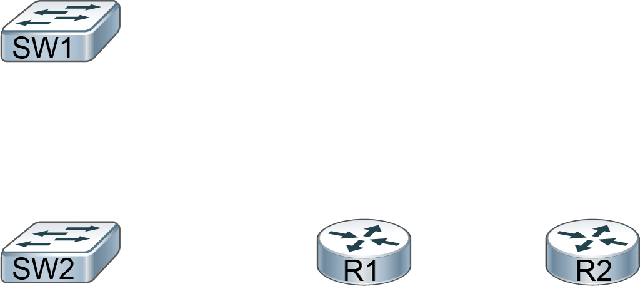
Discovery 8: Configure Default Gateway
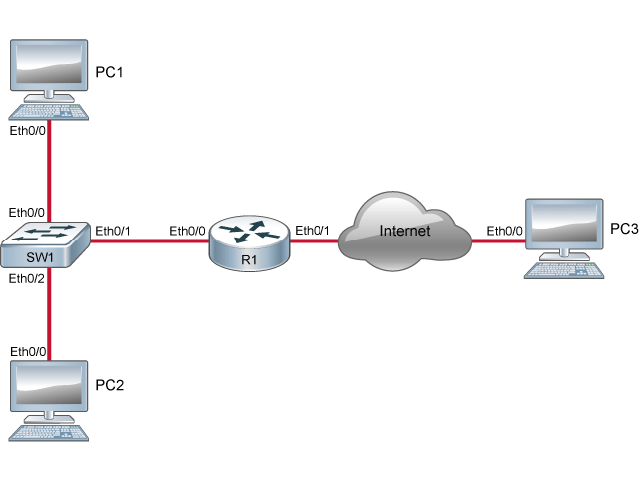
Discovery 9: Exploration of Packet Forwarding
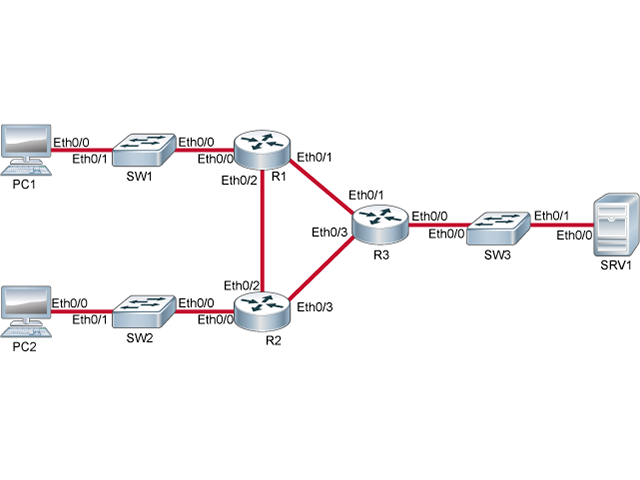
Discovery 10: Configure and Verify Static Routes
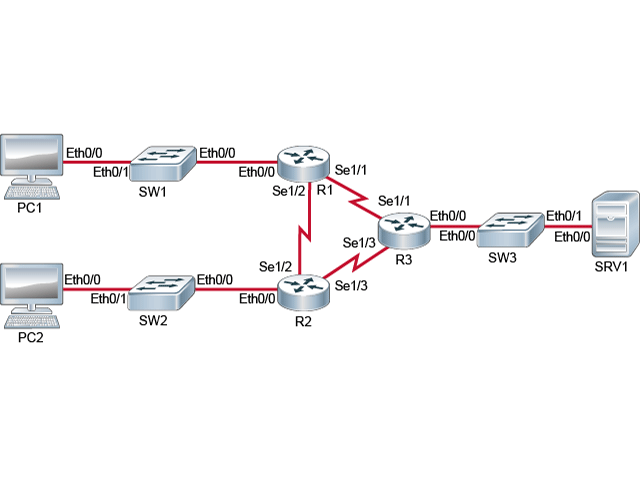
Discovery 11: Configure and Verify ACLs
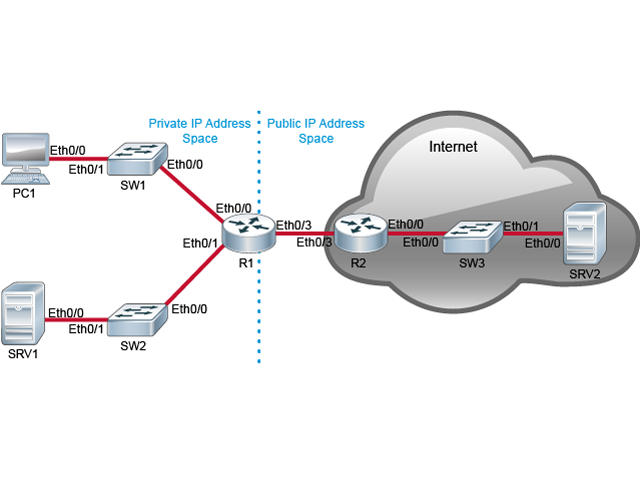
Discovery 12: Configure a Provider-Assigned IP Address
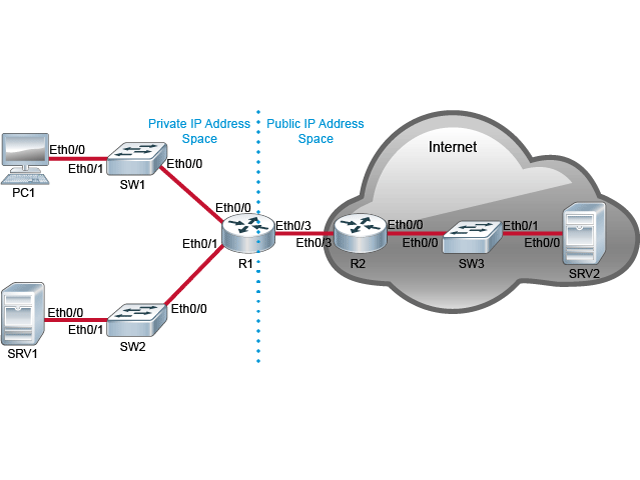
Discovery 13: Configure Static NAT
Discovery 14: Configure Dynamic NAT and PAT
Discovery 15: Troubleshoot NAT
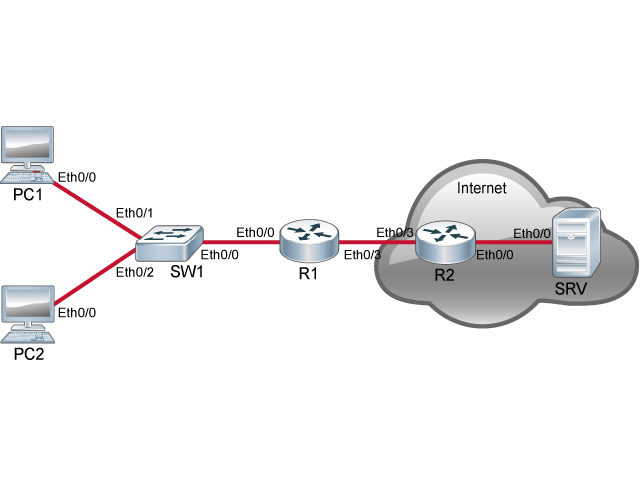
Discovery 16: Configure VLAN and Trunk
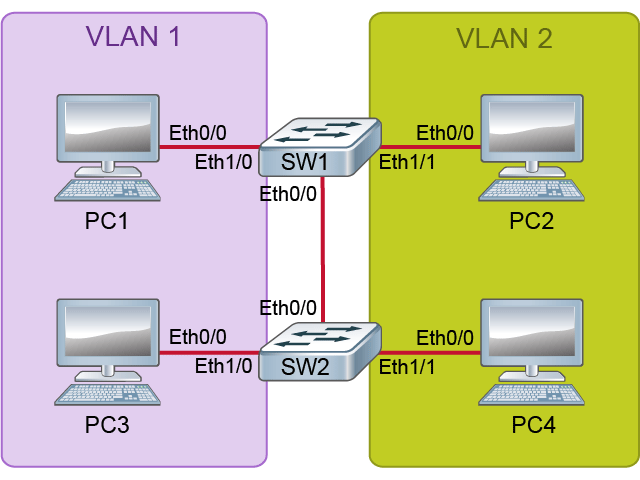
Discovery 17: Configure a Router on a Stick
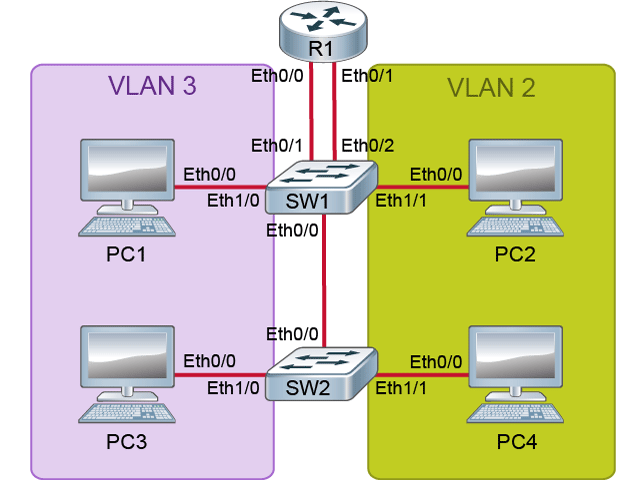
Discovery 18: Configure a Cisco Router as a DHCP Server
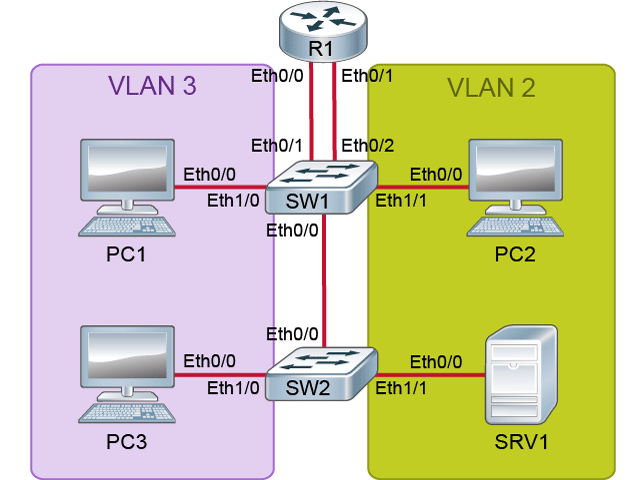
Discovery 19: Troubleshoot DHCP Issues
Discovery 20: Configure and Verify RIPv2
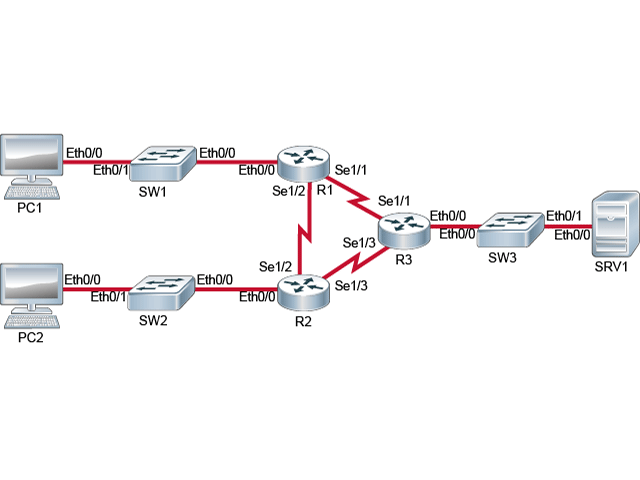
Discovery 21: Troubleshoot RIPv2
Discovery 22: Enhance Security of Initial Configuration
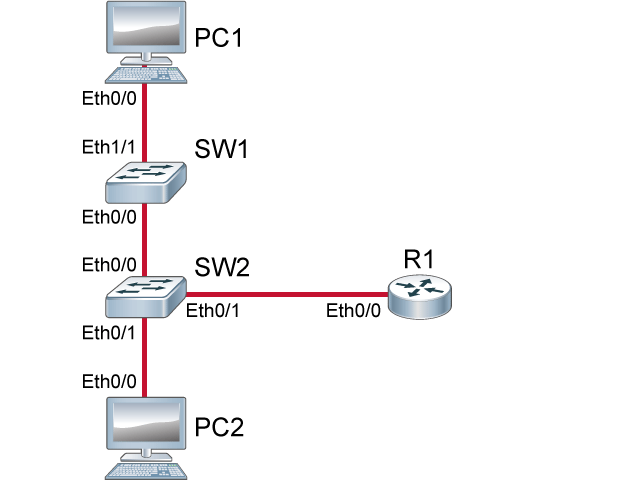
Discovery 23: Limit Remote Access Connectivity
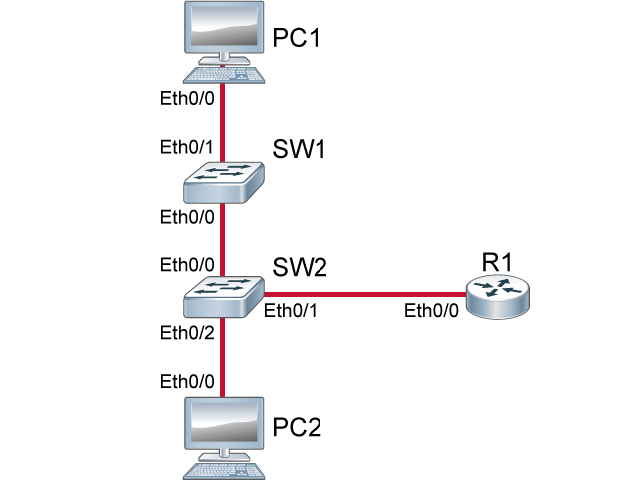
Discovery 24: Configure and Verify Port Security
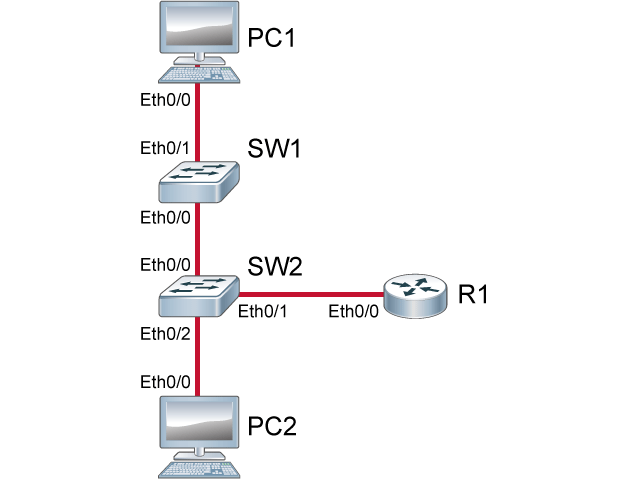
Discovery 25: Configure and Verify NTP
Discovery 26: Configure Syslog

Discovery 27: Configure Basic IPv6 Connectivity
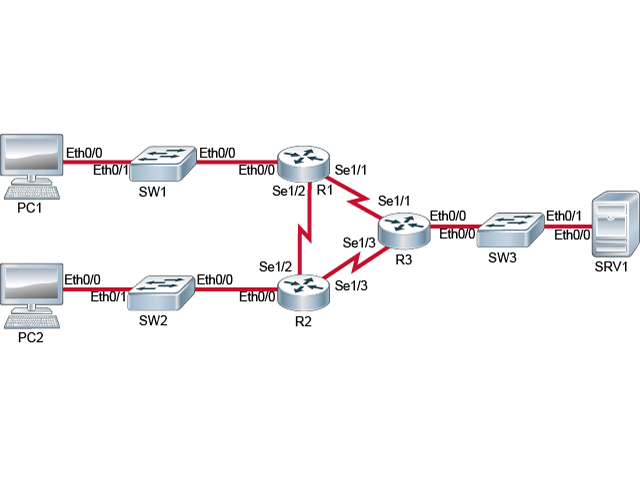
Discovery 28: Configure IPv6 Static Routes
Challenge 1: Implementing the Initial Switch Configuration
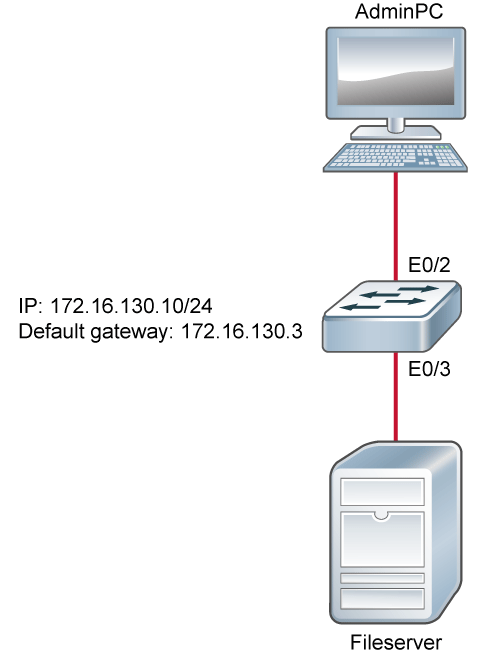
Challenge 2: Implementing the Initial Router Configuration
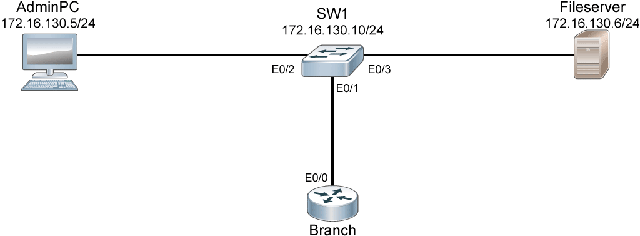
Challenge 3: Implementing Static Routing
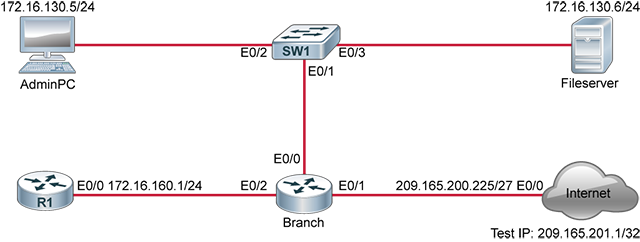
Challenge 4: Implementing Basic Numbered and Named ACLs
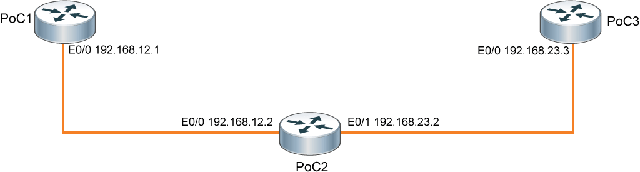
Challenge 5: Implementing PAT
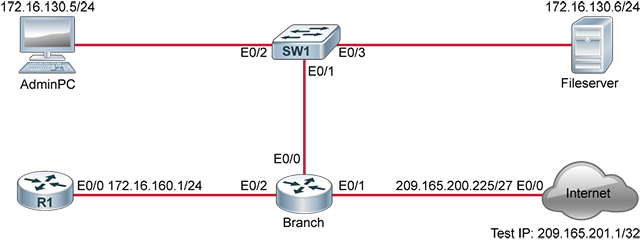
Challenge 6: Summary Challenge Lab: 1
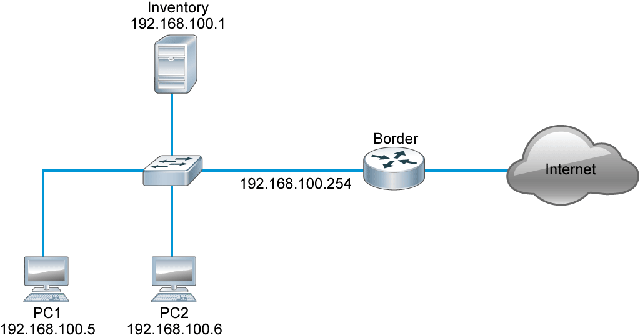
Challenge 7: Summary Challenge Lab: 2
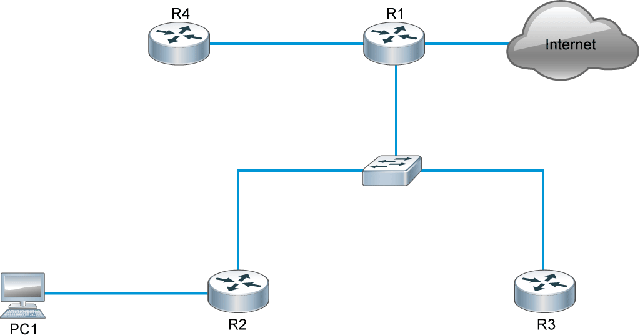
Challenge 8: Troubleshooting VLANs and Trunk
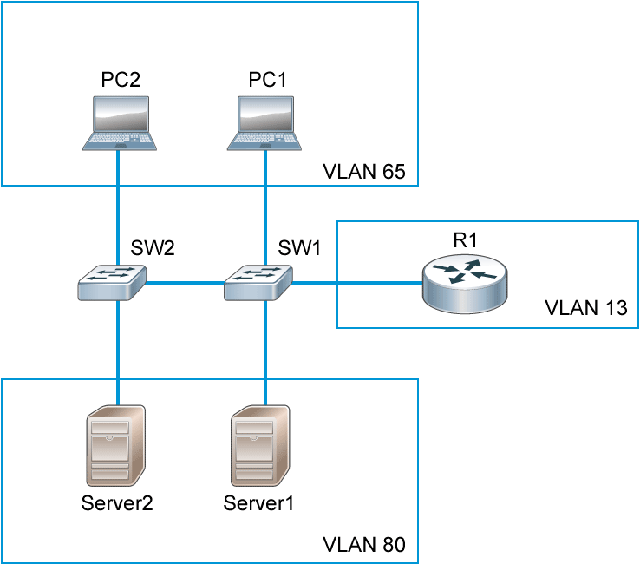
Challenge 9: Implement Multiple VLANs and Basic Routing Between the VLANs
Challenge 10: Implementing a DHCP Server in on a Cisco IOS Device
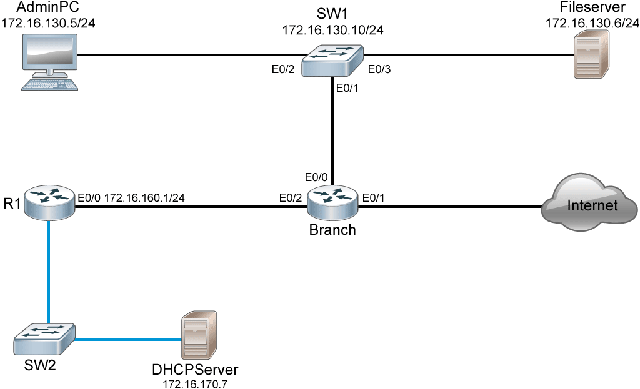
Challenge 11: Implementing RIPv2
Challenge 12: Securing Device Administrative Access
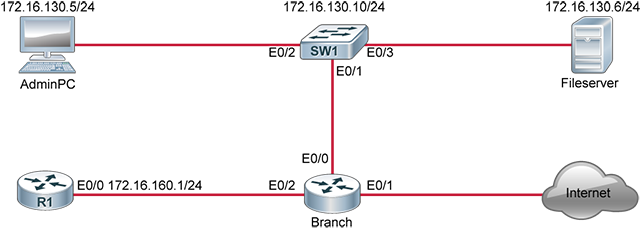
Challenge 13: Implementing Device Hardening
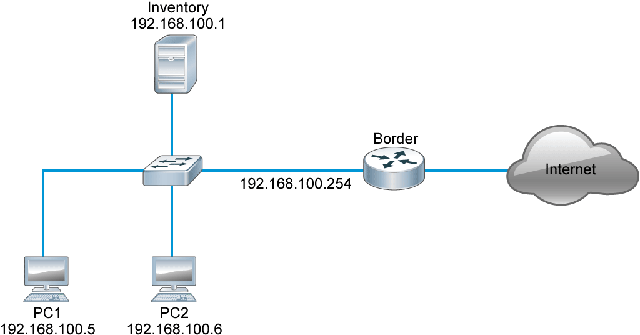
Challenge 14: Configuring System Message Logging
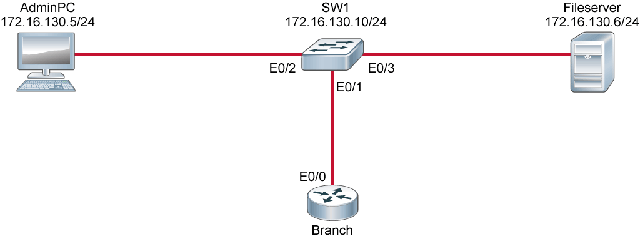
Challenge 15: Summary Challenge Lab: 3
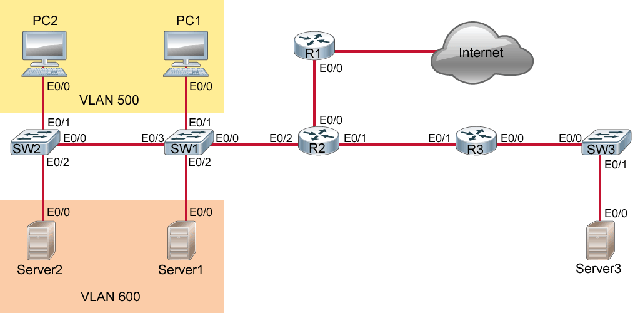
Challenge 16: Summary Challenge Lab: 4
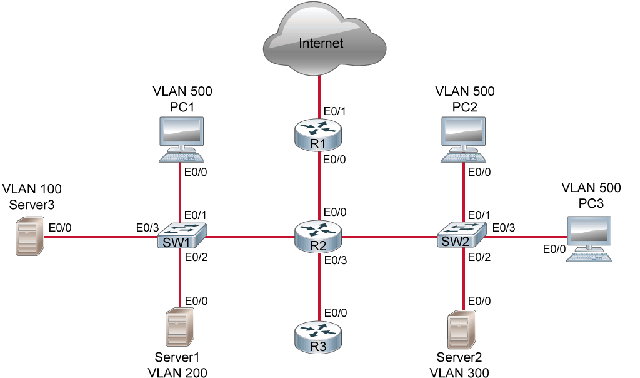
Challenge 17: Implement IPv6 Static Routing