Collaboration

Collaboration supports business goals
Collaboration solutions have transformed Cisco's business. Cisco IT deploys our solutions to help us improve business processes, speed decision-making, and boost productivity. With it, we can simplify communication, inspire innovation, and empower people to engage with each other anywhere on any device.
Contact Cisco
-
-
Call Sales:
- 1-800-553-6387
- US/CAN | 5am-5pm PT
IT collaboration stories

Collaboration endpoints
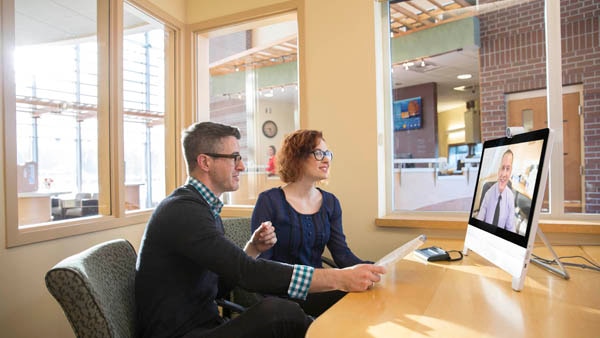
Video, IP phones, web, mobile, and desktop clients bring people together. We use them to streamline communications and enhance the user experience.
See what we did:
Conferencing and messaging
Video and web conferencing infrastructure enables employees to present, share, and collaborate in real time anywhere, on any device.
See what we did:
- Collaboration for a remote workforce
- Cisco Deploys UCCE Virtualized Voice Browser
- Reducing Complexity and Costs by Consolidating Voice Services Architecture for Cisco Contact Centers in India
- A Brief History of the Cisco IT Collaboration Journey
- Cisco IT Moves 130,000 Users to Cisco Cloud CMR During 3-Month Migration
- Scalable Delivery for Global Virtual Meetings

Workspaces
Physical space design and collaboration technology converge. Virtual rooms bring dispersed teams together to speed decision making.
See what we did:
Moving to a hybrid world: What we’ve learned
How Cisco IT is Evolving Workplace Deployment and Operations for Collaborative Professionals
Cisco Connected Workplace: More Productivity and Satisfaction, Less Office Space and CO2
Meet the IT bloggers
Find out the latest news on what's happening in Cisco IT. Read more

Inclusive Collaboration: Making Webex Accessible to All Users
Understanding disability and how to make daily experiences accessible are two things I strive to do. Fifteen percent of people around the world have a disability. Please use the image of the blogger.

Predictable Outcomes Amidst Unpredictable Times: How Cisco IT kept Contact Center services running from our homes
Until recently, when we talked about business continuity planning (BCP), the focus had mainly been to prepare for major unforeseen events happening in parts of the world. In the case of contact centers, companies have also learned to place their agents in multiple locations to minimize impact to service when unfortunate situations arise.

Welcome to my virtual office – Webex Teams and my workstreams
I started working from home more than 15 years ago. Working from home is how I work – it might not be in an office building with open planning, quiet rooms, or massage chairs, but my home office stands up to the campuses across the world where I have colleagues.

Collaboration gets more convenient with each new Webex integration
Cisco IT’s vision for Webex is to bring collaboration tools right to our users’ fingertips by integrating Webex with Cisco and third-party applications. We think of it as meeting people where they are – in any application.
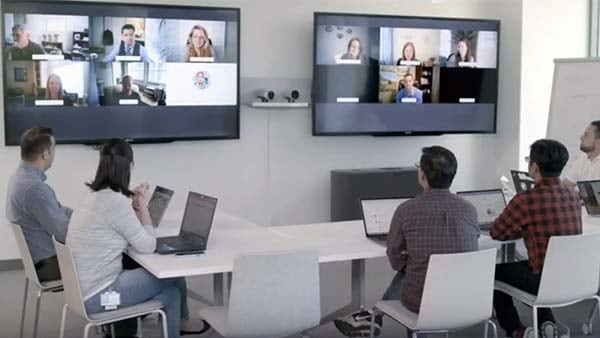

Learn how Cisco's IT organization serves as customer zero for Webex, and how Webex provides employees with a secure, seamless, and intuitive experience. With Webex, Cisco employees can make the most of every meeting and collaborative encounter, keeping the human experience at the center of every interaction.

Video plays a key role in how our Cisco employees communicate around the world, especially when most of what we communicate is not in the words alone.