Introduction
This article is one in a series to assist in the setup, troubleshooting, and maintenance of Cisco Small Business products.
Q. How can I change the channel used by my wireless network on a Cisco Small Business VoIP router?
A.
A lot of wireless products in the US are shipped with a default channel of 6 like the Cisco Small Business router. If you encounter interference from other devices, change channels in order to get around these interferences. In order to change the channel your wireless network is using, go to the router's web-based setup page.
Change the Router's Channel
Step 1:
Access the router's web-based setup page. For instructions, click here.
Step 2:
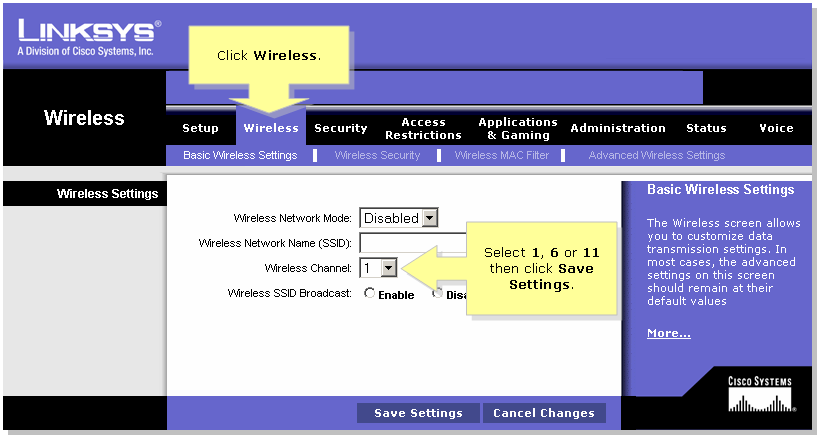
When the router's web-based setup page appears, click Wireless.
Step 3:
Look for Wireless Channel, and change it to your desired channel. The recommended channels are 1, 6, or 11 since they are considered non-overlapping channels.
Step 4:
Click  .
.
Related Information
 Feedback