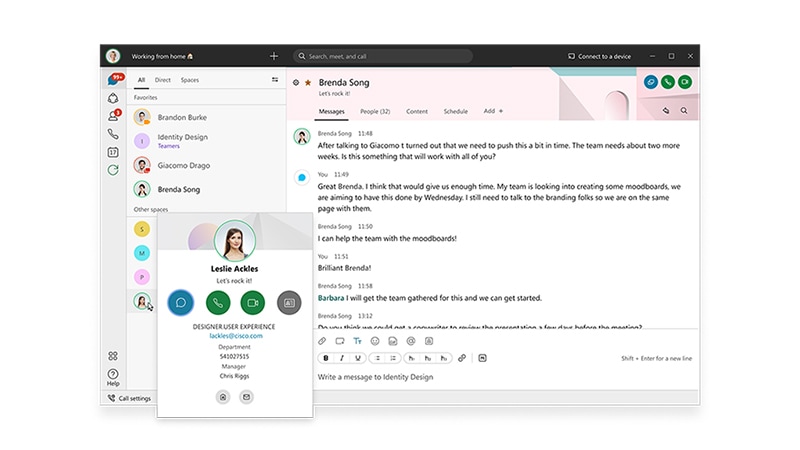
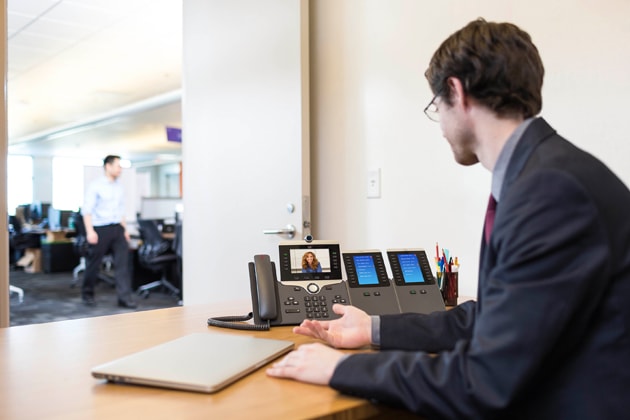
Cisco® Unified Communications is a comprehensive IP communications system of voice, video, data, and mobility products and applications. It enables more effective, more secure, more personal communications that directly affect both sales and profitability. It brings people together by enabling a new way of communicating -- where your business moves with you, security is everywhere, and information is always available anytime and anywhere. Cisco Unified Communications is part of an integrated solution that includes network infrastructure, security, mobility, network management products, lifecycle services, flexible deployment and outsourced management options, end-user and partner financing packages, and third-party communications applications.
• Cisco Unity: The solution scales to meet the needs of large enterprise organizations and delivers powerful voice, integrated, and unified messaging options that transparently integrate with Microsoft Exchange (including Exchange 2007) and Lotus Domino.
• Cisco Unity Connection: This solution combines Integrated Messaging, Voice Recognition, and Call Transfer rules into an easy-to-manage system for medium-sized businesses with up to 3000 users. For organizations with up to 500 users, Cisco Unity Connection is available as a single-server solution with Cisco Unified Communications Manager Business Edition.
• Cisco Unity Express: Available in select integrated services routers, Cisco Unity Express provides cost-effective voice and Integrated Messaging, Automated-Attendant, and interactive voice response (IVR) capabilities for small and medium-sized business and enterprise branch offices with up to 250 users.
Anytime, Anywhere Collaboration
Desktop Message Access
Powerful Unified Messaging
Integrated Messaging
Intelligent Voice Messaging
Mobile Access to Voice Messages
Web Access to Voice Messages
Personal Web Administration
Flexible Platform
Migration at Your Own Pace
Networking Capability
Getting More Out of Your Existing Messaging Platform
Localizations for International Deployments
Secure and Reliable
Secure Messaging
Resistant to Exchange Service Interruptions
Failover and Standby Redundancy
Easy-to-Use System Administration Interface
Cisco Unity Features
New in Cisco Unity 5.0
• Secure Messaging: Encryption of voicemail messages increases system security, allowing system administrators to enforce voicemail retention policies and prevent the compromise of voice messages with proprietary or confidential content forwarded to someone outside the enterprise.
• Speech Access: Both intuitive speech and "press or say" capabilities enable the use of voice commands to navigate menus and manage voicemail messages.
• Interrupted Session Recovery: Automatically return to in-progress message composition or playback if you ended a session prematurely. For example, if someone stopped by your office and you hung up the phone while in the middle of a message, you can return to the message.
• Message Monitor: You can screen voicemail messages as they are being recorded.
• Cisco Unity Phone View: You can access your voicemail inbox through the IP phone interface. You can use the message locator to view the voicemail message queue or jump to a particular message in your inbox, view message header details, and play selected messages.
• Exchange 2007 support: You can use Exchange 2007 with the Cisco Unity system as a unified messaging solution (refer to the "Cisco Unity System Requirements" document for more information about specific deployment models: http://www.cisco.com/en/US/docs/voice_ip_comm/unity/5x/requirements/50cusysreq.html).
Interoperability and Availability
• VPIM support for multiple types of PBXs with one centralized Cisco Unity system: Provides for digital interoperability
• AMIS support: Provides for analog interoperability
• Cisco Unity Bridge: Offers interoperability with traditional Avaya or Octel voicemail systems
• Networked messages with Cisco Unity Express or Cisco Unity Connection with VPIM
• Cisco Unity Message Repository: Manages new voice messages when the e-mail system or network is offline
• Q Interface Signaling Protocol (QSIG) and Digital Private Network Signaling System (DPNSS) support: Enhances integration with traditional PBX
• Failover capability: Prevents service disruption if the unified messaging server is unavailable, delivering enhanced reliability and serviceability
Message Access from the TUI
• Play and process messages (repeat, reply, forward, delete, save, mark as new, hear day or time stamp, or skip to the next message)
• Deliver messages to users at designated telephone numbers -- for example, home, cellular or mobile telephone, or remote-office telephone
• Reverse, pause, or fast forward during message playback
• Control volume and speed during message playback
• Pause or resume during message recording
• Address messages to multiple recipients
• Perform Global Addressing
• Locate message by number or name (Go to Message)
• Record message and specify as regular, urgent, private, or future delivery
• Record message and request return receipt
• Switch between spelling name and extension when addressing message
• Immediately reply to messages from other subscribers by calling them back directly from the TUI (Live Reply)
• Forward faxes to any fax machine from a touch-tone telephone
• Post greeting recordings
Message Access from the PC
• Access voice messages visually with IMAP client; note that customers can deploy either Cisco Unity Inbox or IMAP client access users
• With digital video recorder (DVR)-style interface in e-mail client, play, rewind, pause, or fast forward voice messages with a few mouse clicks
• Send voice and fax messages to anyone who can receive Internet e-mail
• Download all message types and respond to or create new messages offline
• Save voice and fax messages along with e-mail in public or personal Microsoft Exchange or Microsoft Outlook folders for a complete record of your communications
• Apply Microsoft Exchange Inbox Assistant rules to voice and fax mail
End-User Features
• Customize your message-notification options, manage personal greetings, or change passwords with Cisco Unity Assistant (the Cisco Unity Personal Communications Assistant Web browser-based personal administrator)
• Select conversation type; full or brief prompts are available
• Change prompt and message playback speed
• Address and then record a message, or record and then address a message
• Record up to five personal greetings (alternate, busy, internal, off-hours, or standard)
• Specify the order in which messages are presented over the phone, by message type (voice, fax, or e-mail), urgency, or LIFO/FIFO
• Create private distribution lists and address messages to them through TUI or using Cisco Unity Assistant (Web browser client)
• Set an expiration date for any personal greeting
• Manage an alternate greeting, require callers to listen to full greeting, or notify users when a greeting is on
• Provide message notification for new messages through devices such as SMTP text, pagers, and phone destinations
• Provide message notification with SMS text messaging for mobile users; the Cisco Unity system supports the Short Message Peer to Peer (SMPP) 3.4 protocol for interoperability with all major Short Message Service Center providers
• With a cascade message-notification feature, you can send additional notification types if a message is not retrieved
• Select whether message counts are announced; type, totals, saved, and new counts are available
• Specify whether the Cisco Unity system announces a transferred call
• Specify Call Forward to a personal greeting or busy greeting
• Specify an after-greeting action; after a subscriber greeting, callers can be directed to leave a message, sign in, or hang up, or they can be sent to call handlers, a directory handler, an interview handler, or a subscriber
System Administration Overview
• Cisco Unity takes advantage of your communications infrastructure investment by integrating with Cisco Unified Communications Manager and leading traditional telephone systems, even simultaneously, thereby paving the way for a smooth transition to IP telephony.
• Cisco Unity natively supports SIP proxy servers, designated SIP phones and clients, and SIP-enabled access gateways.
• An intuitive browser-based system administration console and tools simplify installation, maintenance, and daily use and allow maintenance from any PC on the network, saving time, expense, and effort.
• Cisco Unity Assistant (the Cisco Unity Personal Communications Assistant Web browser-based personal administrator) allows IT staff to enable end users to manage more of their own accounts, saving time and decentralizing routine administration.
• Superior component-based server architecture provides a solid and flexible foundation for future growth.
• Innovative use of streaming media provides efficient audio delivery.
• Fault-tolerant system tools include robust security, file replication, event logging, and optional software Redundant Array of Independent Disks (RAID) levels 0-5.
• The Cisco Unity application offers full localization in U.S. English, French, German, and Japanese -- including system prompts, subscriber conversations, browser-based administration consoles, and product documentation.
• Localized telephone system prompts are available in multiple languages, including five dialects of English (Australian, Canadian, New Zealand, United Kingdom, and United States), Arabic (Formal), three dialects of Chinese (Cantonese, Mandarin Chinese (PRC), and Mandarin Chinese (ROC)), Czech, Danish, Dutch, Flemish, French (European and Canadian), German, Hungarian, Italian, Japanese, Korean, Norwegian, Polish, Portuguese (Brazilian and European), Russian, two dialects of Spanish (Latin American and European), and Swedish.
• Cisco Unity supports physical terminal line (tty) conversation for accessibility.
• Cisco Unity is scalable to 144 ports1 and 7500 unified messaging users per server (depending on server type; refer to Cisco Unity Supported Platforms list: http://www.cisco.com/en/US/products/sw/voicesw/ps2237/products_data_sheets_list.html). These servers are then networked to support larger enterprise environments.
System Administration Features
• Alternate extensions: Configurable by you or system administrator
• Alternate key mappings for message retrieval to aid you in transitioning from your existing voicemail system
• Automatic gain control that gives you consistent message volume playback levels
• Configurable billing ID
• Ability to browse to another Cisco Unity Administrator on a networked Cisco Unity server
• Call-holding queue
• Call handlers that accept calls, play recorded prompts, route calls, and accept messages
• Caller ID
• Configurable Call Routing and Automated Attendant
• Configurable Call Screening
• Class of service to control subscriber access to features
• Ability to create subscribers individually or in bulk
• Cross-Server Live Reply for Cisco Unified Communications Manager deployments
• Cross-Server Logon for Cisco Unified Communications Manager deployments
• Day and time stamps for messages
• Directory handlers to manage how callers search directory
• Directory search by spelling a subscriber name, allowing entry of up to 24 letters
• Easy mailbox access from personal greetings; log in to TUI without entering ID
• Encrypted Skinny Client Control Protocol (SCCP) and Secure Real-Time Transport Protocol (SRTP) for Cisco Unified Communications Manager integrations
• Event logging
• Failover: Automatic or manual
• Failback: Automatic or manual
• Full mailbox warning
• Guided installation
• Configurable list of observed holidays
• Hospitality
– Guest conversation customized for hotel and resort industry
– Property management systems (PMS) interface (requires purchase of PMS hotel communication software from Percipia Networks)
• Interview Handlers feature to collect recorded input from callers
• Identified subscriber messaging (ISM) between networked Cisco Unity servers in the same dialing domain
• Ability to configure how the Cisco Unity system handles messages that are interrupted by disconnected calls
• Message-waiting indicator (MWI)
• Ability to move subscriber mailboxes without shutting down the Cisco Unity system
• Multiple administrative levels to control access to pages in system administration GUI by class of service (read, modify, or delete rights)
• Multiple audio codec support
• Multiple time-zone support
• Music on Hold
• Nondelivery or delivery receipt reason details presented in GUI inbox
• OS, message store, and third-party software support
– Message store support: Microsoft Exchange 2000, 2003, and 2007
– Support for Exchange 2000, 2003, and 2007 clustering
– Windows 2000 Server on the Cisco Unity server
– Windows 2000 Advanced Server on the Cisco Unity server
– Windows Server 2003 on the Cisco Unity server (refer to release notes for details: http://www.cisco.com/en/US/products/sw/voicesw/ps2237/prod_release_notes_list.html)
– Windows Server 2003 Enterprise Edition on the Cisco Unity server (refer to release notes for details: http://www.cisco.com/en/US/products/sw/voicesw/ps2237/prod_release_notes_list.html)
– Support for data-protection software
– Support for remote-access software
– Support for monitoring software
• Public distribution lists; you can specify those to which new users will be added
• Configurable restriction tables
• Exclude Return Receipts Registry Controlled feature
• Configurable schedules
• Self-enrollment for you to set password, record voice name, and specify directory listing
• Shared subscriber licenses among networked Cisco Unity servers (license pooling)
• Status monitor to give the system administrators real-time status of fax and telephone ports, reports in progress, and system configuration
• System broadcast messages for single Cisco Unity server deployments and multiple server deployments
• Configurable system greetings
• Twelve- and 24-hour clock support for time stamps
• Automatic system time clock adjustment for daylight savings time
• TUI greetings administrator (Cisco Unity Greetings Administrator)
Fax
• Optional Cisco Fax Server, a full-featured fax solution based on the market-leading Captaris RightFax 9.0 product line
For information about the supported third-party fax server hardware and software, visit: http://www.cisco.com/en/US/products/ps6178/index.html.
Security
• Secure messaging to enforce voicemail retention policies and prevent the compromise of voicemail messages with proprietary or confidential content forwarded to someone outside the enterprise2
• Host intrusion prevention system: Cisco Security Agent standalone agent to protect Cisco Unity servers from worm and virus attacks; optional Cisco Security Agent management console
• Password and PIN security policy options to enforce expiration, complexity, reuse, and lockout
• Optional RSA Secure-ID 2-factor one-time PIN authentication server interface
• Call-restriction tables to prevent toll fraud
• Security event logging and reports of failed login and account lockouts to help detect "PIN cracker" attack attempts
• SRTP and signaling encryption to ensure secure communication between the Cisco Unity system and Cisco Unified Communications Manager
• Subscriber PIN Reset feature in Cisco Unity Assistant to reduce help desk calls and operating expenses
• Message archiving utilities to enforce corporate electronic records-retention policies
• Support for HTTPS for secure Web access to Cisco Unity system
Reports
• Administrative Access Activity Report
• AMIS Out Traffic Report
• AMIS In Traffic Report
• Call Handler Traffic Report
• Distribution Lists Report
• Event Log Report
• Failed Login Report
• Outcall Billing Report
• Port Usage Report
• Subscribers Report
• Subscriber Message Activity Report
• System Configuration Report
• Transfer Billing Report
• Unresolved References Report
Cisco Unified Communications Services and Support