Cloud and Network Management
Cisco cloud and network management solutions help you optimize your hybrid cloud, data center, and network operations.
Contact Cisco
-
-
Call Sales:
- 1-800-553-6387
- US/CAN | 5am-5pm PT
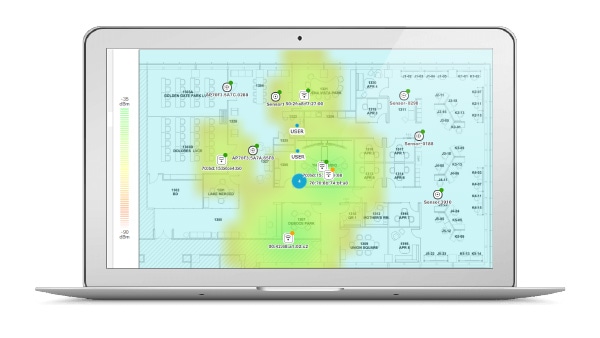
Cisco Catalyst Center
Learn how to design, provision, enable policy, and assure network performance from one place.
Crosswork Automation
Closed-loop, outcome-driven software suite used to deliver efficient mass-scale network operations across the services lifecycle.
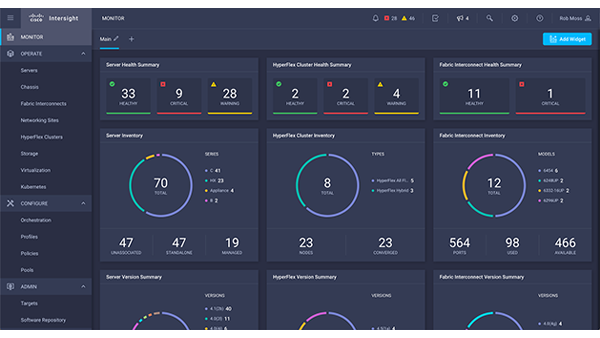
Cisco Intersight Cloud Operations Platform
Control everything, from servers to containers, and manage your apps and infrastructure wherever they are. Get ready to stop playing catch-up and start making an impact on your business.
Featured products
Internet and Cloud Intelligence
Instantly identify what is impacting user experiences across any domain, even those that you do not own or control.
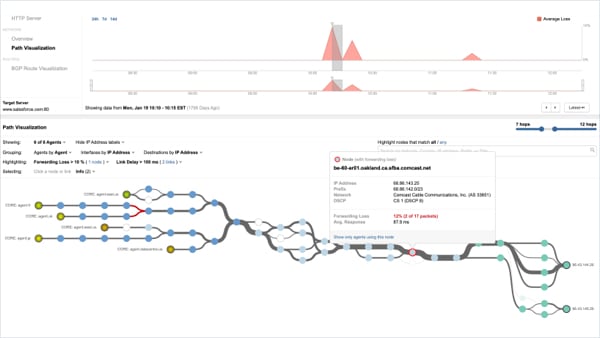
Cisco ThousandEyes Internet and Cloud Intelligence
A combination of active and passive monitoring techniques plus real-time internet outage detection gives deep insight into user experience across the applications and services you deliver and consume.
Network Management
Improve operational efficiency and reduce downtime, using class-leading products and solutions for managing an enterprise network.
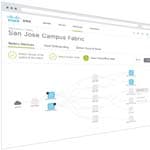
Cisco Catalyst Center
- Centralized dashboard helps you manage your software-defined network across campus, branch, WAN, and cloud
- Intuitive work flow makes it easy to design, provision, and apply policy
- Policy-driven automation delivers better uptime and improved security
- Assurance uses network insights to optimize network performance and the user experience
Cisco IoT Operations Dashboard
- A flexible cloud platform of operational technology (OT) services for industrial networks.
- Empower operations teams to remotely manage industrial networks and assets at scale.
- Role-based secure remote access helps you to enable employees and third-party workers to configure and upgrade connected assets securely.
- Auto-discovery of assets and vulnerabilities on your OT network provides deep visibility into your security posture.
Cisco Prime Infrastructure
- Ideal for wired and wireless access, plus campus and branch networks
- Helps enable converged lifecycle management
- Provides application-assurance visibility and troubleshooting
- Simplifies compliance auditing

Cisco Prime Virtual Network Analysis Module (vNAM)
- Offers massive deployment flexibility
- Provides consistent visibility in physical, virtual, and cloud environments
- Helps improve operational agility, permitting rapid responses to new business demands
- Installs on x86 platforms with ESXi and KVM virtualization infrastructures
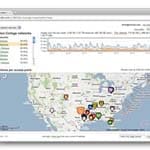
Meraki Dashboard
- Cloud-managed control of the entire network for wireless, switching, and security appliances
- Zero-touch provisioning for rapid deployment
- Intuitive interface eliminates costly training and added staff
- Continuous feature updates delivered from the cloud
- Highly available and secure (PCI/HIPAA compliant)
Cloud Operations and Management
Simplify IT operations to get more value from your investments. Visualize and manage your IT environment from a single platform that's tailored for your business.
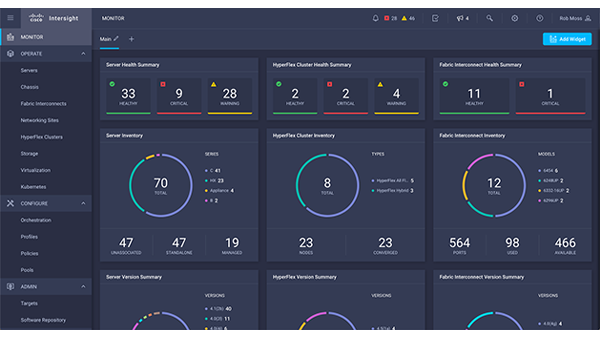
Cisco Intersight Cloud Operations Platform
Control everything, from servers to containers, and manage your apps and infrastructure wherever they are. Get ready to stop playing catch-up and start making an impact on your business.
Network Automation for Service Providers
Help maximize efficiencies in operations, management, and fulfillment of carrier-class services, supporting advanced networks.
Overview: OSS and Network Management for Service Providers
Crosswork Automation
Closed-loop, outcome-driven software suite used to deliver efficient mass-scale network operations across the services lifecycle.
Network Services Orchestrator
Multi-vendor, multi-domain network orchestration with programmable controls.
WAN Automation Engine
Precise network modeling and optimization of network traffic.
Data Gateway
Common multi-service data collector with integrated data policy controls.
Cisco Prime Network Registrar
Provides integrated, scalable DNS, DHCP, and IP Address Management.
Cisco Prime Access Registrar
A carrier-class solution for RADIUS/Diameter AAA services.
Cisco Prime Cable Provisioning
A single platform for simplified management of cable subscriber devices and automated service provisioning.
Network Management for Small and Midsize Businesses
Find network management products and services tailored for small to medium-sized businesses.
Cisco Configuration Professional for Catalyst
- Web-based user interface
- Simple configuration
- Comprehensive monitoring
- Quick troubleshooting

Cisco Business Dashboard
- Improves security and performance
- Enhances network reliability with less downtime
- Improves troubleshooting
- Reduces time and resource requirements
Network Automation
Automate policy-based application profiles, allowing IT to respond rapidly to new business opportunities.

Cisco Application Policy Infrastructure Controller (APIC)
- Unifying point of automation and management for the Application Centric Infrastructure fabric
- Open architecture to integrate Layer 4-7 service, virtualization, and management vendors
- Intelligent telemetry and visibility for applications and tenants
- Provides security for multitenant environments at scale
- A common policy platform for physical, virtual, and cloud networking

Cisco Application Policy Infrastructure Controller Enterprise Module (APIC-EM)
APIC-EM has been replaced by Cisco Catalyst Center.
Data Center Management
Save time, provide clear visibility, and strengthen control over operations.
Overview: Data Center Management and Automation

Cisco UCS Director
- Simplifies data-center operations
- Offers central management of network components and services
- Automates tasks to improve IT efficiency
- Speeds service delivery
Cisco UCS Director Express for Big Data
- Automates Hadoop deployment for big-data infrastructure
- Offers a single management view for both hardware and Hadoop software
- Designed for high performance and massive scalability
- Customize by building your own add-ons or integrating with third-party solutions

Cisco Prime Service Catalog
- Facilitates self-service for your users, improving efficiency
- Automates delivery of application, data-center, and business services
- Helps ensure compliance through policy, role, and lifecycle management
Nexus Switching Management and Automation
These products manage Nexus data-center switches.
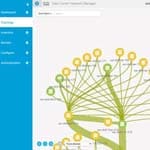
Cisco Data Center Network Manager
- Automation: Accelerate provisioning from days to minutes, and simplify deployments
- Visibility: Reduce troubleshooting cycles with. Graphical operational visibility for topology, network fabric and infrastructure
- Consistency: Eliminate configuration errors with templates, compliance alerts and automatic remediation

Cisco Dynamic Fabric Automation
- Offers optimized fabric infrastructure for enhanced efficiency and scale
- Centralizes fabric management across physical servers and virtual machines
- Provides automatic network provisioning for easy deployments
- Gives you host, network, and tenant visibility
- Open APIs allow for better integration with orchestration and automation tools
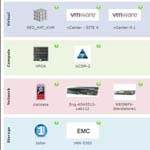
Cisco UCS Director
- Simplifies data-center operations
- Offers central management of network components and services
- Automates tasks to improve IT efficiency
- Speeds service delivery