Table Of Contents
Overview
Cisco Unified Wireless Network Solution Overview
Single-Controller Deployments
Multiple-Controller Deployments
Operating System Software
Operating System Security
Cisco WLAN Solution Wired Security
Layer 2 and Layer 3 Operation
Operational Requirements
Configuration Requirements
Cisco Wireless LAN Controllers
Client Location
Controller Platforms
Cisco 2500 Series Controller
Features Not Supported
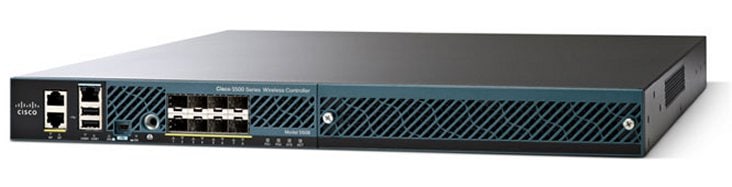
Cisco 5500 Series Controllers
Features Not Supported
Cisco Flex 7500 Series Controller
Features Not Supported
Cisco Wireless Services Module 2
Features Not Supported
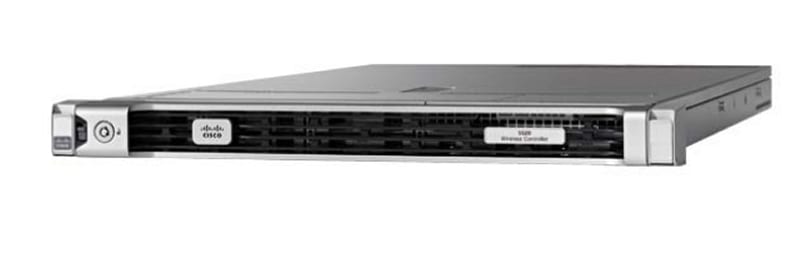
Cisco Wireless Controller on Cisco Services-Ready Engine (SRE)
Features Not Supported
Cisco UWN Solution Wired Connections
Cisco UWN Solution WLANs
File Transfers
Power Over Ethernet
Cisco Wireless LAN Controller Memory
Cisco Wireless LAN Controller Failover Protection
Overview
This chapter describes the controller components and features. It contains these sections:
•
Cisco Unified Wireless Network Solution Overview
•
Operating System Software
•
Operating System Security
•
Layer 2 and Layer 3 Operation
•
Cisco Wireless LAN Controllers
•
Controller Platforms
•
Cisco UWN Solution Wired Connections
•
Cisco UWN Solution WLANs
•
File Transfers
•
Power Over Ethernet
•
Cisco Wireless LAN Controller Memory
•
Cisco Wireless LAN Controller Failover Protection
Cisco Unified Wireless Network Solution Overview
The Cisco Unified Wireless Network (Cisco UWN) solution is designed to provide 802.11 wireless networking solutions for enterprises and service providers. The Cisco UWN solution simplifies deploying and managing large-scale wireless LANs and enables a unique best-in-class security infrastructure. The operating system manages all data client, communications, and system administration functions, performs radio resource management (RRM) functions, manages system-wide mobility policies using the operating system security solution, and coordinates all security functions using the operating system security framework.
The Cisco UWN solution consists of Cisco wireless LAN controllers and their associated lightweight access points controlled by the operating system, all concurrently managed by any or all of the operating system user interfaces:
•
An HTTP and/or HTTPS full-featured Web User Interface hosted by Cisco wireless LAN controllers can be used to configure and monitor individual controllers. See Chapter 2 "Using the Web-Browser and CLI Interfaces."
•
A full-featured command-line interface (CLI) can be used to configure and monitor individual Cisco wireless LAN controllers. See Chapter 2 "Using the Web-Browser and CLI Interfaces."
•
The Network Control System (NCS), which you use to configure and monitor one or more Cisco wireless LAN controllers and associated access points. NCS has tools to facilitate large-system monitoring and control. WCS runs on Windows 2000, Windows 2003, and Red Hat Enterprise Linux ES servers.
Note
NCS software release 1.1, must be used with controllers that run controller software release 7.2.
•
An industry-standard SNMP V1, V2c, and V3 interface can be used with any SNMP-compliant third-party network management system.
The Cisco UWN solution supports client data services, client monitoring and control, and all rogue access point detection, monitoring, and containment functions. It uses lightweight access points, Cisco wireless LAN controllers, and the optional Cisco WCS to provide wireless services to enterprises and service providers.
Note
Unless otherwise noted in this publication, all of the Cisco wireless LAN controllers are referred to as controllers, and all of the Cisco lightweight access points are referred to as access points.
Figure 1-1 shows the Cisco wireless LAN controller components, which can be simultaneously deployed across multiple floors and buildings.
Figure 1-1 Cisco UWN Solution Components
Single-Controller Deployments
A standalone controller can support lightweight access points across multiple floors and buildings simultaneously and support the following features:
•
Autodetecting and autoconfiguring lightweight access points as they are added to the network.
•
Full control of lightweight access points.
•
Lightweight access points connect to controllers through the network. The network equipment may or may not provide Power over Ethernet (PoE) to the access points.
Some controllers use redundant Gigabit Ethernet connections to bypass single network failures.
Note
Some controllers can connect through multiple physical ports to multiple subnets in the network. This feature can be helpful when you want to confine multiple VLANs to separate subnets.
Figure 1-2 shows a typical single-controller deployment.
Figure 1-2 Single-Controller Deployment
Multiple-Controller Deployments
Each controller can support lightweight access points across multiple floors and buildings simultaneously. However, full functionality of the Cisco wireless LAN solution occurs when it includes multiple controllers. A multiple-controller system has the following additional features:
•
Autodetecting and autoconfiguring RF parameters as the controllers are added to the network.
•
Same-subnet (Layer 2) roaming and inter-subnet (Layer 3) roaming.
•
Automatic access point failover to any redundant controller with a reduced access point load (see the Cisco Wireless LAN Controller Failover Protection).
Figure 1-3 shows a typical multiple-controller deployment. The figure also shows an optional dedicated management network and the three physical connection types between the network and the controllers.
Figure 1-3 Typical Multiple-Controller Deployment
Operating System Software
The operating system software controls controllers and lightweight access points. It includes full operating system security and radio resource management (RRM) features.
Operating System Security
Operating system security bundles Layer 1, Layer 2, and Layer 3 security components into a simple, Cisco WLAN solution-wide policy manager that creates independent security policies for each of up to 16 wireless LANs. See "Cisco UWN Solution WLANs" section.
The 802.11 Static WEP weaknesses can be overcome using the following robust industry-standard security solutions:
•
802.1X dynamic keys with extensible authentication protocol (EAP).
•
Wi-Fi protected access (WPA) dynamic keys. The Cisco WLAN solution WPA implementation includes:
–
Temporal key integrity protocol (TKIP) and message integrity code checksum dynamic keys
–
WEP keys, with or without a preshared key p assphrase
•
RSN with or without a preshared key
•
Optional MAC filtering
The WEP problem can be further solved using the following industry-standard Layer 3 security solutions:
•
Passthrough VPNs
•
Local and RADIUS MAC address filtering
•
Local and RADIUS user/password authentication
•
Manual and automated disabling to block access to network services. In manual disabling, you block access using client MAC addresses. In automated disabling, which is always active, the operating system software automatically blocks access to network services for a user-defined period of time when a client fails to authenticate for a fixed number of consecutive attempts. This feature can be used to deter brute-force login attacks.
These and other security features use industry-standard authorization and authentication methods to ensure the highest possible security for your business-critical wireless LAN traffic.
Cisco WLAN Solution Wired Security
Each controller and lightweight access point is manufactured with a unique, signed X.509 certificate. These signed certificates are used to verify downloaded code before it is loaded, ensuring that hackers do not download malicious code into any controller or lightweight access point.
The controllers and lightweight access points also use the signed certificates to verify the downloaded code before it is loaded, ensuring that hackers do not download malicious code into any Cisco wireless controller or lightweight access point.
Layer 2 and Layer 3 Operation
Lightweight Access Point Protocol (LWAPP) communications between the controller and lightweight access points can be conducted at Layer 2 or Layer 3. Control and Provisioning of Wireless Access Points protocol (CAPWAP) communications between the controller and lightweight access points are conducted at Layer 3. Layer 2 mode does not support CAPWAP.
Note
Controller software release 5.2 or later releases support only Layer 3 CAPWAP mode, controller software releases 5.0 and 5.1 support only Layer 3 LWAPP mode, and controller software releases prior to 5.0 support Layer 2 or Layer 3 LWAPP mode.
Note
The IPv4 network layer protocol is supported for transport through a CAPWAP or LWAPP controller system. IPv6 (for clients only) and Appletalk are also supported but only on Cisco 5500 Series Controllers, and the Cisco WiSM. Other Layer 3 protocols (such as IPX, DECnet Phase IV, OSI CLNP, and so on) and Layer 2 (bridged) protocols (such as LAT and NetBeui) are not supported.
Operational Requirements
The requirement for Layer 3 LWAPP communications is that the controller and lightweight access points can be connected through Layer 2 devices on the same subnet or connected through Layer 3 devices across subnets. Another requirement is that the IP addresses of access points should be either statically assigned or dynamically assigned through an external DHCP server.
The requirement for Layer 3 CAPWAP communications across subnets is that the controller and lightweight access points are connected through Layer 3 devices. Another requirement is that the IP addresses of access points should be either statically assigned or dynamically assigned through an external DHCP server.
Configuration Requirements
When you are operating the Cisco wireless LAN solution in Layer 2 mode, you must configure a management interface to control your Layer 2 communications.
When you are operating the Cisco wireless LAN solution in Layer 3 mode, you must configure an AP-manager interface to control lightweight access points and a management interface as configured for Layer 2 mode.
Cisco Wireless LAN Controllers
When you are adding lightweight access points to a multiple-controller deployment network, it is convenient to have all lightweight access points associate with one master controller on the same subnet. That way, the you do not have to log into multiple controllers to find out which controller newly-added lightweight access points associated with.
One controller in each subnet can be assigned as the master controller while adding lightweight access points. As long as a master controller is active on the same subnet, all new access points without a primary, secondary, and tertiary controller assigned automatically attempt to associate with the master controller. This process is described in the "Cisco Wireless LAN Controller Failover Protection" section.
You can monitor the master controller using the WCS Web User Interface and watch as access points associate with the master controller. You can then verify the access point configuration and assign a primary, secondary, and tertiary controller to the access point, and reboot the access point so it reassociates with its primary, secondary, or tertiary controller.
Note
Lightweight access points without a primary, secondary, and tertiary controller assigned always search for a master controller first upon reboot. After adding lightweight access points through the master controller, you should assign primary, secondary, and tertiary controllers to each access point. We recommend that you disable the master setting on all controllers after initial configuration.
Client Location
When you use Cisco WCS in your Cisco wireless LAN solution, controllers periodically determine the client, rogue access point, rogue access point client, radio frequency ID (RFID) tag location and store the locations in the Cisco WCS database. For more information on location solutions, see these documents:
Cisco Wireless Control System Configuration Guide:
http://www.cisco.com/en/US/products/ps6305/products_installation_and_configuration_guides_list.html
Cisco Location Appliance Configuration Guide:
http://www.cisco.com/en/US/products/ps6386/products_installation_and_configuration_guides_list.html
Cisco 3300 Series Mobility Services Engine Configuration Guide:
http://www.cisco.com/en/US/products/ps9742/products_installation_and_configuration_guides_list.html
Controller Platforms
Controllers are enterprise-class high-performance wireless switching platforms that support 802.11a/n and 802.11b/g/n protocols. They operate under control of the operating system, which includes the radio resource management (RRM), creating a Cisco UWN solution that can automatically adjust to real-time changes in the 802.11 RF environment. Controllers are built around high-performance network and security hardware, resulting in highly reliable 802.11 enterprise networks with unparalleled security.
The following controllers are supported in software release 7.2:
•
Cisco 2500 Series Controller
•
Cisco 5500 Series Controller
•
Catalyst 6500 series switch Wireless Services Module (WiSM2s)
•
Cisco Flex 7500 Series Controller
Cisco 2500 Series Controller
The Cisco 2500 Series Wireless Controller works in conjunction with Cisco lightweight access points and the Cisco Wireless Control System (WCS) to provide system-wide wireless LAN functions. As a component of the Cisco Unified Wireless Network (CUWN), the Cisco 2500 Series controller provides real-time communication between a wireless access points and other devices to deliver centralized security policies, guest access, wireless intrusion prevention system (wIPS), context-aware (location), RF management, quality of services for mobility services such as voice and video, and OEAP support for the teleworker solution.
Cisco 2500 Series Wireless Controllers support up to 50 lightweight access points in increments of 5 and 25 access points with a minimum of 5 access points.
The Cisco 2500 Series Controller offers robust coverage with 802.11 a/b/g or delivers reliability using 802.11n and Cisco Next-Generation Wireless Solutions and Cisco Enterprise Wireless Mesh.
Features Not Supported
•
Wired guest access
•
Cannot be configured as an auto anchor controller. However you can configure it as a foreign controller
•
Bandwidth contract
•
Access points in direct connect mode
•
Service port
•
Apple Talk Bridging
•
LAG
Cisco 5500 Series Controllers
The Cisco 5500 Series Wireless LAN Controller is currently available in one model: 5508. The 5508 controller supports up to 500 lightweight access points and 7000 wireless clients (or 5000 wireless clients and 2500 RFID tags when using the client location feature), making it ideal for large enterprises and high-density applications.
The Cisco 5500 Series Controller can be equipped with one or two power supplies. When the controller is equipped with two power supplies, the power supplies are redundant, and either power supply can continue to power the controller if the other power supply fails.
Features Not Supported
•
Static AP-manager interface
Note
For Cisco 5500 Series Controllers, you are not required to configure an AP-manager interface. The management interface acts like an AP-manager interface by default, and the access points can join on this interface.
•
Asymmetric mobility tunneling
•
Spanning Tree Protocol (STP)
•
Port mirroring
•
Layer 2 access control list (ACL) support
•
VPN termination (such as IPsec and L2TP)
•
VPN passthrough option
Note
You can replicate this functionality on a Cisco 5500 Series Controller by creating an open WLAN using an ACL.
•
Configuration of 802.3 bridging, AppleTalk, and Point-to-Point Protocol over Ethernet (PPPoE)
Note
The Cisco 5500 Series Controllers bridge these packets by default. If desired, you can use ACLs to block the bridging of these protocols.
Cisco Flex 7500 Series Controller
The Cisco Flex 7500 Series Controller enables you to deploy full featured, scalable, and secure FlexConnect network services across geographic locations. Cisco Flex 7500 Series Controller virtualizes the complex security, management, configuration and troubleshooting operations within the data center and then transparently extends those services to each store. Deployments using Cisco Flex 7500 Series Controller are easier for IT to set up, manage and scale.
The Cisco Flex 7500 Series Controller is designed to meet the scaling requirements to deploy the FlexConnect solution in branch networks. Cisco Unified Wireless Solution supports two major deployment models: FlexConnect and monitor mode. FlexConnect is designed to support wireless branch networks by allowing the data to be switched locally while the access points are being controlled and managed by a centralized controller. It aims at delivering a cost effective FlexConnect solution on a large scale.
The Cisco Flex 7500 Series Controller supports the following access points: 1140, 3500, 3600, 1250, 1260, 1040, 1130, 1240, 800 and the Cisco Aironet 600 Series OfficeExtend Access Point.
The Cisco Flex 7500 Series Controller provides the following features:
•
Increases scalability with 3000 AP support.
•
Increased resiliency using controller redundancy and FlexConnect Fault Tolerance.
•
Increased traffic segmentation using FlexConnect (central and local switching).
•
Increased security (PCI compliance) by supporting Enhanced wIPS for FlexConnect (ELM).
•
Replicates store designs using AP groups and FlexConnect groups.
Note
The Cisco 7500 Flex Controller detects the power supply status by periodically probing the system in intervals of 10 minutes. As a result, there is a delay of 10 minutes to detect the actual power supply status on a Cisco 7500 Flex Controller.
Features Not Supported
These software features are not supported on Cisco Flex 7500 Series Controllers:
•
L3 Roaming
•
VideoStream
•
TrustSec SXP
•
IPv6
•
WGB
•
Multicast
•
Client rate limiting for centrally switched clients
Cisco Wireless Services Module 2
The Cisco Wireless Services Module 2 (WiSM2) provides medium-sized to large single-site WLAN deployments with exceptional performance, security, and scalability to support mission-critical wireless business communications. It helps to lower hardware costs and offers flexible configuration options that can reduce the total cost of operations and ownership for wireless networks. Features include:
•
Connections for up to 1000 access points and 15,000 clients
•
Support for higher client density than other wireless LAN controllers
•
Ability to update 500 access points at once
•
Layer 3 mobility services for video, voice, guest, location, Enterprise Wireless Mesh, and teleworking
•
Advanced wireless security, with Layer 1 wireless intrusion prevention system (wIPS) capabilities
Features Not Supported
•
Static AP-manager interface
•
Asymmetric mobility tunneling
•
Spanning Tree Protocol (STP)
•
Port mirroring
•
Layer 2 access control list (ACL) support
•
VPN termination (such as IPsec and L2TP)
•
VPN passthrough option
•
Configuration of 802.3 bridging, AppleTalk, and Point-to-Point Protocol over Ethernet (PPPoE)
•
Fragmented pings on any interface
Cisco Wireless Controller on Cisco Services-Ready Engine (SRE)
The Cisco Wireless Controller application on the Cisco Services-Ready Engine (SRE) enables systemwide wireless functions in small to medium-sized enterprises and branch offices. Delivering 802.11n performance and scalability, the Cisco Wireless Controller on the SRE is an entry-level controller that provides low total cost of ownership and investment protection by integrating seamlessly with the existing network. The Cisco SRE Modules are router blades for the Cisco Integrated Services Routers Generation 2 (ISR G2), which allows you to provision the Cisco Wireless Controller applications on the module remotely at any time. This can help your organization to quickly deploy wireless on-demand, reduce operating costs, and consolidate the branch office infrastructure.
As a component of the Cisco Unified Wireless Network, this controller provides real-time communication between Cisco Aironet access points, the Cisco Wireless Control System (WCS), and the Cisco Mobility Services Engine (MSE) to deliver centralized security policies, wireless intrusion prevention system (wIPS) capabilities, award-winning RF management, context-aware capabilities for location tracking, and quality of service (QoS) for voice and video.
The Cisco Wireless LAN Controller on the Cisco SRE supports from five to 50 access points, and additional access point support may be added in increments of five or 25. The licensing structure supports a variety of business mobility needs as part of the basic feature set, including Enterprise Wireless Mesh, which allows access points to dynamically establish wireless connections in locations where it may be difficult or impossible to physically connect to the wired network.
The Cisco Wireless Controller application is available for Cisco SRE Internal Services Module (ISM) 300 and the Cisco SRE Service Module (SM) 700 and SM 900, with flexible licensing and deployment options.
Features Not Supported
•
Wired guest access
•
Cannot be configured as an auto anchor controller. However, you can configure it as a foreign controller.
•
Bandwidth contract
•
Access points in direct connect mode
•
Service port support
•
AppleTalk Bridging
•
LAG
Cisco UWN Solution Wired Connections
The Cisco UWN solution components communicate with each other using industry-standard Ethernet cables and connectors. Details of the wired connections are as follows:
•
The Cisco 5500 Series Controllers connect to the network using up to eight fiber-optic Gigabit Ethernet cables.
•
The Cisco Flex 7500 Series Controllers support 2 x 10 Gigabit Ethernet interfaces.
•
The Cisco 2500 Series Controllers support four 1 Gbps Ethernet.
•
Cisco lightweight access points connect to the network using 10/100BASE-T Ethernet cables. The standard CAT-5 cable can also be used to conduct power for the lightweight access points from a network device equipped with Power over Ethernet (PoE) capability. This power distribution plan can be used to reduce the cost of individual AP power supplies and related cabling.
Cisco UWN Solution WLANs
The Cisco UWN solution can control up to 512 WLANs for lightweight access points. Each WLAN has a separate WLAN ID (1 through 512), a separate profile name, and a WLAN SSID and can be assigned with unique security policies. The lightweight access points broadcast all active Cisco UWN solution WLAN SSIDs and enforce the policies defined for each WLAN.
Note
We recommend that you assign one set of VLANs for WLANs and a different set of VLANs for management interfaces to ensure that controllers operate with optimum performance and ease of management.
If management over wireless is enabled across the Cisco UWN solution, you can manage the system across the enabled WLAN using CLI and Telnet, http/https, and SNMP.
To configure WLANs, see Chapter 7 "Working with WLANs."
File Transfers
You can upload and download operating system code, configuration, and certificate files to and from the controller using the GUI, CLI, or Cisco WCS as follows:
•
To use the controller GUI or CLI, see Chapter 10 "Managing Controller Software and Configurations."
•
To use Cisco WCS to upgrade software, see the Cisco Wireless Control System Configuration Guide. Click this URL to browse to this document:
http://www.cisco.com/en/US/products/ps6305/products_installation_and_configuration_guides_list.html
Power Over Ethernet
Lightweight access points can receive power through their Ethernet cables from 802.3af-compatible Power over Ethernet (PoE) devices, which can reduce the cost of discrete power supplies, additional wiring, conduits, outlets, and installation time. PoE frees you from having to mount lightweight access points or other powered equipment near AC outlets, which provides greater flexibility in positioning the access points for maximum coverage.
When you are using PoE, you run a single CAT-5 cable from each lightweight access point to PoE-equipped network elements, such as a PoE power hub or a Cisco WLAN Solution single-line PoE injector. When the PoE equipment determines that the lightweight access point is PoE-enabled, it sends 48 VDC over the unused pairs in the Ethernet cable to power the access point.
The PoE cable length is limited by the 100BASE-T or 10BASE-T specification to 100 m or 200 m, respectively.
Lightweight access points can receive power from an 802.3af-compliant device or from the external power supply.
Cisco Wireless LAN Controller Memory
The controller contains two kinds of memory: volatile RAM, which holds the current, active controller configuration, and NVRAM (nonvolatile RAM), which holds the reboot configuration. When you are configuring the operating system in controller, you are modifying volatile RAM; you must save the configuration from the volatile RAM to the NVRAM to ensure that the controller reboots in the current configuration.
Knowing which memory you are modifying is important when you are doing the following tasks:
•
Using the configuration wizard
•
Clearing the controller configuration
•
Saving configurations
•
Resetting the controller
•
Logging out of the CLI
Cisco Wireless LAN Controller Failover Protection
During installation, we recommend that you connect all lightweight access points to a dedicated controller, and configure each lightweight access point for final operation. This step configures each lightweight access point for a primary, secondary, and tertiary controller and allows it to store the configured mobility group information.
During failover recovery, the following tasks are performed:
•
The configured access point attempts to contact the primary, secondary, and tertiary controllers, and then attempts to contact the IP addresses of the other controllers in the mobility group.
•
DNS is resolved with controller IP address.
•
DHCP servers get the controller IP Addresses (vendor specific option 43 in DHCP offer).
In multiple-controller deployments, if one controller fails, the access points perform the following tasks:
•
If the lightweight access point has a primary, secondary, and tertiary controller assigned, it attempts to associate with that controller.
•
If the access point has no primary, secondary, or tertiary controllers assigned or if its primary, secondary, or tertiary controllers are unavailable, it attempts to associate with a master controller.
•
If the access point finds no master controller, it attempts to contact stored mobility group members by the IP address.
•
If the mobility group members are available, and if the lightweight access point has no primary, secondary, and tertiary controllers assigned and there is no master controller active, it attempts to associate with the least-loaded controller to respond to its discovery messages.
When sufficient controllers are deployed, if one controller fails, active access point client sessions are momentarily dropped while the dropped access point associates with another controller, allowing the client device to immediately reassociate and reauthenticate.
To know more about high availability, see http://www.cisco.com/en/US/products/ps6366/products_tech_note09186a00809a3f5d.shtml