To add a reminder to your Microsoft Outlook calendar for this event, follow these simple instructions:
Step 1 |
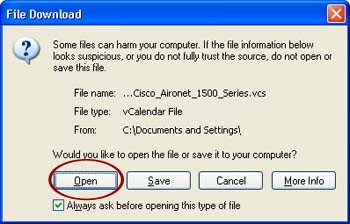
Click on this link to add this event to your calendar: [Add to your Outlook calendar] Depending how your browser is configured, you may then see a dialog box similar to this:
|
|
Step 2 |
To add the event to your Outlook calendar, click Open from the dialog box (circled in red above). Clicking save will create a file on your computer but will not add the event to your calendar. | |
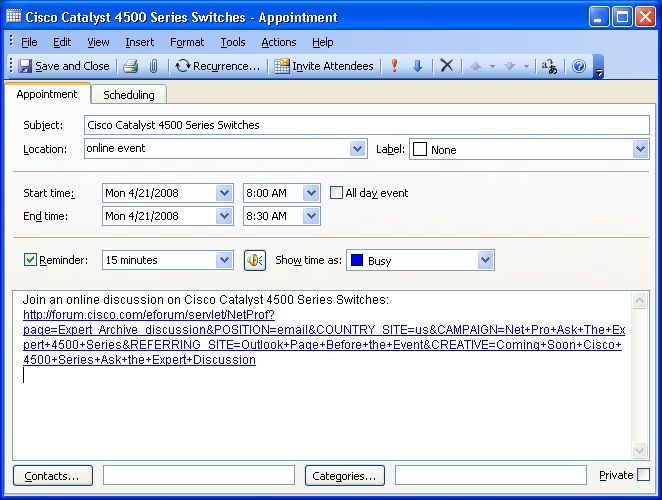
| Once you click "Open" the following window will open in Microsoft Outlook: | ||
 |
||
Step 3 |
Make any desired changes to the entry. Then click Save and Close to add it to your calendar. | |