
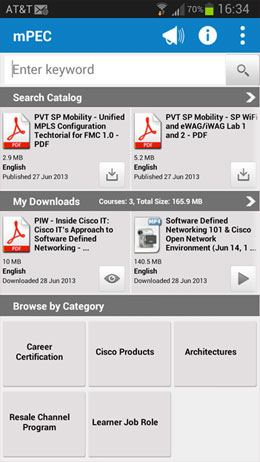
Users can perform keyword searches or they can browse
the entire catalog. Browse by category options are also available.
the entire catalog. Browse by category options are also available.
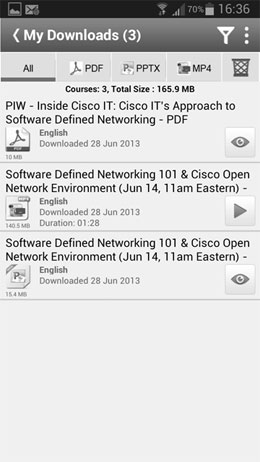
Users can access their downloaded content offline
and use it as needed when they need it.
and use it as needed when they need it.
Announcing the Release of mPEC for Android
mPEC for Android is now available on the Google Play Store! The long awaited Android version is now available. It includes features and functionality found in mPEC for the iPhone presented in a way Android users will be familiar with.
Android: Supported devices include: Samsung Galaxy S2, S3, S4 and Note I and II, Google Nexus 4 and 7, Motorola RAZR. Supports Android OS versions 4.0 and higher.
Features Include
- Less taps to get what you want - Many features right on Home page
- Download MP4, PPT and PDF
- Search Swim Lane on Home screen with left/right scroll of up to 10 of the latest titles - search term field on Home page - or tap on search swim lane header bar to enter full search
- My Downloads Swim Lane - left/right file browse on Home Screen or tap My Downloads header bar to enter My Downloads page
- Browse Catalog by same five areas as mPEC for iPad and iPhone
- Announcements & News
- Search filters & sorts - Title, Published Date, Language, File Type, File Age
- 3 Dot menu or Android options button for quick access to Home screen, Downloads, Search, News/Announcements or Information without going to Home page first
- Download progress bar
- Downloaded files accessible without logging in if no Internet access is available
- Copy files downloaded to other platforms using Android file system directly – no need to go through the app
mPEC for Android is available for free to Cisco Partners. Go to the mPEC page to download the app and for more information.
The release of mPEC for Android is the third major release of mPEC for non-PC devices, which includes tablets and smartphones. Check the mPEC page on the PEC for the Apple-based releases.